
If you encounter the error locate command not found on your Linux system, it likely means that you do not have the software installed and therefore can’t use this command. In this tutorial, we will remedy the issue by showing you how to install the locate command on all major linux distros. You will then see some basic usage examples of the locate command.
In this tutorial you will learn:
- How to install the
locatecommand on all major Linux distros - How to use the
locatecommand on Linux - How to update the
locatedatabase
| Category | Requirements, Conventions or Software Version Used |
|---|---|
| System | Any Linux distro |
| Software | locate |
| Other | Privileged access to your Linux system as root or via the sudo command. |
| Conventions |
# – requires given linux commands to be executed with root privileges either directly as a root user or by use of sudo command$ – requires given linux commands to be executed as a regular non-privileged user |
How to install locate command on all major Linux distros
If the
locate command is not already installed on your system, you will encounter an error such as locate command not found or bash: /usr/bin/locate: No such file or directory when trying to execute the command.
The simple solution to this problem is to install locate with your system’s package manager. All Linux distros have the package available in their default repositories.
You can use the appropriate command below to install locate with your system’s package manager.
To install locate on Ubuntu, Debian, and Linux Mint:
$ sudo apt install locate
To install locate on Fedora, CentOS, AlmaLinux, and Red Hat:
$ sudo dnf install locate
To install locate on Arch Linux and Manjaro:
$ sudo pacman -S locate
locate Command Examples
locate creates a database of files on your system, along with their locations, and then searches that database for a match, rather than actually scanning your hard drive for matching files in real time. This allows locate to produce very fast results, so it can effectively search the entire file system for a matching file in just a few seconds.
Since locate uses a database, and this database is not updated all the time, the command can’t find files that were recently created. The user can run updatedb to manually update the locate database, or wait about a day for the database to be updated automatically in the background.
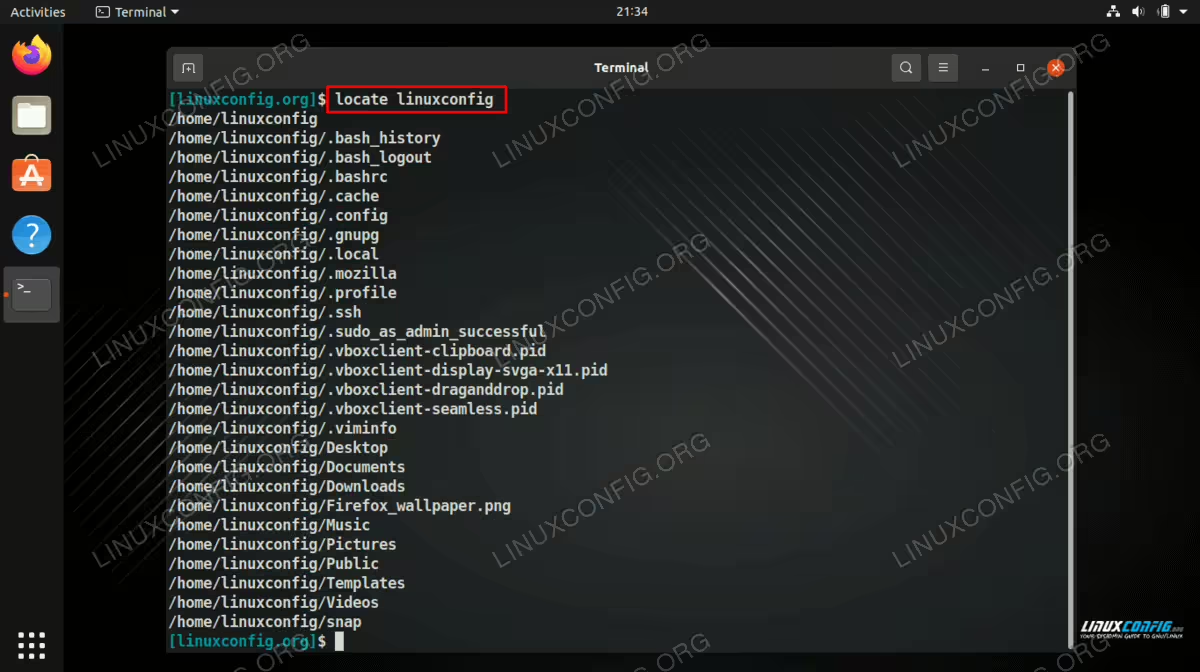
- The command syntax is very simple. Just specify the file or directory that you would like to search for.
$ locate example.txt
- To update the cache for
locate, you can run:$ sudo updatedb
Closing Thoughts
In this tutorial, you saw how to install the
locate command on your Linux system. The locate command is very fast at searching for files because it uses a cached list to provide results, which is can be continually updated with the updatedb command. You should now no longer encounter the Locate command not found error in your terminal.
