How to install Webmin on RHEL 8 / CentOS 8

Webmin is web-based administrator’s tool that can manage many aspects of the system. After installation, we can manage our machine’s resources, the server applications running on it, set up cronjobs, just to name a few. It comes with it’s own http server, no additional container or webserver required. The rich function set is accessible trough a web interface, so all we need is a browser to manage our system remotely.

In this tutorial we will install Webmin on RHEL 8 / CentOS 8, add the necessary service file for easy management, and log in to the WUI (Web User Interface).

In this tutorial you will learn:

  • How to install Webmin from tarball
  • How to add and test systemd service file
  • How to access the web interface

Read more

How to check Linux Version

The common scenario is that you have been given an access to a Linux system physically or via remote login and you have no idea what Linux version is installed on this particular system. Given that many of the today’s Linux Distributions have implemented systemd as part of their core design, to check for a Linux version is in many cases relatively simple procedure.

The simplest way to check Linux version is by using the hostnamectl command without any arguments. For example the below hostnamectl command will return the Linux distribution name, version and codename in use along with the currently loaded Linux kernel version:

$ hostnamectl 
   Static hostname: x220
         Icon name: computer-laptop
           Chassis: laptop
        Machine ID: 2d4efda5efb0430faeb2087d0a335c6b
           Boot ID: f8c4a3a776a74d42878347efc2c00634
  Operating System: Debian GNU/Linux 10 (buster)
            Kernel: Linux 4.9.0-9-amd64
      Architecture: x86-64
DID YOU KNOW?

It is a common mistake to refer to the entire GNU/Linux operating system simply as Linux. The important note here is that the so called Linux is actually only the Kernel part of the system whereas GNU is the actual system as in collection of pre-compiled binaries, libraries and system tools. Both GNU and Linux kernel must function in tandem in order for the operating system to actually work.

Hence, one cannot exists without the other, so next time when you talk about your operating system and you wish to be technically correct, refer to it as GNU/Linux or simply as Lignux.

In this tutorial you will learn:

  • Basic introduction to Linux package
  • How to check system architecture and Linux kernel version
  • How to check CPU architecture
  • How to check CentOS, Redhat, Debian, Ubuntu, Mint, Arch, fedora linux system version

Read more

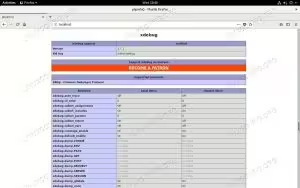
PHP Xdebug on RHEL 8

How to Install Xdebug on RHEL 8 / CentOS 8 Linux

Xdebug is great for debugging your PHP code in real time. There are a few ways to install it on RHEL 8 / CentOS 8, but the simplest and most straightforward one utilizes packages found right in RHEL’s repos.

In this tutorial you will learn:

  • How to Install the Dependencies
  • How to Install Xdebug with PECL
  • How to Configure PHP to Use Xdebug
  • How to Make Sure Xdebug is Loaded

Read more

How to add user on AlmaLinux

After installing AlmaLinux or migrating from CentOS to AlmaLinux, most users will eventually run into the need to do some user account management. This is especially true if you only have a root account on your system and need to setup one or more normal users.

In this guide, we’ll show you the step by step instructions to add a new user on an almalinux system. This can be done through both GUI and command line. We’ll be covering both methods in this guide, so you can pick whichever option is most convenient for you.

In this tutorial you will learn:

  • How to add a new user on AlmaLinux from command line
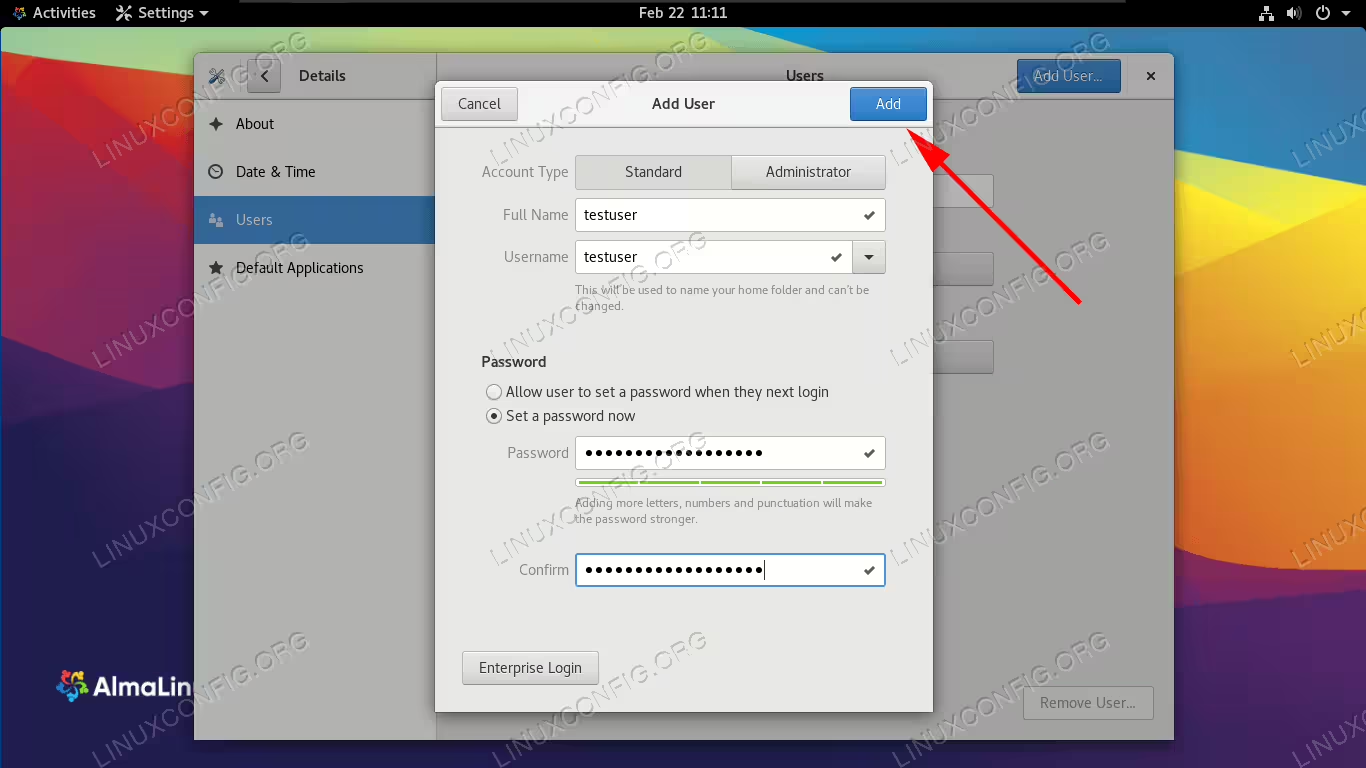
  • How to add a new user on AlmaLinux from GNOME GUI
Adding a new user account on AlmaLinux

Adding a new user account on AlmaLinux

Read more

How to install asterisk on RHEL 8 / CentOS 8 Linux

This article will describe how to install the open source communication software Asterisk on RHEL 8 / CentOS 8; due to the fact that Asterisk and other important dependencies are not available as RPM packages from the repositories, it is needed to compile them from sources.

In this tutorial you will learn:

  • Which are the pre-requisites to install Asterisk
  • How to compile Asterisk from sources
  • How to start Asterisk
  • How to reconfigure or remove Asterisk
  • How to access Asterisk command line interface

Read more

How to stop/start firewall on RHEL 8 / CentOS 8

The firewall on RHEL 8 / CentOS 8 Linux system is enabled by default allowing for only few services to receive incoming traffic. FirewallD is the default daemon responsible for firewall security feature onRHEL 8 / CentOS 8 Server.

NOTE
The nftables framework replaces iptables as a default network packet filtering feature on RHEL 8.

The following is a list of default firewall opened ports and configured settings on RHEL 8 / CentOS 8 Linux system using the firewalld dynamic firewall daemon:

# firewall-cmd --list-all
public (active)
  target: default
  icmp-block-inversion: no
  interfaces: enp0s3
  sources: 
  services: cockpit dhcpv6-client ssh
  ports: 
  protocols: 
  masquerade: no
  forward-ports: 
  source-ports: 
  icmp-blocks: 
  rich rules: 

In this tutorial you will learn:

  • How to check the firewall status onRHEL 8 / CentOS 8.
  • How to stop firewall on RHEL 8 / CentOS 8.
  • How to start firewall on RHEL 8 / CentOS 8.
  • How to permanently disable firewall on RHEL 8 / CentOS 8.
  • How to enable firewall to start after reboot.

Read more

How to install OwnCloud on RHEL 8 / CentOS 8 server

In this article we will be performing an installation of OwnCloud directly from the official OwnCloud package. OwnCloud is a suite of client-server software to provide easy file sharing. The operating system to be used will be RHEL 8 / CentOS 8 server with MySQL, PHP and Apache web-server.

In this tutorial you will learn:

  • How to install Owncloud prerequisites
  • How to download and upzip OwnCloud source package
  • How to setup MariaDB database
  • How to setup OwnCloud

Read more

Apache Solr Linux install

Apache Solr is open source search software. It’s capable of being implemented as an enterprise-level search engine thanks to its high scalability, advanced indexing, fast queries, and ability to integrate with a large variety of applications. It’s capable of tackling big data and also has high availability with its load balancing and failover configurations.

The platform is written in Java and can be installed on Linux systems. In this guide, we’ll show the step by step instructions for installing Apache Solr on some of the most popular Linux distros, including Ubuntu, Debian, CentOS, and Red Hat.

In this tutorial you will learn:

  • How to install Apache Solr on Debian based systems
  • How to install Apache Solr on Red Hat based systems
  • Initial configuration of Apache Solr
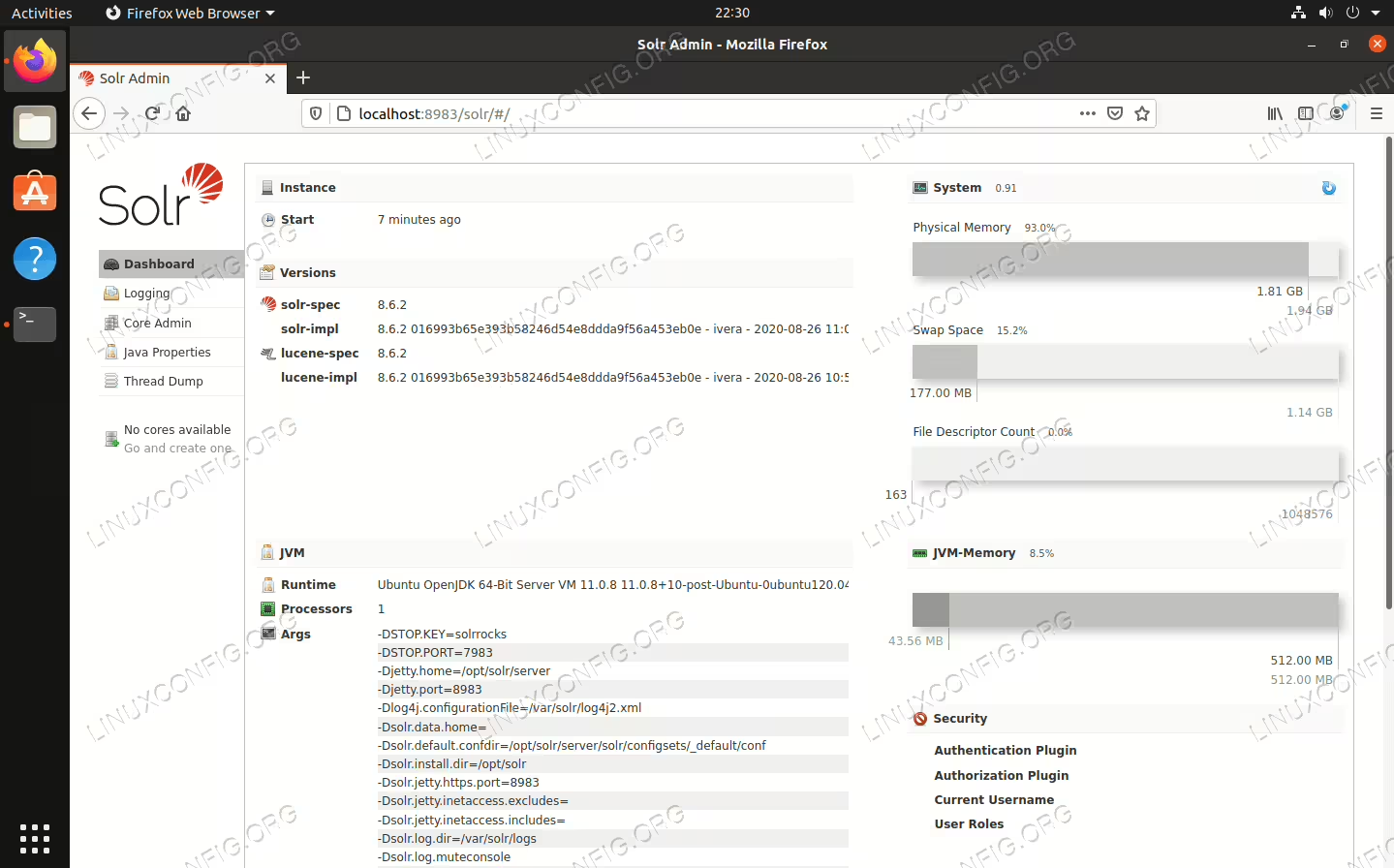
Apache Solr installed on Linux

Apache Solr installed on Linux

Read more

ERROR: Unable to find the kernel source tree for the currently running kernel – CentOS / RHEL / AlmaLinux

This article will provide you with an information on how to install kernel source on CentOS/RHEL Linux system. Alternatively it will guide you through a simple troubleshootng process in case you have already installed kernel sources/headers and yest still receiving the bellow error message:

  ERROR: Unable to find the kernel source tree for the currently running kernel.  Please make sure you have installed the kernel     
         source files for your kernel and that they are properly configured; on Red Hat Linux systems, for example, be sure you have 
         the 'kernel-source' or 'kernel-devel' RPM installed.  If you know the correct kernel source files are installed, you may    
         specify the kernel source path with the '--kernel-source-path' command line option.

In this tutorial you will learn:

  • How to install kernel-headers
  • How to install kernel-devel
  • How to check kernel version
  • How to check for installed kernel-devel version

Read more

Install development tools on RHEL 8 / CentOS 8

The development tools group acts as a transitional package for installation of multiple development, compilation and debugging tools. Most notably these include Automake, Autoconf, Gcc (C/C++) as well as various Perl & Python macros and debuggers.

See below list for a complete list of packages available as part of the development tools group. The entire development tools group can be easily installed on RHEL 8 / CentOS 8 Linux by using the dnf command.

In this tutorial you will learn:

  • How to list the content of the development tools group on RHEL 8 / CentOS 8
  • How to install the development tools group on RHEL 8 / CentOS 8
  • How to remove the development tools group from RHEL 8 / CentOS 8

Read more

How to setup Samba Server and client on AlmaLinux

File servers often need to accommodate a variety of different client systems. Running Samba allows Windows systems to connect and access files, as well as other Linux systems and MacOS. An alternative solution would be to run an FTP/SFTP server, which can also support the connections from many systems.

In this guide, we’ll go over the instructions to setup a Samba server on almalinux. This is a great way to prepare your file server after installing AlmaLinux or migrating from CentOS to AlmaLinux. We’ll also see how to connect to the file server from other AlmaLinux client computers.

In this tutorial you will learn:

  • How to install Samba on AlmaLinux
  • How to allow Samba through firewalld
  • How to create a Samba user
  • How to configure Samba to share a directory
  • How to allow Samba through SELinux
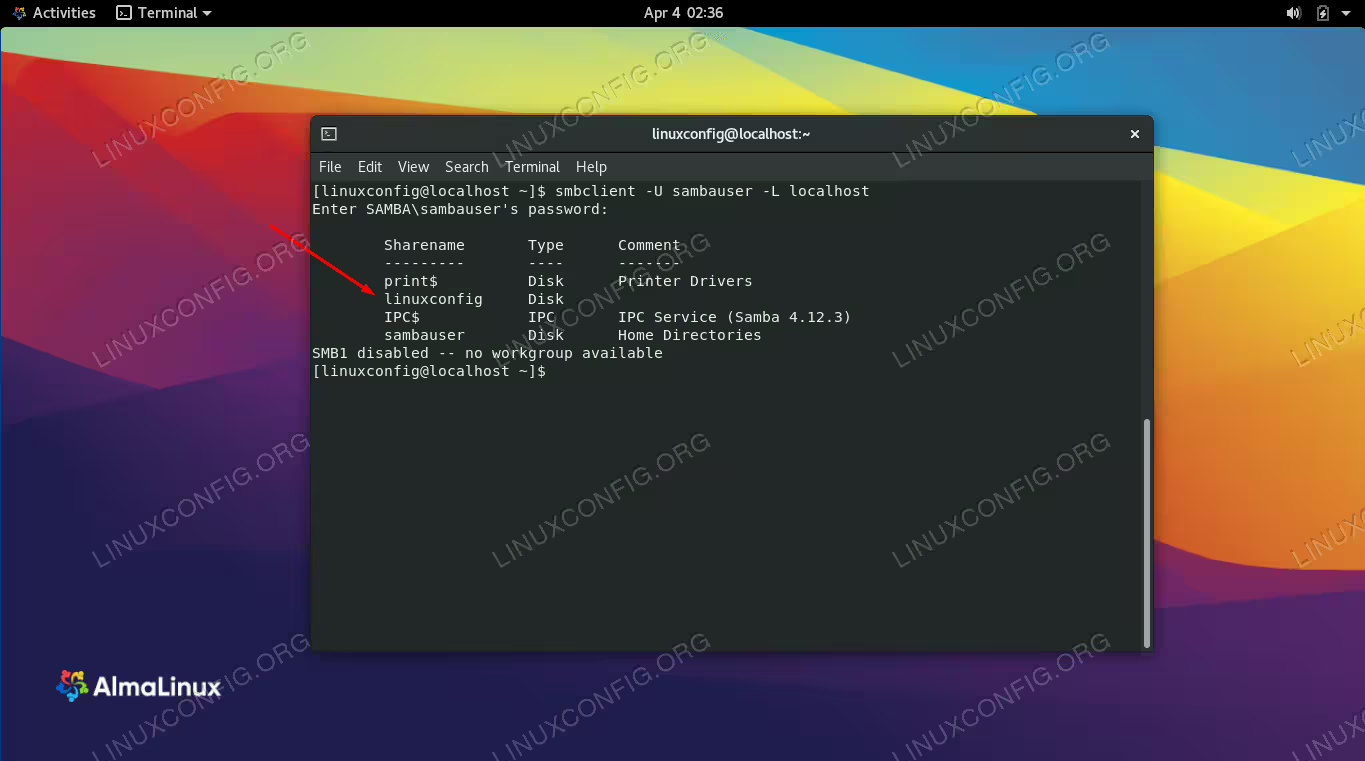
  • How to connect to Samba server from AlmaLinux client
Setting up a Samba share on AlmaLinux

Setting up a Samba share on AlmaLinux

Read more

How to install Docker CE on RHEL 8 / CentOS 8

The latest release of the RHEL 8 / CentOS 8. Red Hat has built its own tools, buildah and podman, which aim to be compatible with existing docker images and work without relying on a daemon, allowing the creation of containers as normal users, without the need of special permissions (with some limitations: e.g. at the moment of writing, it’s still not possible to map host ports to the container without privileges).

Some specific tools, however, are still missing: an equivalent of docker-compose, for example does not exists yet. In this tutorial we will see how to install and run the original Docker CE on Rhel8 by using the official Docker repository for CentOS7.

In this tutorial you will learn:

  • How to enable the docker-ce repository on RHEL 8 / CentOS 8
  • How to install docker and docker-compose on RHEL 8 / CentOS 8

docker-RHEL 8 / CentOS 8

Docker installed on RHEL 8 / CentOS 8

Read more