How to configure NTP server on RHEL 8 / CentOS 8 Linux

Chrony is a default NTP client as well as an NTP server on RHEL 8 / CentOS 8. This article will provide you with an information on how to install ntp and perform basic configuration of an NTP server or client on RHEL 8.

In this tutorial you will learn:

  • How to install NTP server on RHEL 8 / CentOS 8.
  • How to install NTP client on RHEL 8 / CentOS 8.
  • How to open firewall to incoming NTP requests.
  • How to configure Chrony as NTP server.
  • How to configure Chrony as NTP client.

Read more

How to install Webmin on RHEL 8 / CentOS 8

Webmin is web-based administrator’s tool that can manage many aspects of the system. After installation, we can manage our machine’s resources, the server applications running on it, set up cronjobs, just to name a few. It comes with it’s own http server, no additional container or webserver required. The rich function set is accessible trough a web interface, so all we need is a browser to manage our system remotely.

In this tutorial we will install Webmin on RHEL 8 / CentOS 8, add the necessary service file for easy management, and log in to the WUI (Web User Interface).

In this tutorial you will learn:

  • How to install Webmin from tarball
  • How to add and test systemd service file
  • How to access the web interface

Read more

PHP Xdebug on RHEL 8

How to Install Xdebug on RHEL 8 / CentOS 8 Linux

Xdebug is great for debugging your PHP code in real time. There are a few ways to install it on RHEL 8 / CentOS 8, but the simplest and most straightforward one utilizes packages found right in RHEL’s repos.

In this tutorial you will learn:

  • How to Install the Dependencies
  • How to Install Xdebug with PECL
  • How to Configure PHP to Use Xdebug
  • How to Make Sure Xdebug is Loaded

Read more

How to Install Matomo (Piwik) on RHEL 8 Linux

This article covers an installation of Matomo (Piwik), an all-in-one premium web analytics platform, on RHEL 8 Linux Server. In this instance the installation is based on the well-know LAMP stack comprising the RHEL 8, MariaDB, PHP and Apache webserver.

In this tutorial you will learn:

  • How to Install LAMP Stack on RHEL 8.
  • How to configure MariaDB database.
  • How to install Matomo (Piwik) on RHEL 8.
  • How to open HTTP and HTTPS firewall ports.

Read more

How to add user on AlmaLinux

After installing AlmaLinux or migrating from CentOS to AlmaLinux, most users will eventually run into the need to do some user account management. This is especially true if you only have a root account on your system and need to setup one or more normal users.

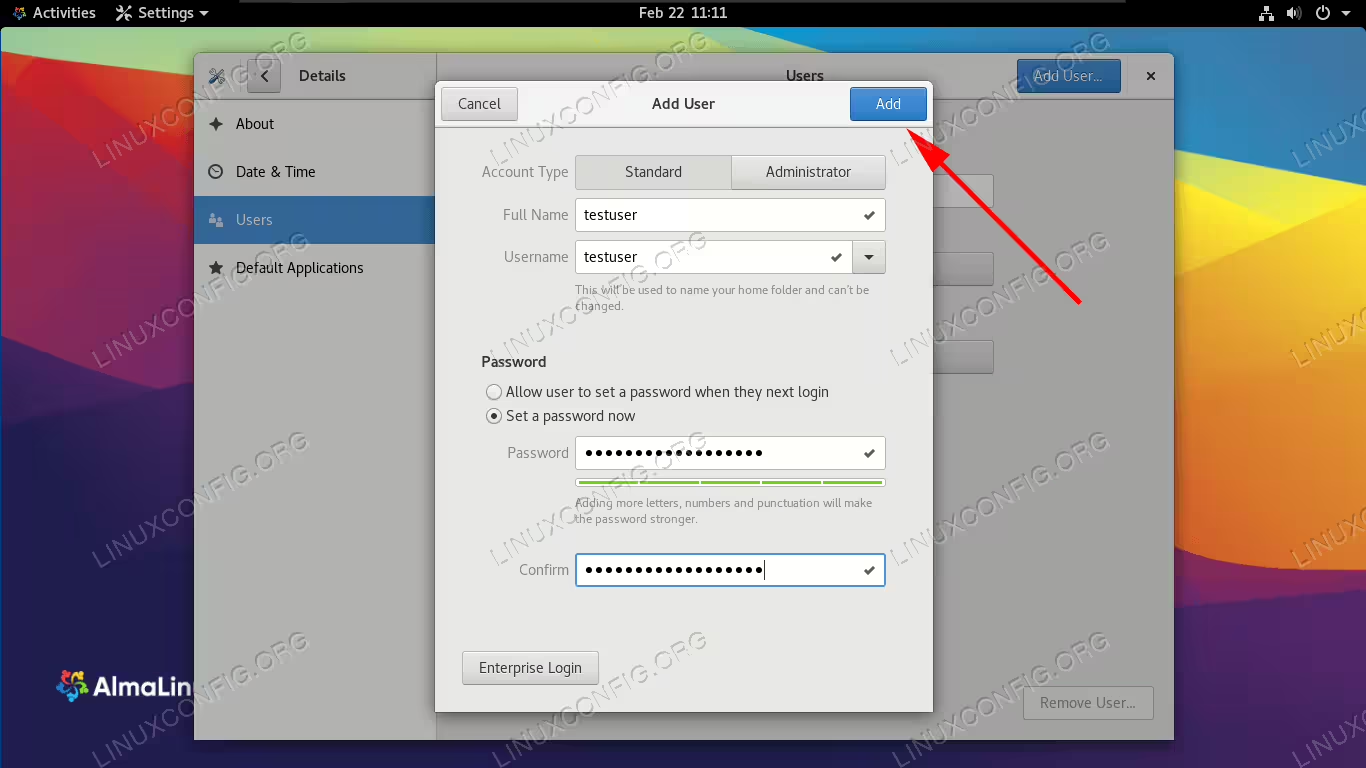
In this guide, we’ll show you the step by step instructions to add a new user on an almalinux system. This can be done through both GUI and command line. We’ll be covering both methods in this guide, so you can pick whichever option is most convenient for you.

In this tutorial you will learn:

  • How to add a new user on AlmaLinux from command line
  • How to add a new user on AlmaLinux from GNOME GUI
Adding a new user account on AlmaLinux

Adding a new user account on AlmaLinux

Read more

How to install asterisk on RHEL 8 / CentOS 8 Linux

This article will describe how to install the open source communication software Asterisk on RHEL 8 / CentOS 8; due to the fact that Asterisk and other important dependencies are not available as RPM packages from the repositories, it is needed to compile them from sources.

In this tutorial you will learn:

  • Which are the pre-requisites to install Asterisk
  • How to compile Asterisk from sources
  • How to start Asterisk
  • How to reconfigure or remove Asterisk
  • How to access Asterisk command line interface

Read more

How to stop/start firewall on RHEL 8 / CentOS 8

The firewall on RHEL 8 / CentOS 8 Linux system is enabled by default allowing for only few services to receive incoming traffic. FirewallD is the default daemon responsible for firewall security feature onRHEL 8 / CentOS 8 Server.

NOTE
The nftables framework replaces iptables as a default network packet filtering feature on RHEL 8.

The following is a list of default firewall opened ports and configured settings on RHEL 8 / CentOS 8 Linux system using the firewalld dynamic firewall daemon:

# firewall-cmd --list-all
public (active)
  target: default
  icmp-block-inversion: no
  interfaces: enp0s3
  sources: 
  services: cockpit dhcpv6-client ssh
  ports: 
  protocols: 
  masquerade: no
  forward-ports: 
  source-ports: 
  icmp-blocks: 
  rich rules: 

In this tutorial you will learn:

  • How to check the firewall status onRHEL 8 / CentOS 8.
  • How to stop firewall on RHEL 8 / CentOS 8.
  • How to start firewall on RHEL 8 / CentOS 8.
  • How to permanently disable firewall on RHEL 8 / CentOS 8.
  • How to enable firewall to start after reboot.

Read more

Change hostname on AlmaLinux

The hostname of a Linux system is important because it’s used to identify the device on a network. The hostname is also shown in other prominent places, such as in the terminal prompt. This gives you a constant reminder of which system you’re working with. It’s a real life saver when you’re managing multiple systems through SSH and those command line terminals start to blend together in your mind.

Of course, IP addresses are used when devices need to communicate with each other, but those can change frequently. Hostnames give us a way to know which device we’re interacting with either on the network or physically, without remembering a bunch of numbers that are subject to change. Thus, it’s important that your system bears a hostname which helps you to identify it quickly. For example, “backup-server” is much more informative than “server2.” If you can’t easily identify a system’s purpose from the hostname, it’s time to change it.

In this guide, we’ll show you how to change the hostname on AlmaLinux. This can be especially useful if you’ve recently migrated from CentOS to AlmaLinux and need to update the hostname accordingly. Changing the hostname can be done either by command line or GUI, and we’ll show you the steps for both methods below.

In this tutorial you will learn:

  • How to change the AlmaLinux hostname from command line
  • How to change the AlmaLinux hostname from GNOME GUI
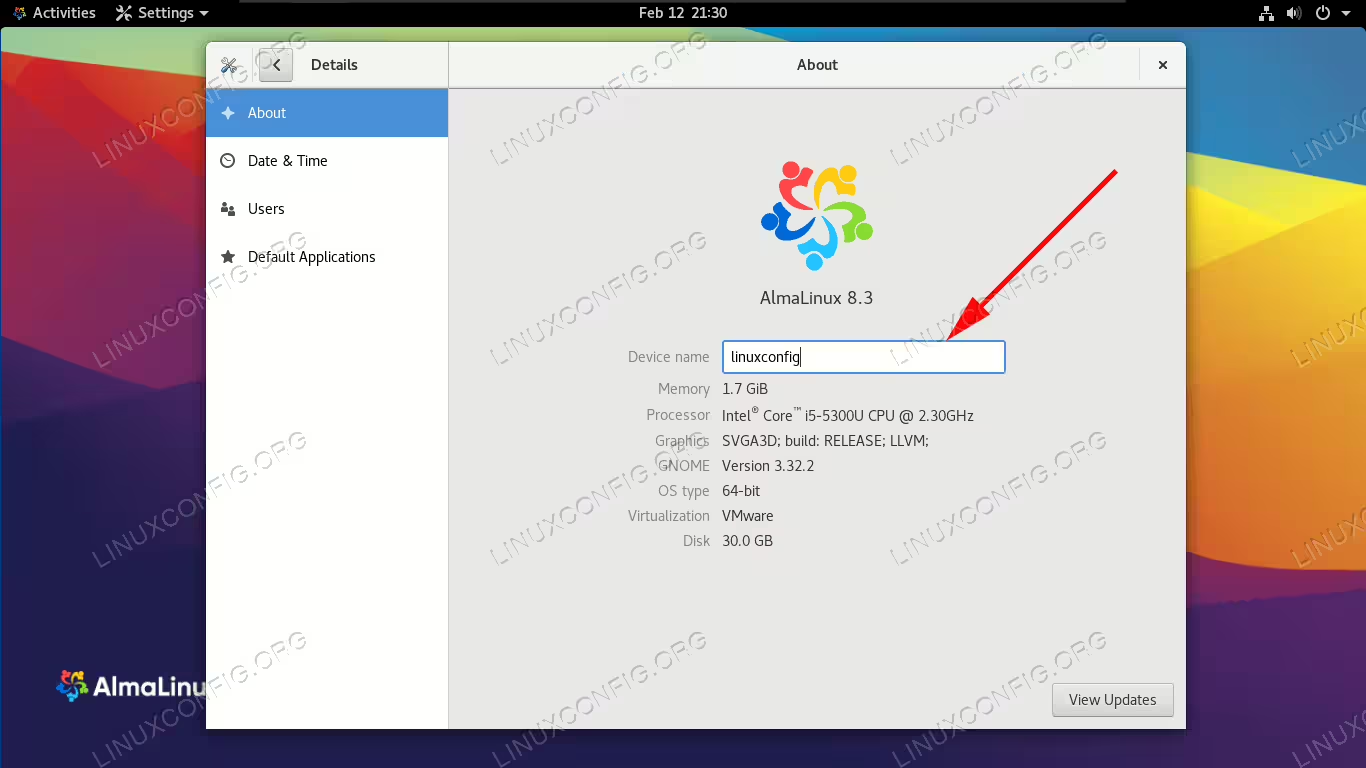
Changing the hostname in AlmaLinux

Changing the hostname in AlmaLinux

Read more

How to install OwnCloud on RHEL 8 / CentOS 8 server

In this article we will be performing an installation of OwnCloud directly from the official OwnCloud package. OwnCloud is a suite of client-server software to provide easy file sharing. The operating system to be used will be RHEL 8 / CentOS 8 server with MySQL, PHP and Apache web-server.

In this tutorial you will learn:

  • How to install Owncloud prerequisites
  • How to download and upzip OwnCloud source package
  • How to setup MariaDB database
  • How to setup OwnCloud

Read more

There are no enabled repositories RHEL solution

You may receive a There are no enabled repos error message when trying to install system updates on a fresh Red Hat Linux install. This occurs when you have not enabled your RHEL subscription. In this tutorial, we will take you through the step by step instructions to register your RHEL subscription, enable the package manager, and finally install updates and remedy the error message for good.

Read more

RHEL 8 / CentOS 8 enable/disable IPv6

An Internet Protocol Version 6 (IPv6) address is an identifier of a network interface of a computer or a network node involved in an IPv6 computer network. This article will guide the user via simple steps on how to disable or re-enable IPv6 network addresses on RHEL 8 / CentOS 8. To temporarily enable/disable the IPv6 address on RHEL 8 / CentOS 8 we will use the sysctl command. Additionally, to permanently disable the IPv6 address we will modify the GRUB boot options.

In this tutorial you will learn:

  • How to temporarily disable the IPv6 address.
  • How to permanently disable IPv6 by modifying the GRUB boot options.

Read more