
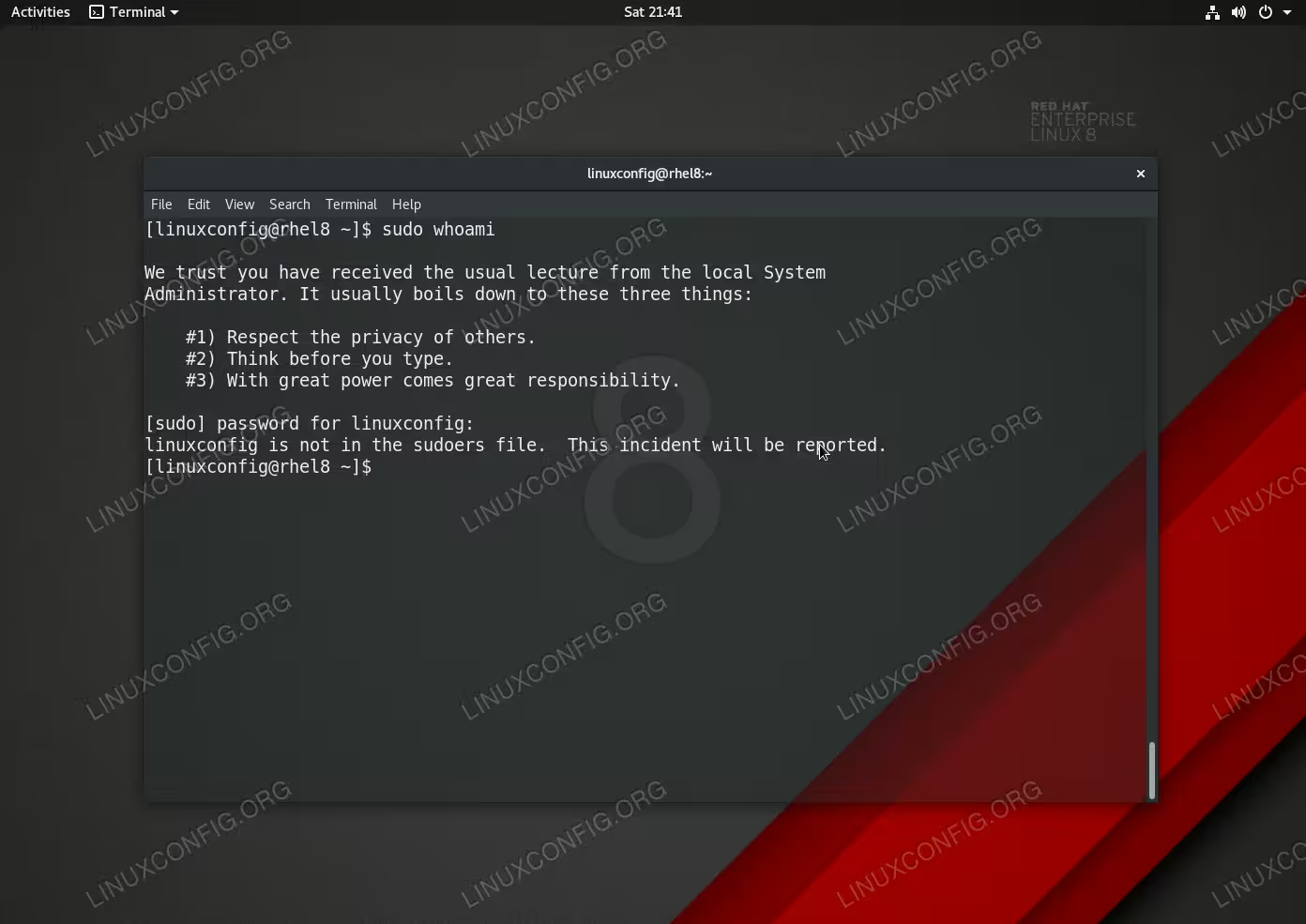
The sudo command allows regular users to execute commands with administrative/root privileges. By adding any user to predefined sudo group wheel will grant root privileges to execute any command as root user. Any attempt to use the sudo command for the non-sudo user will result in:
user is not in the sudoers file. This incident will be reported.
In this tutorial you will learn:
- How to create sudo user on RHEL 8 / CentOS 8 system.
- How to add existing user to sudoers.
Software Requirements and Conventions Used
| Category | Requirements, Conventions or Software Version Used |
|---|---|
| System | RHEL 8 / CentOS 8 |
| Software | N/A |
| Other | Privileged access to your Linux system as root or via the sudo command. |
| Conventions |
# – requires given linux commands to be executed with root privileges either directly as a root user or by use of sudo command$ – requires given linux commands to be executed as a regular non-privileged user |
RHEL 8 / CentOS 8 add user to sudoers step by step instructions
In this section we will add sudo privileges to an existing user eg. linuxconfig.
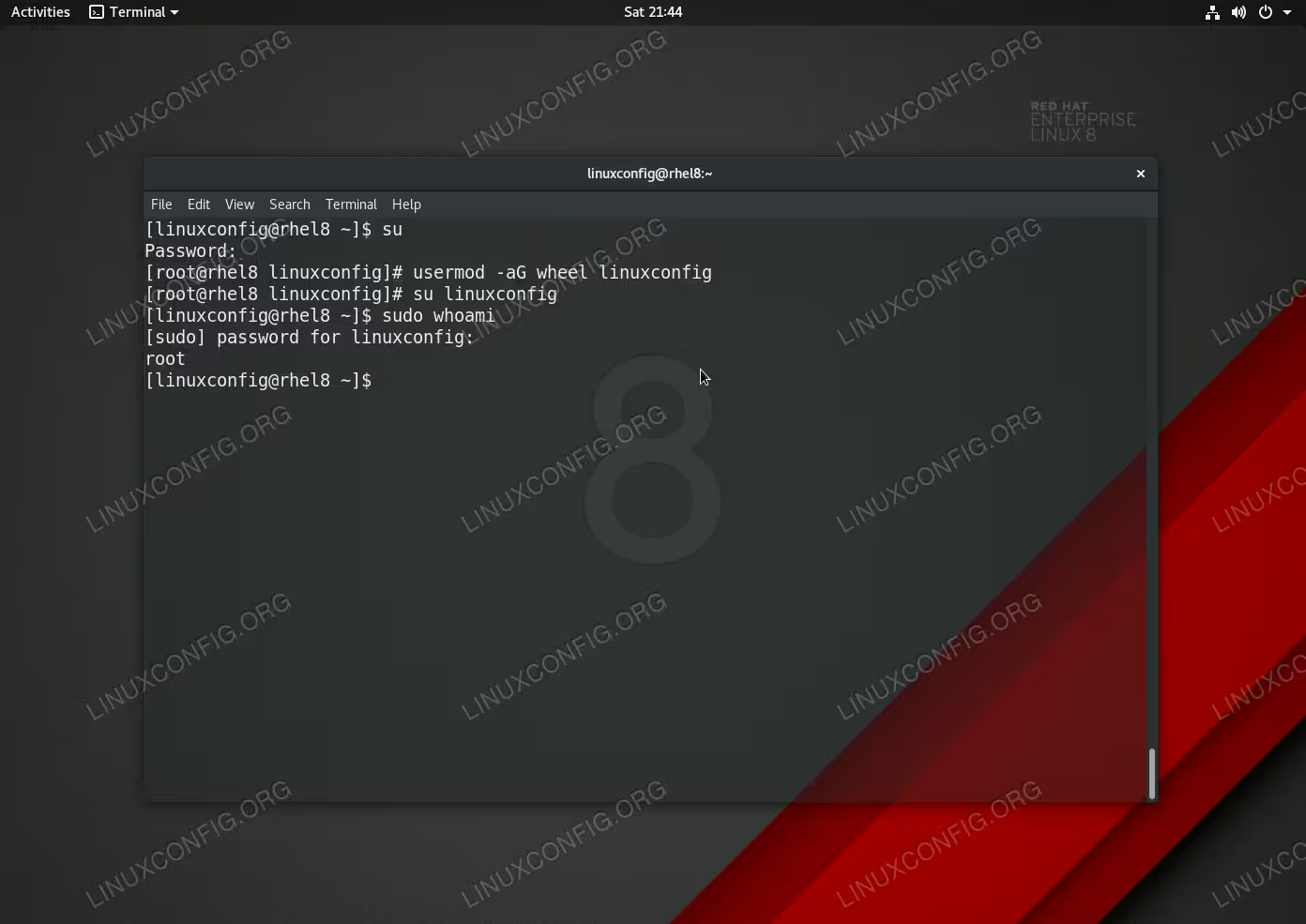
- Gain root command line access:
$ su
- Add user to the
wheelgroup. In this example we will create new sudo user from an existing userlinuxconfig:# useradd -G wheel linuxconfig
WARNING
Giving the power to the user to execute any command with root privileges might NOT be the smartest move. You may try to limit the user power by allowing only system usage by un-commenting the:%sys ALL = NETWORKING, SOFTWARE, SERVICES, STORAGE, DELEGATING, PROCESSES, LOCATE, DRIVERS
line within the
/etc/sudoersfile and including the user to thesysgroup instead of thewheelgroup. You may also explore other preconfigured options within/etc/sudoersto further limit the user’s power to avoid possible unintentional or intentional accidents.
- Re-login we the new sudo user to apply the new settings:
# su linuxconfig
- Test sudo permissions:
$ sudo whoami
root
If all went well the above command should produce the
rootoutput.
RHEL 8 / CentOS 8 create a new sudo user step by step instructions
In this section we will be creating a new sudo user account.
- Gain root command line access:
$ su
- Use the
useraddcommand to create a new user eg.foobarand add user to thewheelgroup.# useradd -G wheel foobar
- Set password to new
foobar:# passwd foobar
- Re-login we the new sudo user to apply the new settings:
# su foobar
- Test sudo permissions:
$ sudo whoami
root