
Depending on your Ubuntu 20.04 Server/Desktop installation your system might not come with the ping command pre-installed. This is especially the case for docker containers. Any attempt to ping a remote system will result in the following error:
ping linuxconfig.org
bash: ping: command not found
If you see the error bash: ping: command not found, follow this guide to resolve it.
In this tutorial you will learn:
- How to install
pingcommand on Ubuntu
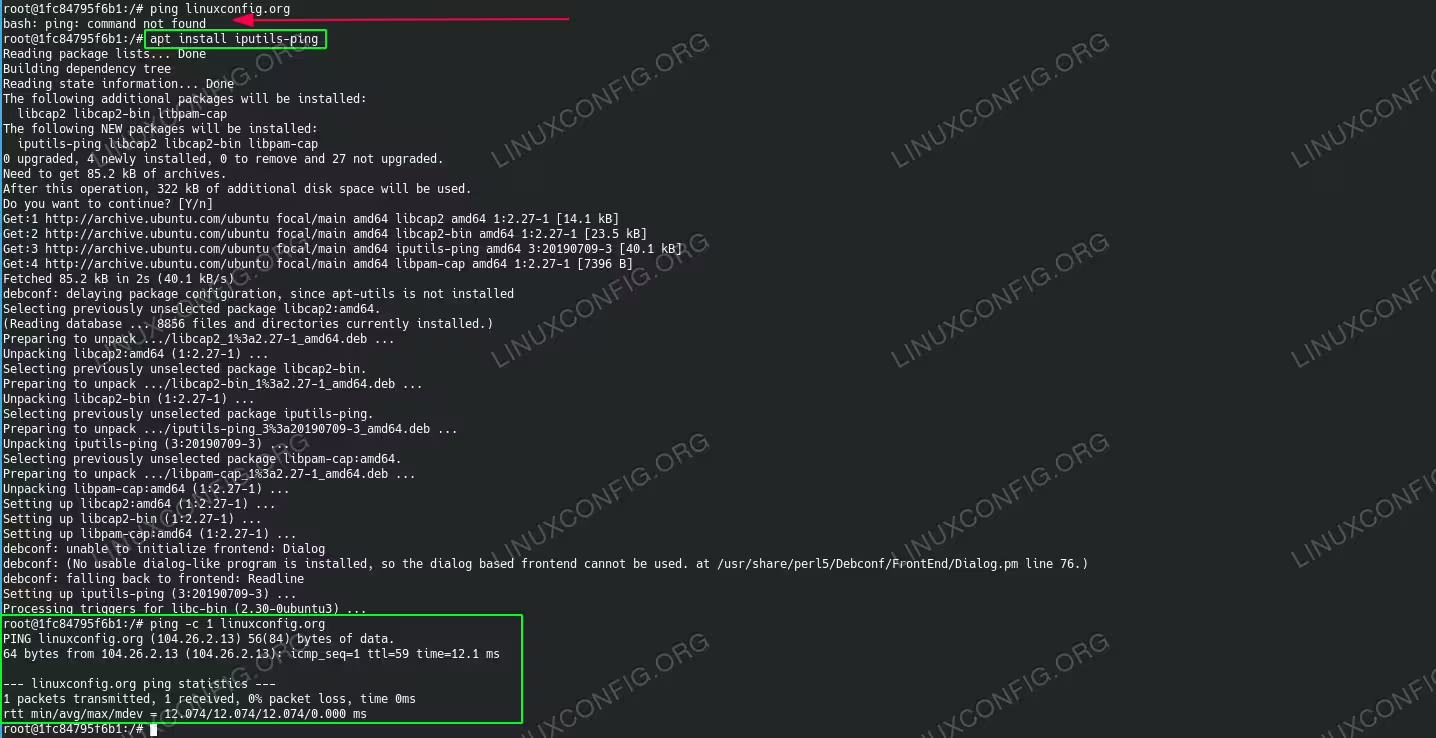
Install ping command on Ubuntu 20.04
Software Requirements and Conventions Used
| Category | Requirements, Conventions or Software Version Used |
|---|---|
| System | Installed Ubuntu 20.04 or upgraded Ubuntu 20.04 Focal Fossa |
| Software | N/A |
| Other | Privileged access to your Linux system as root or via the sudo command. |
| Conventions |
# – requires given linux commands to be executed with root privileges either directly as a root user or by use of sudo command$ – requires given linux commands to be executed as a regular non-privileged user |
Install ping command on Ubuntu 20.04 step by step instructions
- Update the system package index:
$ sudo apt update
- Install the missing
pingcommand:$ sudo apt install iputils-ping
- The missing
pingcommand should now be installed and ready to use:$ which ping /usr/bin/ping $ ping -c 1 linuxconfig.org PING linuxconfig.org (104.26.3.13) 56(84) bytes of data. 64 bytes from 104.26.3.13 (104.26.3.13): icmp_seq=1 ttl=59 time=12.1 ms --- linuxconfig.org ping statistics --- 1 packets transmitted, 1 received, 0% packet loss, time 0ms rtt min/avg/max/mdev = 12.122/12.122/12.122/0.000 ms