
The SSH server might already be installed on your RHEL 8 / CentOS 8 system. If you need to install ssh, you can check the status of your SSH server using the systemctl status sshd command. We will then install the openssh-server package below by using the dnf command.
In this tutorial you will learn:
- How to install SSH server onRHEL 8 / CentOS 8.
- How to open SSH firewall port 22 on RHEL 8 / CentOS 8.
- How to enable SSH to start after reboot on RHEL 8 / CentOS 8.
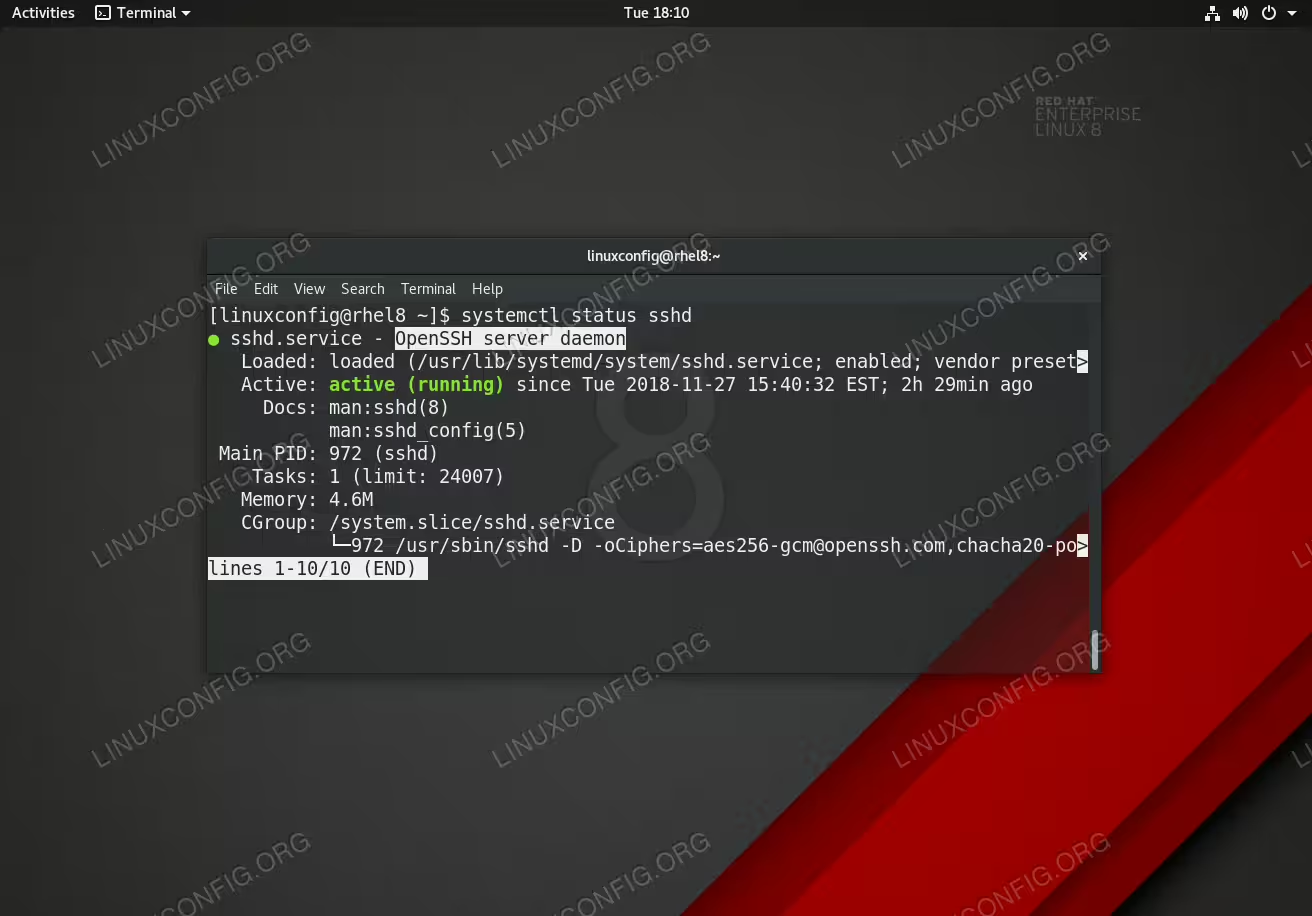
Active SSH Server daemon on RHEL 8 Linux server/workstation.
| Category | Requirements, Conventions or Software Version Used |
|---|---|
| System | RHEL 8 / CentOS 8 |
| Software | OpenSSH_7.8p1, OpenSSL 1.1.1 FIPS |
| Other | Privileged access to your Linux system as root or via the sudo command. |
| Conventions |
# – requires given linux commands to be executed with root privileges either directly as a root user or by use of sudo command$ – requires given linux commands to be executed as a regular non-privileged user |
How to Install ssh server on RHEL 8 / CentOS 8 step by step instructions
- Install the SSH server package
opensshby using thednfcommand:# dnf install openssh-server
- Now start sshd daemon and enable sshd to start after reboot:
# systemctl start sshd
# systemctl enable sshd
- Confirm that the
sshddaemon is up and running:# systemctl status sshd
- Open the SSH port 22 to allow incoming traffic:
# firewall-cmd --zone=public --permanent --add-service=ssh
# firewall-cmd --reload
- Optionally, locate the SSH server man config file
/etc/ssh/sshd_configand perform custom configuration.Every time you make any change to the
/etc/ssh/sshd_configconfiguration file reload the sshd service to apply changes:# systemctl reload sshd