
By default, Ubuntu ships Firefox as a Snap package — but many users prefer a native .deb installation for faster startup times, better system integration, and full control over updates. This guide walks you through how to install Firefox without Snap on Ubuntu 26.04 using Mozilla’s official APT repository, giving you a traditional package that behaves like any other system application.
Table of Contents
In this tutorial you will learn:
- How to remove the default Snap-based Firefox
- How to add Mozilla’s official APT repository
- How to install Firefox as a native
.debpackage - How to pin Firefox to prevent Ubuntu from reinstalling the Snap version
- How to verify the installation is non-Snap
Software Requirements
| Category | Requirements, Conventions or Software Version Used |
|---|---|
| System | Ubuntu 26.04 Resolute Raccoon |
| Software | Firefox ESR (latest Extended Support Release from Mozilla Team PPA), snapd (to be removed) |
| Other | Privileged access to your Linux system as root or via the sudo command. Active internet connection. |
| Conventions | # – requires given linux commands to be executed with root privileges either directly as a root user or by use of sudo command$ – requires given linux commands to be executed as a regular non-privileged user |
firefox-esr deb package.
| Step | Command/Action |
|---|---|
| 1. Remove Snap Firefox | sudo snap remove firefox |
| 2. Add Mozilla APT repo | sudo add-apt-repository ppa:mozillateam/ppa |
| 3. Install Firefox ESR | sudo apt install firefox-esr |
Remove the Snap Firefox Package
The first step to install Firefox without Snap on Ubuntu 26.04 is to remove the Snap-packaged version that ships by default. If Firefox is currently open, close it before proceeding.
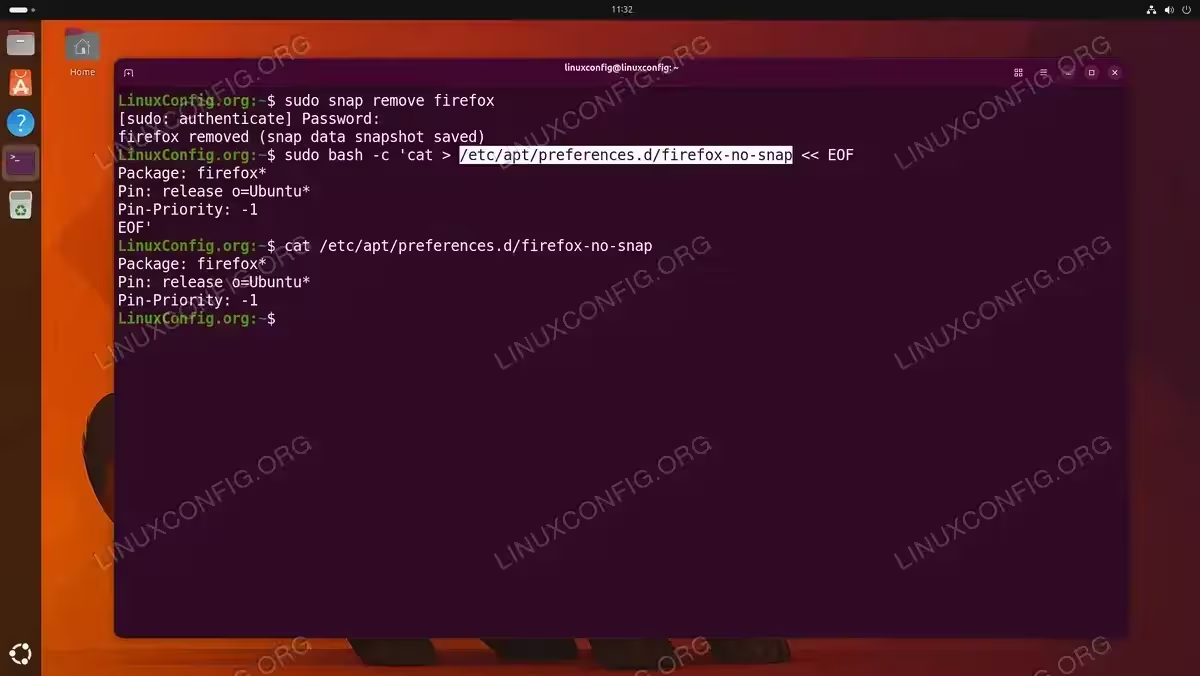
- Remove the Snap Firefox package: Run the following command to uninstall the Snap version of Firefox:
$ sudo snap remove firefox
This removes the Firefox Snap and its associated data from your system. The process may take a moment as Snap cleans up the mount points and revision directories.
- Prevent automatic reinstallation: Ubuntu’s
firefoxmeta-package can trigger a Snap reinstall. Pin it by creating an APT preference file:$ sudo bash -c 'cat > /etc/apt/preferences.d/firefox-no-snap << EOF Package: firefox* Pin: release o=Ubuntu* Pin-Priority: -1 EOF'
This tells APT to never install Firefox from Ubuntu’s default repositories, consequently blocking any automatic Snap re-installation. We will add the Mozilla repository instead.
Additionally, if you want to go further and remove Snap entirely from Ubuntu, you can do so after completing this guide — though it is not required to use the deb version of Firefox.
Add Mozilla’s Official APT Repository
Mozilla maintains an official APT repository that provides Firefox as a native .deb package. This is the recommended approach for a non-Snap installation on Ubuntu 26.04.
- Install required dependencies: Ensure
software-properties-commonis available for adding PPAs:$ sudo apt update && sudo apt install software-properties-common -y
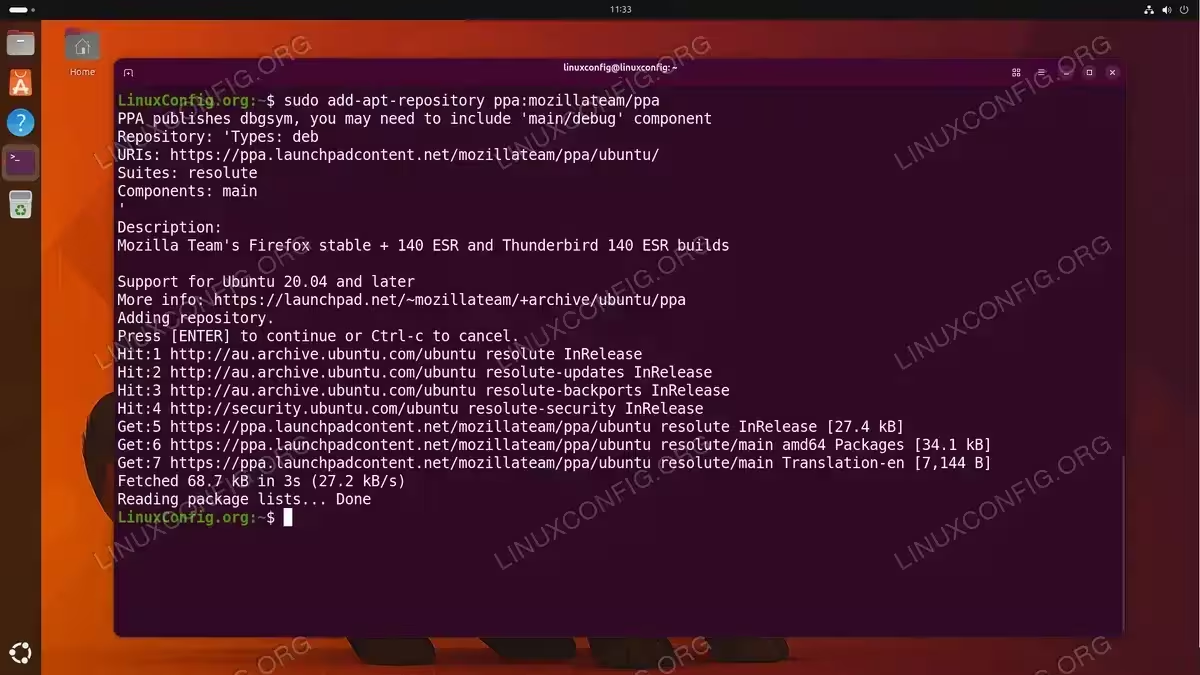
- Add the Mozilla Team PPA: The
mozillateamPPA provides official Mozilla builds of Firefox as a deb package:$ sudo add-apt-repository ppa:mozillateam/ppa
Press Enter when prompted to confirm. APT will then import the repository’s signing key and add the source to your system.
- Update the package index: Refresh APT to index the newly added repository:
$ sudo apt update
IMPORTANT
The Mozilla Team PPA is maintained by Canonical employees and Mozilla contributors. On Ubuntu 26.04 (Resolute), the PPA provides firefox-esr as a native deb package. The standard firefox rapid-release package is not available as a deb for this release — the firefox APT package in Ubuntu’s own repository remains a transitional dummy that installs the Snap. You can read more about the PPA on the official Launchpad PPA page.
FIREFOX VS FIREFOX ESR: WHAT IS THE DIFFERENCE?
Both are official Mozilla builds of the same browser engine. The key difference is the release cadence. Standard Firefox follows a rapid 4-week release cycle, delivering new features quickly but requiring frequent updates. Firefox ESR (Extended Support Release) is updated with major features only every ~42 weeks, while still receiving security and stability patches every month. For most desktop users the difference is invisible day-to-day. ESR is the practical choice when you want a non-Snap deb install on Ubuntu 26.04, and it is the version officially supported and maintained by the Mozilla Team PPA for this release.
Install Firefox ESR as a .deb Package
With the Mozilla APT repository in place, you can now install Firefox ESR without Snap on Ubuntu 26.04 using the standard apt package manager.
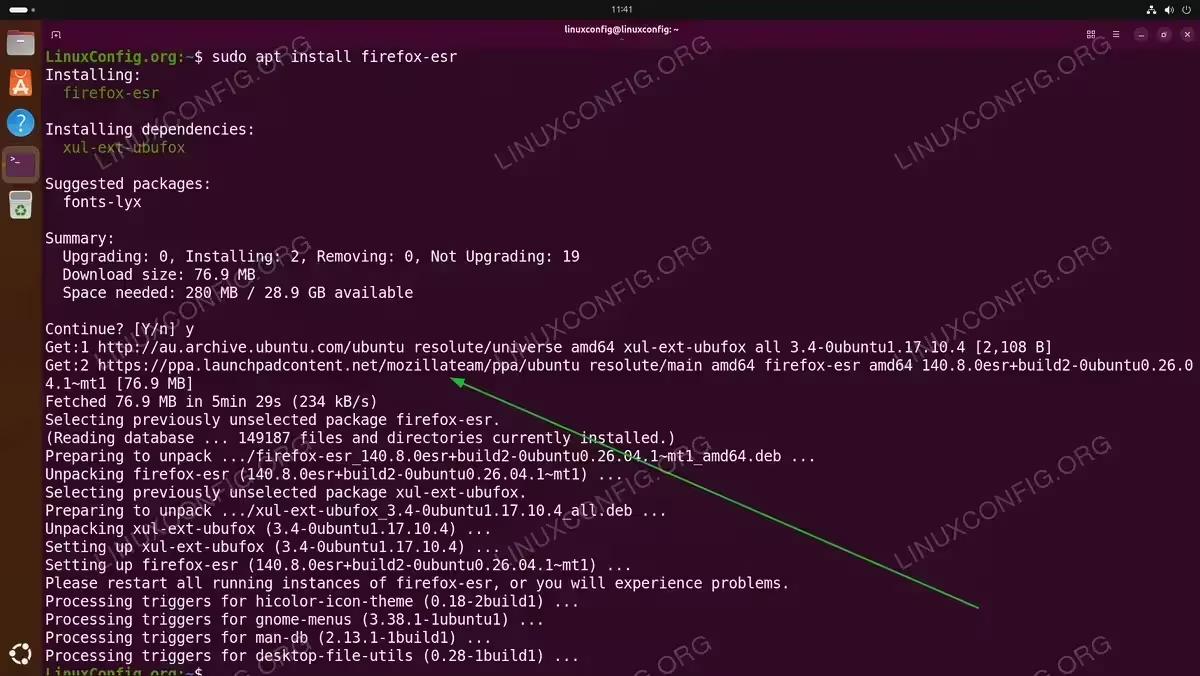
- Install Firefox ESR: Run the installation command:
$ sudo apt install firefox-esr
APT will pull the package from the Mozilla Team PPA. The download size is typically around 80-100 MB. Moreover, unlike the Snap version, this package installs directly to
/usr/lib/firefox-esr/without any containerised filesystem overhead.
INSTALLATION TIPS
If APT still attempts to pull Firefox from the Ubuntu repositories instead of the Mozilla PPA, double-check that the preference file created in the first section is in place at /etc/apt/preferences.d/firefox-no-snap and that its pin priority is set to -1.
Pin Firefox to the Mozilla Repository
To ensure that future apt upgrade runs continue to use the Mozilla PPA version rather than any Ubuntu-provided package, create an APT preferences file that gives the Mozilla PPA higher priority.
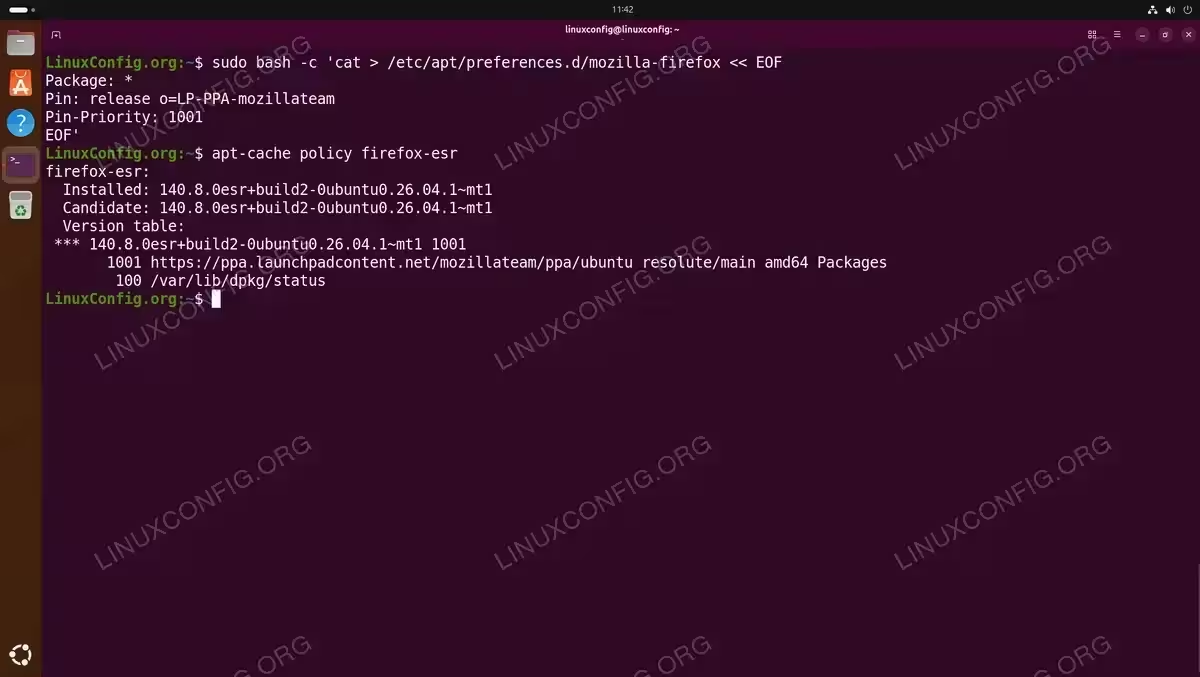
- Create the Mozilla PPA priority file: This file instructs APT to always prefer Mozilla PPA packages for Firefox over any other source:
$ sudo bash -c 'cat > /etc/apt/preferences.d/mozilla-firefox << EOF
Package: *
Pin: release o=LP-PPA-mozillateam
Pin-Priority: 1001
EOF'
A pin priority of
1001is higher than the default (500), therefore APT will always select the Mozilla PPA version when upgrading Firefox. - Verify APT policy for Firefox ESR: Confirm APT will correctly select the Mozilla PPA version:
$ apt-cache policy firefox-esr
The output should show the Mozilla PPA candidate at the top with the highest pin priority.
Verify the Installation
After completing the installation on Ubuntu 26.04, verify that Firefox ESR is running from the native deb package and not from a Snap.
- Check the Firefox ESR binary path: A non-Snap Firefox ESR will resolve to a standard filesystem path:
$ which firefox-esr
Expected output:
/usr/bin/firefox-esr. If the path contains/snap/, the Snap version is still active. - Confirm the installation source: Use
apt-cache policyto verify the installed version’s origin:$ apt-cache policy firefox-esr
The
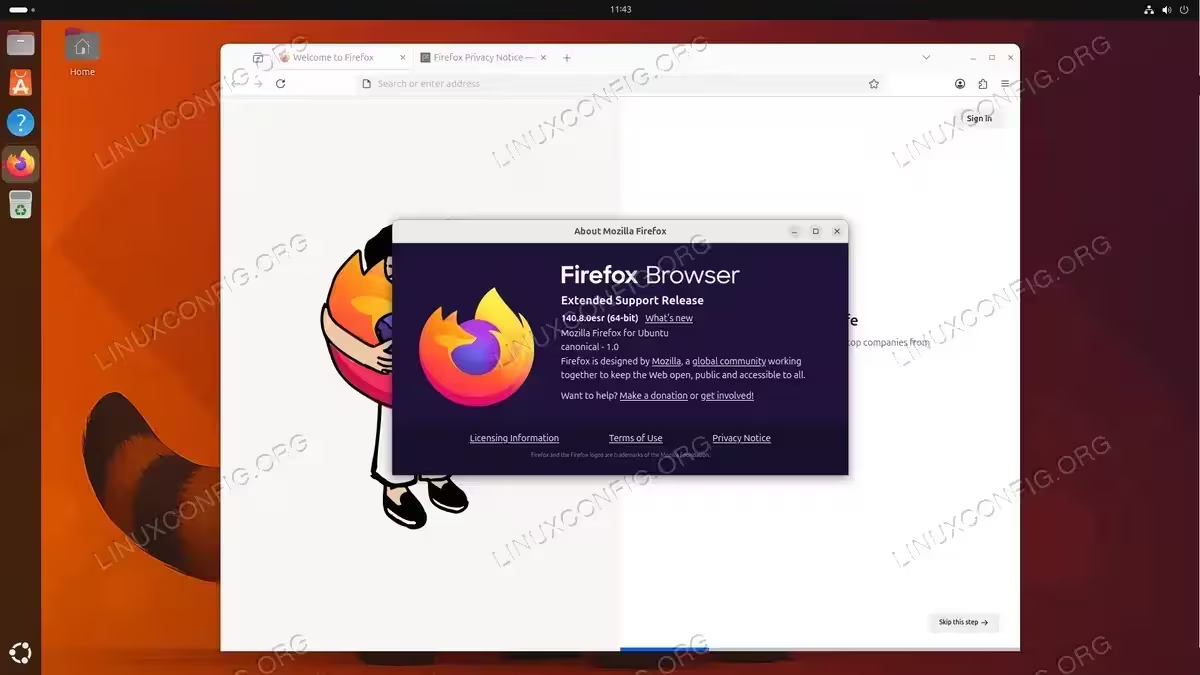
Installedline should reference theLP-PPA-mozillateamorigin. - Launch Firefox ESR: Open Firefox ESR from the application menu or from the terminal:
$ firefox-esr &
Notice the significantly faster startup compared to the Snap-packaged version, as there is no Snap container to initialise.
COMPLETED
Firefox ESR is now installed as a native .deb package from Mozilla’s official APT repository. It will receive security and stability updates through sudo apt upgrade like any other system package.
Conclusion
You have successfully installed Firefox ESR without Snap on Ubuntu 26.04 by removing the default Snap package, adding Mozilla’s official APT repository, and pinning the package to prevent Ubuntu from reinstalling the Snap version. Firefox ESR delivers the same trusted Mozilla browser engine with regular security updates, and because it is managed through APT you can update it alongside the rest of your system packages with a simple sudo apt upgrade — no Snap tooling required.
Frequently Asked Questions
- Will Ubuntu automatically reinstall the Snap version of Firefox after an update? Without the APT pin file created in this guide, Ubuntu’s package management could reinstall the Snap version when certain meta-packages are updated. The preference files at
/etc/apt/preferences.d/firefox-no-snapand/etc/apt/preferences.d/mozilla-firefoxprevent this by blocking the Ubuntu-origin Firefox and prioritising the Mozilla PPA respectively. - Is Firefox ESR missing any important features compared to standard Firefox? For everyday browsing, the difference is not noticeable. Firefox ESR carries the same core engine, security model, and extension support as the rapid-release version. The only practical difference is that new interface features and experimental APIs arrive later, typically on the next ESR major version released every 42 weeks.
- Why is standard Firefox not available as a deb from the Mozilla PPA on Ubuntu 26.04? On Ubuntu 26.04 (Resolute), the
firefoxAPT package in Ubuntu’s own repository is a transitional dummy that installs the Snap. The mozillateam PPA currently provides onlyfirefox-esras a real deb for this release. This may change in future PPA updates, butfirefox-esris the supported non-Snap deb option at the time of writing. - What is the difference in startup performance between Snap and deb Firefox ESR? Snap packages run inside a confined filesystem environment that must be mounted at launch, which adds several seconds to the initial startup time. The native deb package starts directly from the system filesystem, consequently resulting in noticeably faster cold-start times, particularly on systems with slower storage.