
When trying to install Steam on a Debian-based Linux distribution, you might encounter dependency errors related to missing multiarch support for i386 packages. This issue typically occurs when the i386 architecture hasn’t been added to your system’s supported architectures, which is required for running 32-bit applications like Steam on a 64-bit system.
QUICK FIX
Add the i386 architecture to your system and update the package lists:
$ sudo dpkg --add-architecture i386
$ sudo apt update
Understanding the Error
ERROR MESSAGE
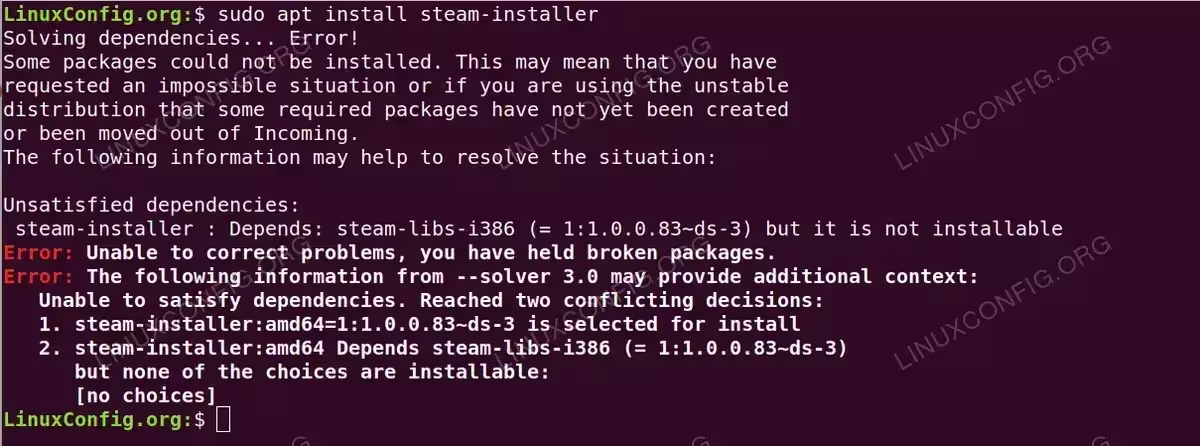
$ sudo apt install steam-installer
Solving dependencies... Error!
Some packages could not be installed. This may mean that you have
requested an impossible situation or if you are using the unstable
distribution that some required packages have not yet been created
or been moved out of Incoming.
The following information may help to resolve the situation:

Unsatisfied dependencies:
 steam-installer : Depends: steam-libs-i386 (= 1:1.0.0.83~ds-3) but it is not installable
Error: Unable to correct problems, you have held broken packages.
Error: The following information from --solver 3.0 may provide additional context:
   Unable to satisfy dependencies. Reached two conflicting decisions:
   1. steam-installer:amd64=1:1.0.0.83~ds-3 is selected for install
   2. steam-installer:amd64 Depends steam-libs-i386 (= 1:1.0.0.83~ds-3)
      but none of the choices are installable:
      [no choices]
This error occurs because Steam requires 32-bit libraries (i386) even on 64-bit systems, but your system doesn’t have the i386 architecture enabled. Modern Linux distributions use a feature called multiarch to allow installing packages for multiple architectures on the same system, but the required architectures must be explicitly added.
Solution Explained
The solution involves two steps: adding the i386 architecture to your system and updating the package lists. The dpkg --add-architecture i386 command tells the Debian package management system that you want to be able to install packages for the i386 architecture. After adding the architecture, running apt update refreshes the package lists so that apt can find and download the repository indexes for the newly added architecture. This enables the system to access and install the required 32-bit dependencies for Steam.
Solution
- Check currently enabled architectures: Before adding a new architecture, you might want to check what’s already enabled
$ dpkg --print-foreign-architectures
This command displays all the foreign architectures currently enabled on your system. If i386 is not listed, it needs to be added.
- Add the i386 architecture to your system and update the package lists:
$ sudo dpkg --add-architecture i386
$ sudo apt update
- Installing Steam after adding the architecture: Complete the installation process
$ sudo apt install steam-installer
After adding the i386 architecture and updating package lists, you should be able to install Steam and its dependencies without errors.
Additional Notes
- Adding the i386 architecture will increase the size of your package database and potentially make
apt updateoperations take longer. - Some packages may have conflicts between 64-bit (amd64) and 32-bit (i386) versions, which might require manual resolution.
- If you’re using a custom repository configuration, ensure that your repositories provide i386 packages as well.
