
In this series of article about python and HTTP protocol, we work with HTTP requests and responses. In the first article we explore standard library functions such as urllib.request.urlopen or urllib.request.urlretrieve. In the second part we focus on the external “requests” library, which let us perform complex operations, writing less code.
Archive
Installation of Raspbian Linux on Raspberry PI computer using raspbian-ua-netinst
In this config you will learn how to install Raspbian Linux on your Raspberry Pi computer. Here is a what do you need checklist:
- SD or miniSD card depending on your raspberry PI Hardware version
- Wired connection to your router, set with DHCP and Internet connection
Next, install wget and bzip2 packages on your system:
UBUNTU/DEBIAN
# apt-get install bzip2 wget
FEDORA/CENTOS
# yum install bzip2 wget
Vagrant installation on CentOS Linux system
The Vagrant installation on CentOS Linux is a fairly simple few commands process. First, we need to download a official RPM from http://www.vagrantup.com/downloads.html. Open up your terminal and use wget command to download latest Vagrant RPM package eg:
$ wget -q https://dl.bintray.com/mitchellh/vagrant/vagrant_1.7.4_x86_64.rpm
How to install WordPress.com desktop app on Ubuntu 19.04 Disco Dingo Linux
In this article we will be installing Wordpress.com Desktop Client app on Ubuntu 19.04 Disco Dingo Linux
In this tutorial you will learn:
- How to install all prerequisites
- How to download Wordpress.com Desktop Client debian package
- How to install Wordpress.com Desktop Client
- How to start Wordpress.com Desktop Client
How to Install xVideoThief with Plugins on Linux Mint
Objective
The objective is to install xVideothief on Linux Mint with all necessary prerequisites and additional plugins
Operating System and Software Versions
- Operating System: – Linux Mint 19 or higher
- Software: – xVideothief 2.5.1
Requirements
Privileged access to your Linux Mint System as root or via sudo command is required.
Difficulty
EASY
Conventions
Install Kodi, VLC and multimedia libraries on Fedora 25 Linux
Introduction
Two of the most popular and highest quality media programs available for Linux are not available through Fedora’s default repositories. Of course, these are no other than Kodi and VLC, and they are available on Fedora through RPM Fusion.
Kodi, which was previously known as XBMC, has boomed in popularity as of late with both Linux and mainstream audiences.
VLC has been a long time favorite for anyone looking for a media player capable of playing content with just about any encoding or file extension.
Getting the Repositories
As with many multimedia things in Fedora, this is an instance of “RPM Fusion to the rescue.” Utilizing the reliable and trusted RPM Fusion repository grants access to both Kodi and VLC as well as valuable multimedia codecs and libraries required to play many people’s favorite content.
The best way to get the repositories is to use the series of commands provided by RPM Fusion.
$ su -c 'dnf install https://download1.rpmfusion.org/free/fedora/rpmfusion-free-release-$(rpm -E %fedora).noarch.rpm https://download1.rpmfusion.org/nonfree/fedora/rpmfusion-nonfree-release-$(rpm -E %fedora).noarch.rpm'
Thecus N2100 with Debian enable boot completion beep
I have installed a Debian on my N2100 yesterday and it is just great. I wonder why the Thecus guys do not put a full version of debian into this small box by default :-). Since this is a headless PC I was missing that last beep once the system booted so I would know when I can ssh to it. Here is a small hack to overcome this problem. First install a beep package:
# apt-get isntall beep
Configure local network Redhat package repository over HTTP with Apache
Objective
The objective is to configure network Redhat package repository accessible via HTTP protocol. This guide uses Apache webserver as a means to provide HTTP access to the local package repository.
Operating System and Software Versions
- Operating System: – Red Hat Enterprise Linux Server 7.3 (Maipo)
- Software: – Apache/2.4.6 (Red Hat Enterprise Linux)
Requirements
Privileged access to your RHEL server system will be required.
Difficulty
EASY
Conventions
Test And Recover Your Passwords By Cracking Them With Hashcat
Introduction
Hashcat is a robust password cracking tool that can help you recover lost passwords, audit password security, benchmark, or just figure out what data is stored in a hash.
There are a number of great password cracking utilities out there, but Hashcat is known for being efficient, powerful, and full featured. Hashcat makes use of GPUs to accelerate hash cracking. GPUs are much better and handling cryptographic work than CPUs are, and they can be utilized in much greater numbers than CPUs. Hashcat also supports a very wide range of popular hashes, to ensure that it can handle deciphering nearly any password.
Please note that misuse of this program can be illegal. Only test on systems that you own or have written permission to test on. Don’t share or post hashes or results publicly. Hashcat should be used for password recovery and professional security audits.
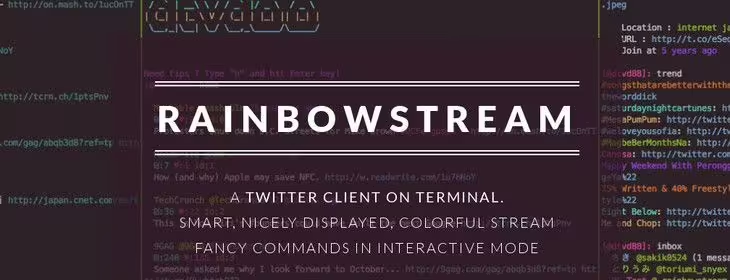
Tweet From the Linux Command Line With Rainbow Stream
Introduction
Rainbow Stream allows you to manage just about every aspect of your Twitter account from the command line. Yes, you did read that right. It’s a full featured command line Twitter client written in Python. Chances are, you’re falling into one of two camps right about now. If you’re in the slightly insane one that thinks this is a good idea, stay tuned. Rainbow Stream actually does provide an simple and intuitive Twitter experience from the Linux command line.
Prerequisite Packages
You probably have everything that you need to get Rainbow Stream working on your system right now, but just to be sure, there are a few packages that you should install if you haven’t already.
Debian Distros
# apt-get install python-dev libjpeg libjpeg-dev libfreetype6 libfreetype6-dev zlib1g-dev virtualenv
Redhat Distros
# dnf/yum install python libjpeg freetype freetype1 zlib python-virtualenv
Ruby on Rails Development On Ubuntu 16.04 Linux
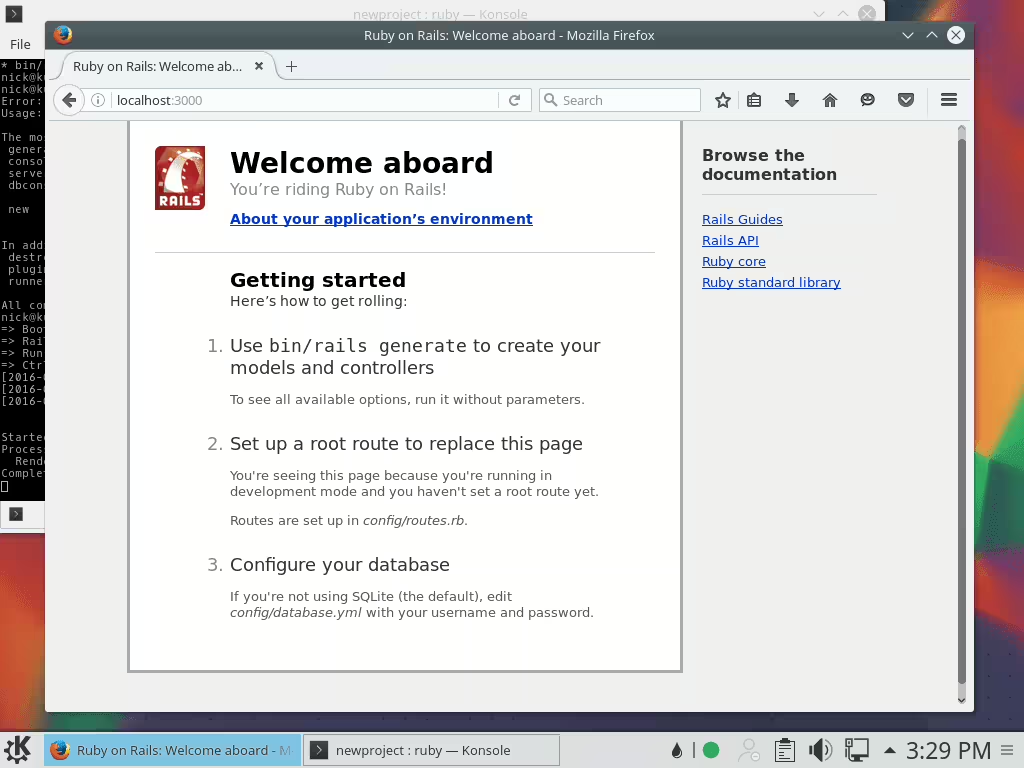
Ruby on Rails is one of the most popular web development platforms today, with some of the hottest start-ups and tech giants employing it in their software stacks. One of the biggest selling points of Ruby on Rails is the ease of development. It is just as easy to get set up and start developing, especially on Linux.
Installing the Packages
There are a couple of packages needed before Ruby can be installed in set up, and no, Ruby isn’t one of them. Since this tutorial is going to be using the Ruby Version Manager, or RVM, to manage Ruby, there’s no need to install the package through Ubuntu. There are a couple of packages that RVM needs in order to work and one that never seems to get pulled in by gem installs(nodejs).
# sudo apt-get install build-essential curl nodejs