
Although it is not a common error, some users may encounter a black screen when using Ubuntu Linux. The error is most likely to occur when first logging into Ubuntu, and usually indicates that there is a missing video driver. In this tutorial, we will look at a solution to fix a black screen on Ubuntu.
nvidia

Fixing Black Screen After Suspension in Ubuntu 22.04: NVIDIA & AMD Guide
Undoubtedly, Ubuntu 22.04 LTS’s black screen after suspend issue has been a critical problem for some users. If you have an NVIDIA or AMD graphics card, you may find this issue more frequently. This article provides an in-depth analysis of the problem and provides various solutions.
How to install the NVIDIA drivers on Manjaro 21 Linux
In this tutorial, you will learn how to install the NVIDIA drivers on Manjaro Linux. Installing the NVIDIA driver on Manjaro will increase graphic performance for your computer and enable additional features. You have two choices for installation, either automatic install using the standard Manjaro Repository, or manual install using the official nvidia.com driver.
How to install Phoronix Test Suite on Manjaro 21 Linux
Phoronix Test Suite is a video graphic card (VGA) benchmark tool for Linux. In the following tutorial we will perform an installation of Phoronix Test Suite on Manjaro 21 Linux from Arch User Repository using command line tools makepkg and pacman .
In this How to install Phoronix Test Suite on Manjaro 21 Linux tutorial you will learn:
- How to clone the latest Phoronix Test Suite AUR repository.
- How to Build Phoronix Test Suite package.
- How to install Phoronix Test Suite AUR package.
Install the Latest Nvidia Linux Driver
Most of the modern Linux Desktop systems come with Nvidia driver pre-installed in a form of the Nouveau open-source graphics device driver for Nvidia video cards. Hence depending on your needs and in most of the situations there is no need for an additional Nvidia Linux Driver installation procedure.
The only reason could be that you wish to squeeze as much power as possible from the Nvidia VGA card and in that case you may attempt to install the official proprietary Nvidia Linux driver. Some Linux distributions offer the proprietary driver pre-packaged as part of its standard package repository making the entire Nvidia Linux Driver procedure extremely easy to follow.
As already mentioned the other alternative is to download and install the Nvidia Linux Driver directly from the Nvidia.com website. This procedure usually involves more hands on approach and it is rather intermediate Linux system administration job.
Installation of the Nvidia Linux Driver from a 3rd party sources such as the proprietary Nvidia Linux driver from Nvidia.com or via PPA repository may result in an unstable system. From this reason if there is no real need for the Nvidia Linux Driver upgrade you are recommended to remain with the open source Nouveau driver.
Ethereum Mining on Ubuntu and Debian
Ethereum has established itself as one of the big players in the cryptocurrency world. It’s value has been on a steady rise for well over a year, and it’s one of the most widely traded coins in the world.
Ethereum is also an open source technology, and the Ethereum blockchain is powering a whole new wave of web development and web technologies. Even though the initial wave of interest in Ethereum has subsided, it’s clearly not too late to get involved.
If you aren’t running the AMDGPU-PRO drivers, check out our guide on installing OpenCL for open source AMDGPU before going any further.
How to install Nvidia drivers on Kali linux
The objective of this guide is to show how to install Nvidia GPU drivers on Kali Linux, along with the CUDA toolkit.
In this tutorial you will learn:
- How to install Nvidia GPU drivers on Kali Linux
Pop!_OS vs Ubuntu Linux
Pop!_OS and Ubuntu are both popular Linux distributions, each of which has their pros and cons, differences, and similarities to the other.
In this guide, we’ll be comparing the two distributions across a few key areas and giving a brief review of both distros. Read on to learn more about Pop!_OS and Ubuntu, and how they compare. By the end of this article, you’ll be armed with enough information to choose the best distro for your needs.
In this tutorial you will learn:
- Pop!_OS and Ubuntu background information
- Pop!_OS and Ubuntu similarities and differences
- Which distro should I use, Pop!_OS or Ubuntu?
Firefox hardware acceleration on Linux
As new innovations continue to push the envelope of what’s possible on a modern PC, hardware acceleration has been finding its way into many common applications. In recent versions, Mozilla Firefox now allows users to enable hardware acceleration in the web browser’s settings.
In this guide, we’ll talk about Firefox’s hardware acceleration. This will include a brief introduction to what it is and how it works, as well as how to enable or disable the setting on a Linux system. Keep reading if you want to give hardware acceleration a try, potentially speeding up your web browser a great deal.
In this tutorial you will learn:
- What is hardware acceleration in Firefox?
- How to enable or disable hardware acceleration
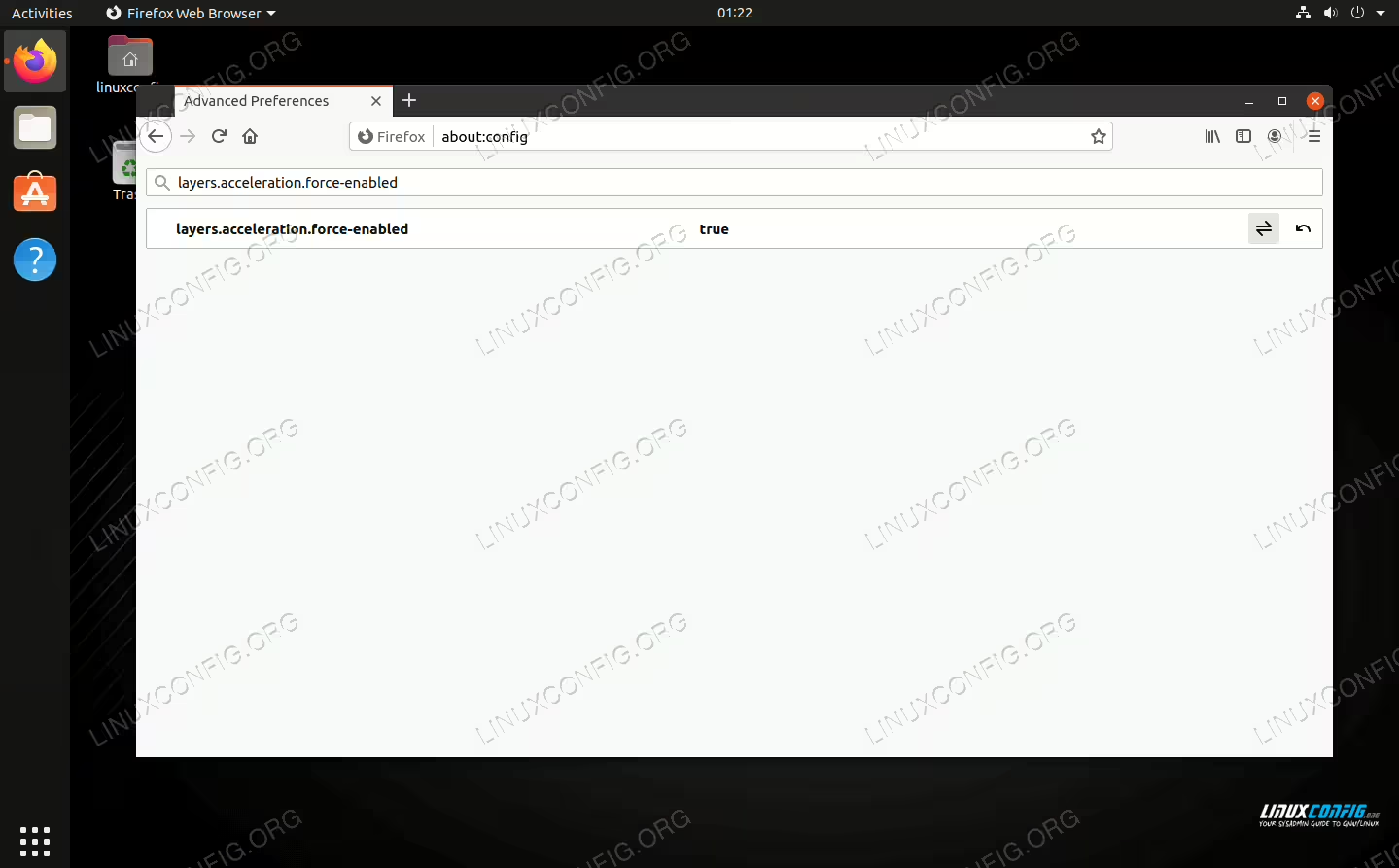
Hardware acceleration enabled in Mozilla Firefox
How to install Minecraft on Manjaro
While Linux isn’t always known for its stellar support of video games, Minecraft developers have released a version specifically for Linux, and it runs great on Manjaro. You don’t even need to use Lutris or install Wine for it to function properly.
In this guide, we’ll show you how to download and install Minecraft to get you up and playing in no time.
In this tutorial you will learn:
- How to install Minecraft from AUR
- How to launch Minecraft from GUI or command line
How to Batch Convert Music Files with FFMpeg
FFMpeg is at the core of tons of multimedia utilities, but the utility itself doesn’t have the ability to convert multiple files at once. Thankfully, FFMpeg is scriptable, and you can easily set something up quickly with Bash.
In this tutorial you will learn:
- How to Set Up Your Variables
- How to Construct the Loop
- How to Strip Out the File Names
- How to Put it All Together, and Run
Ubuntu 20.04 FFmpeg installation
FFmpeg is a library of tools used for processing video and audio files. You can do a lot of things with it, such as encode videos or transcode audio to different formats, to name a few. In this guide, we’ll show you how to install it on Ubuntu 20.04 Focal Fossa. There are two options for doing so, either from Ubuntu’s software repository or compiling the latest version directly from source. We’ll show you both methods below.
In this tutorial you will learn:
- How to install FFmpeg from Ubuntu software repository
- How to install latest FFmpeg compiled from source