
Being aware of your current Debian version will help you know when it is time to update. It’s important to know the version of your Debian Linux system, as new versions are released about every 2 years. Just like checking any linux version, staying up to date will keep your system secure and ensure that you have the newest software available.
desktop
How to Install Latest Adobe Acrobat Reader DC on Ubuntu 18.04 Bionic Beaver Linux with Wine
Objective
The objective is to install the latest version of Adobe Reader on Ubuntu 18.04 Bionic Beaver Linux desktop using Wine.
Operating System and Software Versions
- Operating System: – Ubuntu 18.04 Bionic Beaver
- Software: – wine-3.0, Acrobat Reader DC 2018
Requirements
Privileged access to your Ubuntu System as root or via sudo command is required.
Conventions
How to install Tweak Tool on Ubuntu 20.04 LTS Focal Fossa Linux
The GNOME Tweaks tool allows users to configure a bunch of cosmetic and behavior in the GNOME desktop environment. It can be installed on Ubuntu 20.04 and used to customize things like the top bar, quick launch toolbar, etc.
YouTube downloader with GUI on Linux
YouTube is home to most of the world’s video content these days. The YouTube website does not give users an easy way to download videos, since its in their best interest that users continually return to the site any time they want to watch a video. However, it is sometimes better to download videos for offline use, so users can archive content that is at risk of disappearing from online, or just so they can continue watching without an internet connection.
How to create desktop shortcut launcher on Ubuntu 20.04 Focal Fossa Linux
The objective of this tutorial is to show you how to create a desktop shortcut launcher on Ubuntu 20.04 focal fossa using the default GNOME user interface.
In this tutorial you will learn:
- How to create desktop shortcut launcher from existing .desktop files
- How to create desktop shortcut launcher from scratch
Ubuntu 22.04 Review
Ubuntu 22.04 is out and ready for download. If you have come across this article, you may be wary of installing Ubuntu 22.04 just yet. Indeed, this is the latest version of Ubuntu, and it has a lot of shiny features, but it introduces some problems, too.
How to install RealVNC viewer on Linux
RealVNC is a commercial VNC solution for various types of operating systems, including Linux. It allows users to control a computer remotely, and interact with the desktop as if they were sitting directly in front of the remote computer. The remote computer should be running RealVNC Server, while the client must run RealVNC Viewer in order to connect to the server and control the computer.
How to install Cinnamon desktop on Ubuntu 18.04 Bionic Beaver Linux
Objective
This article will explain how to install Cinnamon desktop on Ubuntu 18.04 Bionic Beaver. Use this guide if you wish to change your default GNOME desktop to Cinnamon environment. See also our article: The 8 Best Ubuntu Desktop Environments (18.04 Bionic Beaver Linux) for more desktop environment choices.
Alternatively, follow our guide on how to install GUI on Ubuntu server 18.04 Bionic Beaver.
Operating System and Software Versions
- Operating System: – Ubuntu 18.04 Bionic Beaver Linux
Requirements
Privileged access to your Ubuntu System as root or via sudo command is required.
Conventions
ffmpeg audio format conversions
The ffmpeg software is a free and open source suite of utilities that facilitate audio and video media. On Linux systems, installing ffmpeg gives us access to the ffmpeg command, which can be used to convert audio files to various types, such as wav, mp3, ogg, etc.
In this guide, we will go over the instructions to install ffmpeg on major linux distros. Then, you’ll see various command line examples that can be used to convert between different audio formats. Use the examples below to convert your own files.
In this tutorial you will learn:
- How to install ffmpeg on major Linux distros
- How to use ffmpeg in audio conversion examples
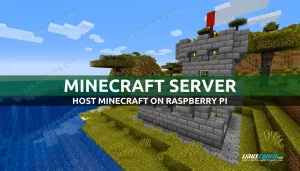
Raspberry Pi as Minecraft Server
A Raspberry Pi, especially the newer models, possesses all the necessary hardware power for running a dedicated Minecraft gaming server. While it is easy enough to host the game off your desktop computer while simultaneously playing, having a dedicated server allows you to host an uninterrupted Minecraft session that can stay up and running for longer periods of time. Rather than buying a robust rig to host your server, or paying a third party company to do the hosting for you, utilizing the Raspberry Pi becomes a cheap alternative. On top of that, you still have the ability to customize the server configuration to produce your ideal gaming environment.
MX Linux vs Ubuntu
MX Linux has quickly risen in popularity in recent years and is one of the most trending Linux distributions currently. Since most Linux users are very familiar with Ubuntu Linux already, it is common to use it as a base for comparison to other distros like MX Linux. Knowing how these two distributions stack up and compare to each other can lead users to a reliable conclusion about which one would be the best for their preferences and workflow.
The 8 Best Ubuntu Desktop Environments (22.04 Jammy Jellyfish Linux)
GNOME 42.0 is the default Ubuntu 22.04 desktop environment but this does not stop you to install and use other desktop environments. In fact, you can install a desktop environment with a single command!