
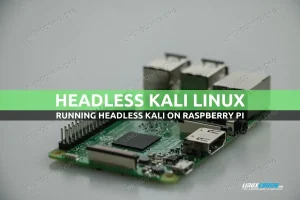
Kali Linux is one of the many operating systems that has full support for the Raspberry Pi, thanks to the ARM installer images. If you’re familiar with how to install kali linux on standard computers, you’ll find the Raspberry Pi process quite similar. Combining Kali with a Raspberry Pi essentially gives you a portable penetration testing machine. Kali Linux can be installed and run without a monitor, keyboard, or mouse, so you will not need to worry about plugging in any peripherals to the Raspberry Pi.
debian
How to update Firefox on Kali Linux
Mozilla Firefox comes installed by default on Kali Linux and a ton of other Linux distributions. It’s a solid web browser but it’s the user’s responsibility to make sure Firefox stays up to date.
The process for updating Firefox is a little different on Kali. Kali is based on Debian’s testing branch, which uses Firefox ESR (Extended Support Release).
Firefox ESR is essentially a more stable version of Firefox which is geared mainly towards enterprise systems. It usually doesn’t have all the latest features that are available in other Firefox installs, but includes the most stable and thoroughly tested components.
In this guide, we’ll see how to update Firefox ESR from the command line on Kali Linux.
In this tutorial you will learn:
- How to update Firefox on Kali Linux
How to install SSH ( secure shell ) service on Kali Linux
Objective
The objective is to install SSH ( secure shell ) service on Kali Linux.
Requirements
Privileged access to your Kali Linux installation or Live system is required.
Difficulty
EASY
Conventions
Set Kali root password and enable root login
In order to enable root login for Kali Linux, we must set the the root password manually. In past versions of Kali Linux, users were able to log in directly to the root account by default. On more recent versions, this has been disabled. The reasoning behind this change should be obvious, but if you’re a Kali user, you probably know your way around a Linux system by now, and there’s not much risk in letting you use the root account to log in.
How to change MAC address using macchanger on Kali Linux
Objective
The objective is to change or fake an original network card’s hardware MAC address. The following article will show how to change MAC address using macchanger on Kali Linux.
Requirements
Privileged access to you Kali Linux system.
Difficulty
EASY
Conventions
- # – requires given linux commands to be executed with root privileges either directly as a root user or by use of
sudocommand - $ – requires given linux commands to be executed as a regular non-privileged user
Instructions
Change to a Random MAC address
First, let’s see how we can use macchanger to change network card’s hardware MAC address to a random address. We can start by investigating our current MAC address of eg eth0 network interface. To do this we execute macchanger with an option -s and an argument eth0.
Apache Solr Linux install
Apache Solr is open source search software. It’s capable of being implemented as an enterprise-level search engine thanks to its high scalability, advanced indexing, fast queries, and ability to integrate with a large variety of applications. It’s capable of tackling big data and also has high availability with its load balancing and failover configurations.
The platform is written in Java and can be installed on Linux systems. In this guide, we’ll show the step by step instructions for installing Apache Solr on some of the most popular Linux distros, including Ubuntu, Debian, CentOS, and Red Hat.
In this tutorial you will learn:
- How to install Apache Solr on Debian based systems
- How to install Apache Solr on Red Hat based systems
- Initial configuration of Apache Solr
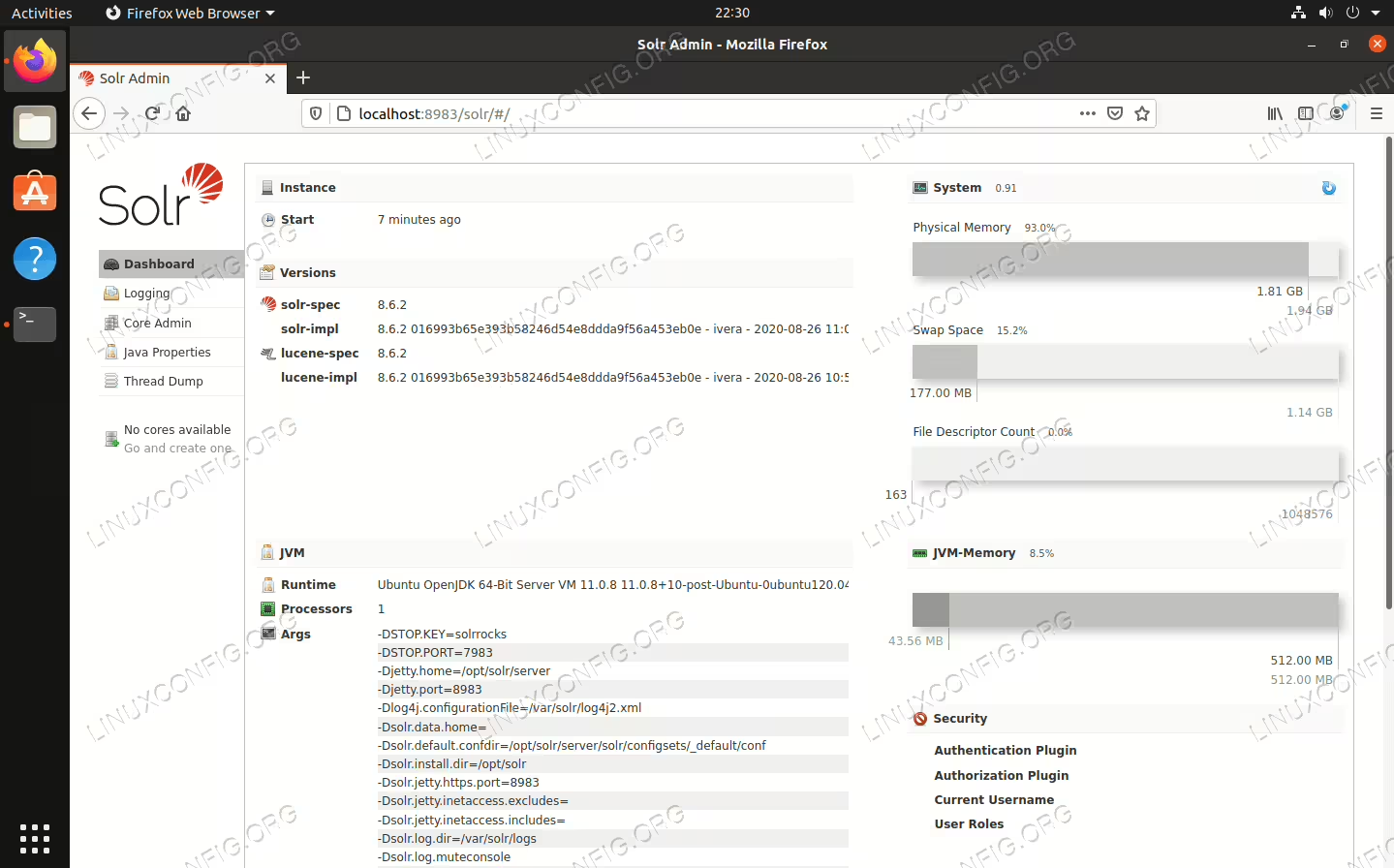
Apache Solr installed on Linux
Kali http server setup
There are multiple ways to set up an HTTP web server in Kali Linux. Apache, NGINX, and Python are a few of the ways this can be accomplished.
How to dual boot Kali Linux and Windows 10
If you want to run Kali Linux on your system but you already have Windows 10 installed, you have a couple of options. One thing you could do is install Kali Linux in a virtual machine, as we’ve shown in our tutorials for installing Kali in VMware and installing Kali in VirtualBox.
The other option is to create a dual boot environment for Kali and Windows. Both options have their pros and cons. The main reason you might want to dual boot with Kali, as opposed to running it in a virtual machine, is to give Kali direct access to your system’s hardware. This way, you don’t have the overhead of a hypervisor, and direct access to components is a lot easier, such as for a Wi-Fi adapter. This is a big selling point if you plan to test the security of Wi-Fi hotspots, for example.
A dual boot environment works by prompting you at startup to select which operating system you’d like to load into. So, you’ll have to reboot your computer each time you want to load into a different operating system. That’s the only disadvantage of this method, but for a system like Kali it should prove worth it.
Want to learn how to install kali linux? Ready to get Kali Linux installed alongside Windows 10? Read on below as we take you through all the steps.
In this tutorial you will learn:
- How to install Kali Linux alongside Windows 10
- How to load into Kali Linux or Windows 10 at system boot
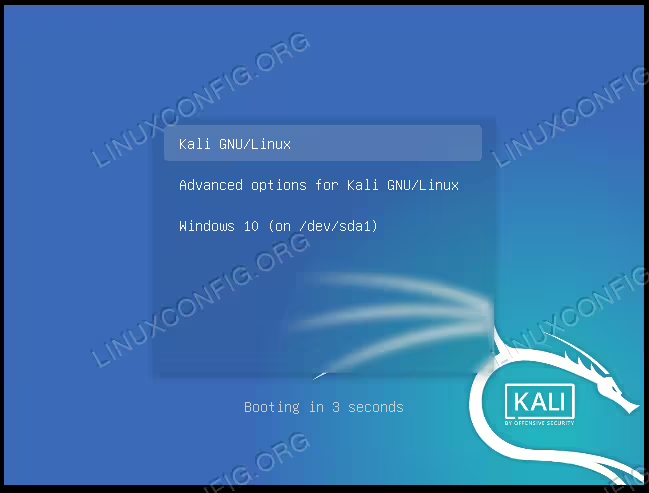
Selecting Kali or Windows at system boot
apt update vs apt upgrade
If you ever work with Debian Linux or one of the many Linux distributions that were derived from it, such as Ubuntu, you’ve probably seen or used the APT package manager. APT is how packages are installed, updated, and removed on such systems.
When using the command line, the apt update and apt upgrade commands can be used to update package repos and upgrade packages, respectively. In this guide, we’ll be looking at the difference between the two commands and how they can both be used to upgrade installed packages on a Debian based system.
You may also see
apt-get update and apt-get upgrade commands used. We’ve written a full article explaining the difference between apt and apt-get, but suffice it to say that these commands perform basically the same functions as the corresponding apt commands. In this tutorial you will learn:
- What distros use apt update and apt upgrade?
- What is the difference between apt update and apt upgrade?
How to Install Netflix in Kodi on Ubuntu and Debian
With the arrival of Kodi 18 Leia also came the ability to access DRM restricted content from servies like Netflix. If you need to get started, here’s how to install kodi 18. As of now, the Netflix add-on isn’t in the official Kodi repositories, but it’s easy enough to install and set up on debian and ubuntu, and that includes installations on the Raspberry Pi.
In this tutorial you will learn:
- How to Install Kodi 18
- How to Install the Netflix Dependencies
- How to Enable The Netflix Repository
- How to Install the Netflix Add-on
Setting Up a WebDAV Server on Ubuntu and Debian
Web Distributed Authoring and Versioning (WebDAV) allows users to collaboratively edit and manage files on remote web servers. This guide will walk you through the installation and configuration of a WebDAV server on Ubuntu and Debian using Apache2.

How to install Electrum Bitcoin wallet on Debian/Ubuntu Linux
Electrum is a wallet for Bitcoin cryptocurrency. It has been around since 2011 and has remained a popular choice among users thanks to its advantages like being free, decentralized, redundant, and safe. For those looking to get started, the electrum bitcoin wallet download is available for various platforms. It is possible to get started with using the Electrum Bitcoin wallet on Linux by installing it on distributions like Debian Linux and Ubuntu Linux. Popular debian and ubuntu distributions make it easy to install and run Electrum. In this tutorial, you will learn how to install Electrum wallet on Debian/Ubuntu, and verify the download to make sure all is safe.