Ubuntu Bionic Apache Configuration LAMP

How To Install LAMP in Ubuntu 18.04 Bionic Beaver (Linux, Apache, MariaDB, PHP)

Objective

Install and configure a basic LAMP server using MariaDB on Ubuntu 18.04 Bionic Beaver.

Distributions

Ubuntu 18.04

Requirements

A working install of Ubuntu 18.04 with root privileges

Conventions

  • # – requires given linux commands to be executed with root privileges either directly as a root user or by use of sudo command
  • $ – requires given linux commands to be executed as a regular non-privileged user

Other Versions of this Tutorial

Ubuntu 20.04 (focal fossa)

Introduction

The LAMP stack is easily one of the most popular web server stacks in the world, and that’s nothing new. LAMP has been powering a huge portion of the Internet for quite some time.

If you’re an open source purist or you just don’t care for Oracle as a company(a lot of Linux users don’t), you can choose to set up a LAMP server on Ubuntu using MariaDB instead of the traditional MySQL. MariaDB is an open source drop-in replacement that was forked from MySQL several years back. It’s an excellent solution for LAMP setups where you want to avoid Oracle’s open source database.
Read more

How to install MySQL on AlmaLinux

In this guide, we will show you how to install MySQL on almalinux. There are two separate packages for this on AlmaLinux, depending on what you need to do. You can either install the MySQL client package, which is used to connect to MySQL servers, or install the MySQL server software, which can be used to host your own databases. We’ll cover both below.

After installing a MySQL server, we’ll also go over the first steps you’ll need to get started with hosting a database, which includes making a username and password, creating a database, and granting user permissions on that database. AlmaLinux is a good Linux distro for hosting MySQL, whether you’ve freshly installed AlmaLinux or migrated from CentOS to AlmaLinux.

In this tutorial you will learn:

  • Install MySQL Client on AlmaLinux
  • Install MySQL Server on AlmaLinux
  • How to setup a MySQL database
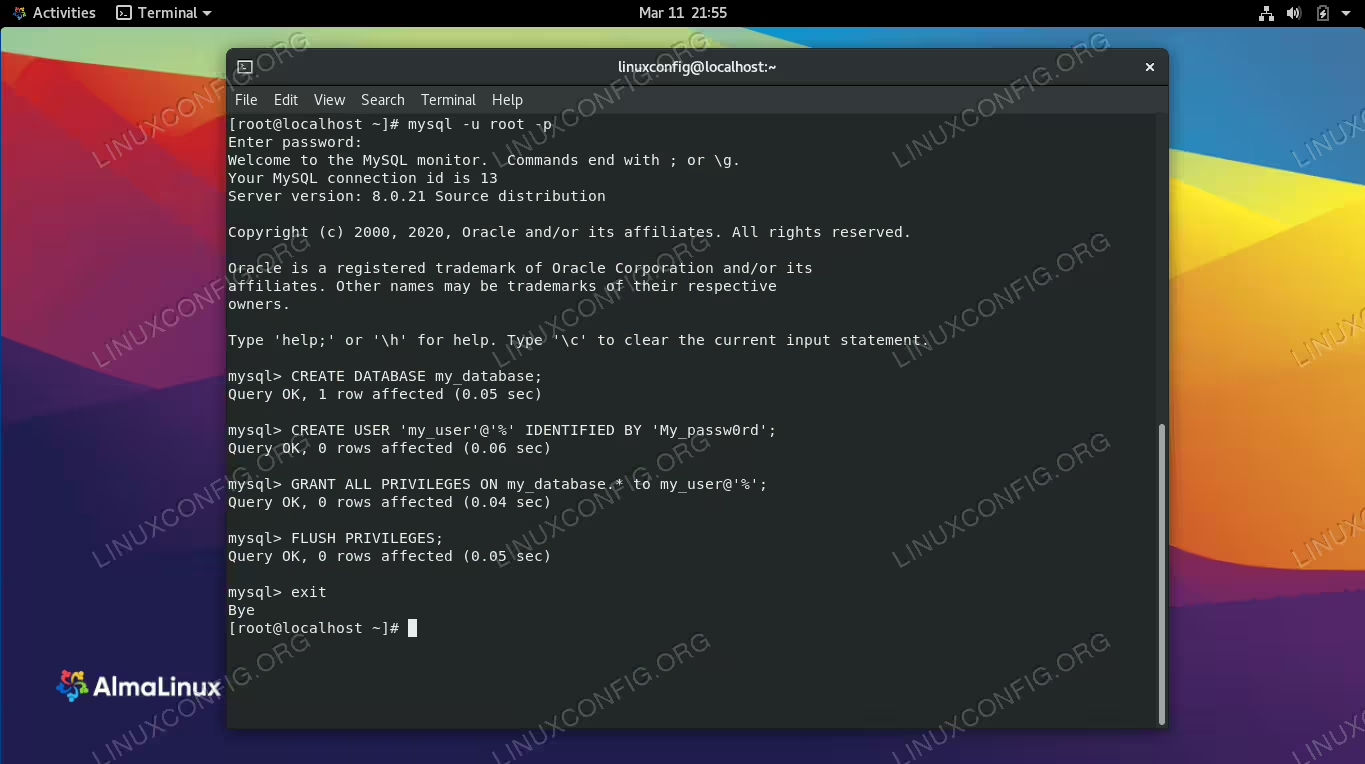
Setting up a MySQL database and user on AlmaLinux

Setting up a MySQL database and user on AlmaLinux

Read more

Ubuntu 22.04 LAMP installation

A LAMP stack is an assortment of software that contains everything you need in order to serve a website, show dynamic content, and store or retrieve data from a database. The software is all within the LAMP acronym, namely the Linux operating system, Apache web server, MySQL database (or MariaDB alternatively), and PHP programming language.

Read more

How to parse a json file from Linux command line using jq

The JSON (JavaScript Object Notation) format is widely used to represent data structures, and is frequently used to exchange data between different layers of an application, or by the use of API calls. We probably know how to interact with json-formatted data with the most used programming languages such as parsing JSON with python, but what if we need to interact with it from the command line, or in a bash script? In this article we will see how we can accomplish such a task by using the jq utility and we will learn its basic usage.

In this tutorial you will learn:

  • How to install jq in the most used Linux distributions or compile it from source
  • How to use jq to parse json-formatted data
  • How to combine filters using “,” and “|”
  • How to use the length, keys, has and map functions

Read more

How to Install Elasticsearch on Ubuntu/Debian Linux

How to Install Elasticsearch on Ubuntu/Debian Linux

Elasticsearch is a powerful, open-source search and analytics engine designed for handling large-scale data. It is commonly used in log analysis, full-text search, and real-time analytics. This tutorial will guide you through installing and configuring Elasticsearch on Ubuntu/Debian.

Read more

How to Add a Sql User in a Docker Container

How to Add a Sql User in a Docker Container

In this article, we’ll explore the steps needed to add a SQL user in a Docker container. Working with databases inside Docker can significantly enhance your development workflow by encapsulating your database environment, making it reproducible and easy to manage. We will cover different SQL database types, namely MySQL, PostgreSQL, and Microsoft SQL Server (MSSQL), allowing you to choose based on your suite of tools.

Read more

How to Install and Secure MariaDB on Ubuntu 24.04

MariaDB is a popular, open-source relational database management system, widely recognized as a drop-in replacement for MySQL. It offers robust performance, strong security features, and a flexible structure, making it suitable for a variety of applications. In this tutorial, we’ll walk through the process of installing MariaDB on Ubuntu 24.04, a recent and stable release of one of the most popular Linux distributions. Whether you’re setting up a web server, a cloud application, or just experimenting with database management, this guide will help you get MariaDB up and running on your Ubuntu system.

Read more

Introduction to pandas

Introduction to pandas

Pandas is a free and open source Python library released under the BSD license. Originally developed by Wes McKinney in 2008, and supported by companies like Intel and Nvidia, it is targeted at data analysis and manipulation. It can be easily used to read and write data from a variety of sources such as Excel spreadsheets, Comma-separated Values (CSV) files, and many more.

Read more

Mysql server has gone away – Fix

The MySQL server has gone away error can occur when you have an established connection to the MySQL server and for one reason or another, the connection times out or otherwise goes down. In the context of a Linux system, the error can sometimes be seen from the MySQL client. In this tutorial, we will show several solutions for dealing with and troubleshooting the MySQL error.

Read more

Ubuntu 22.04 PostgreSQL Installation

PostgreSQL is a database management system, similar to MySQL in many respects but with some key differences. Like MySQL, it’s commonly hosted on Linux. In this guide, we’ll show how to run a PostgreSQL server on Ubuntu 22.04 Jammy Jellyfish, as well as installing the client version in case you just need to connect to an external PostgreSQL database.

Read more