
Deleting user on RHEL 8 / CentOS 8 Linux system can be accomplished using the userdel command.
In this tutorial you will learn:
- How to delete user on RHEL 8 / CentOS 8.
- How to force user deletion.
- How to delete user as well as its home directory.
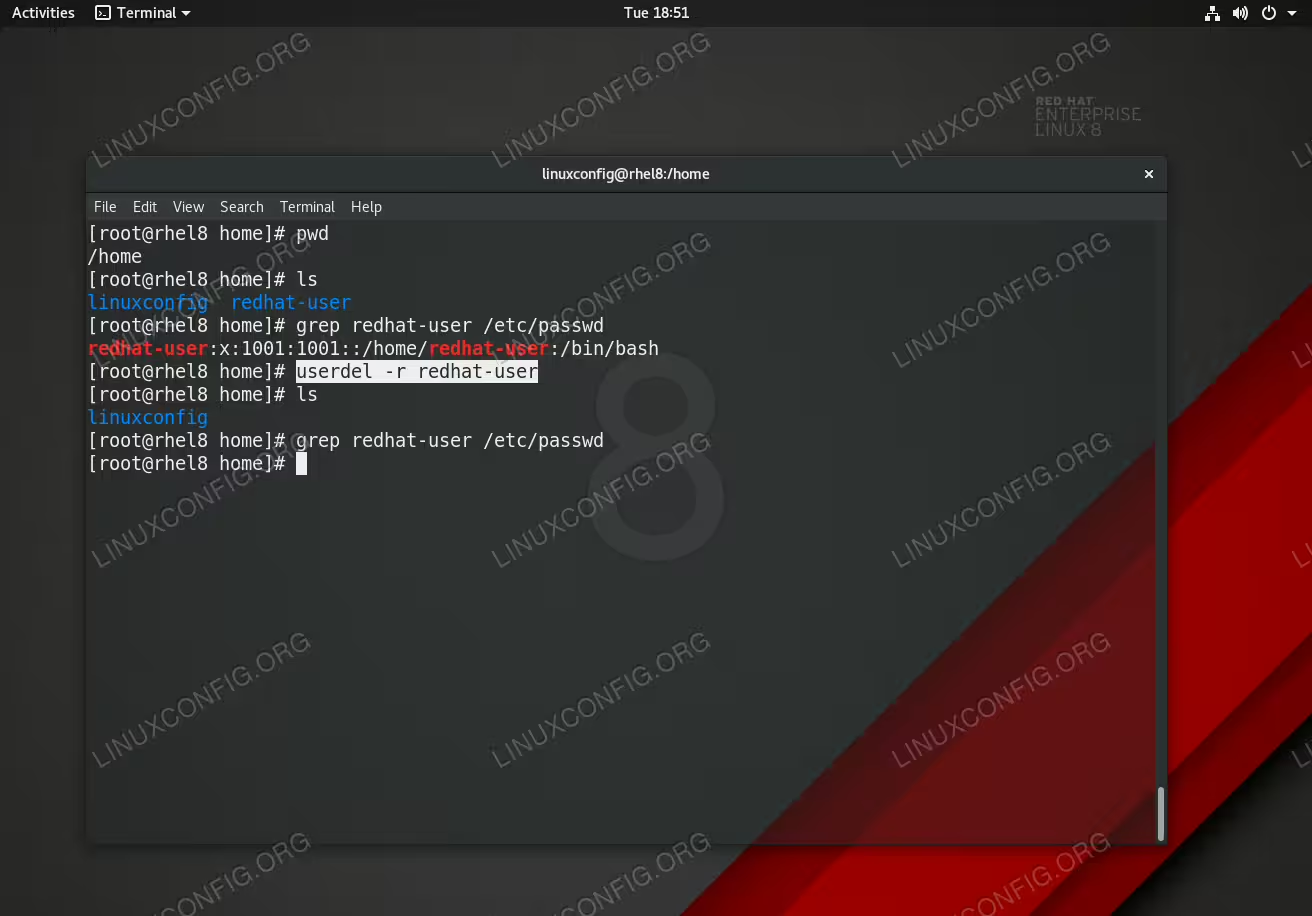
Deleting user on RHEL 8 / CentOS 8.
Software Requirements and Conventions Used
| Category | Requirements, Conventions or Software Version Used |
|---|---|
| System | RHEL 8 / CentOS 8 |
| Software | N/A |
| Other | Privileged access to your Linux system as root or via the sudo command. |
| Conventions |
# – requires given linux commands to be executed with root privileges either directly as a root user or by use of sudo command$ – requires given linux commands to be executed as a regular non-privileged user |
How to delete user on RHEL 8 / CentOS 8 Linux step by step instructions
- Take a note of the user and its username you wish to remove.
You can list all system users by using the below
catcommand:# cat /etc/passwd
- Use the
userdelcommand to remove a user. In this example we will remove a user with usernameredhat-user. Please note the-roption instructs theuserdelcommand to remove also user’s home directory:# userdel -r redhat-user
- Use the
-foption to force the user removal in case the user is logged:# userdel -f -r redhat-user