
Puppy Linux download provides access to one of the most lightweight desktop distributions available. This Puppy Linux download guide will help you get started with a super lightweight operating system that weighs around 500 MB with incredibly small system requirements.
It’s a great distro for restoring an old computer or providing a simple interface to casual PC users. For other most popular Linux distributions please visit our dedicated linux download page.
Puppy is simple and straight forward, similar to Ubuntu and Linux Mint in this regard. However, it comes with far fewer packages and leaves a much smaller footprint. Other distributions feel bloated when contrasted with Puppy.
Puppy Linux is more accurately defined as a collection of distributions. There are multiple “puppies” available for download, including versions based on Debian, Slackware, Ubuntu, and Raspbian. That’s what has been officially released, but there are a slew of community “remasters” available as well, called “puplets”. As you can see, Puppy likes to coin a lot of their own terms.
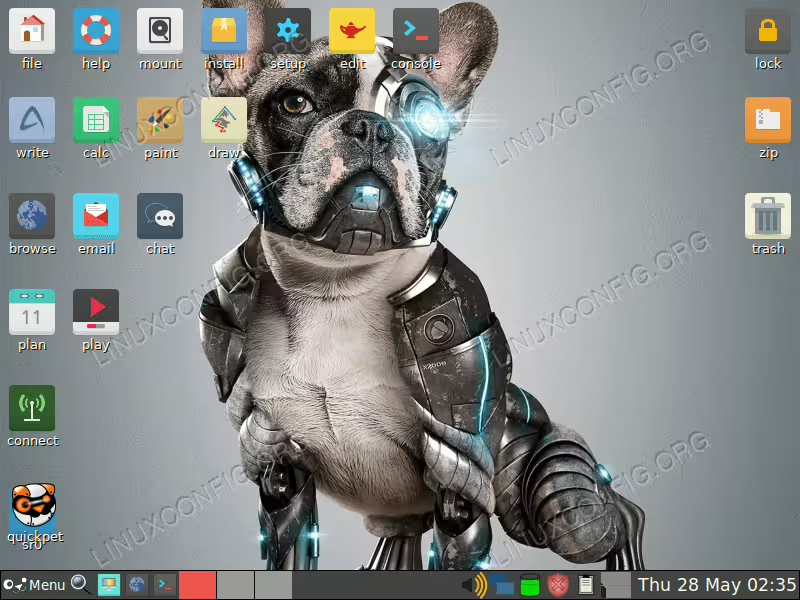
Developers use the “Woof-CE” tool to strip down official distributions and add their own dose of simplicity and user friendliness. All of this is then bundled up and released as a “puppy”. That’s the gist of it, but you can find the full details on the Puppy Linux website.
A common use of Puppy Linux is for USB rescue sticks. If you troubleshoot PC issues often, it’s easy to stick a USB drive into a computer and boot directly into Puppy in only a few seconds so you can perform troubleshooting. The entire installation runs from RAM, typically requiring about 600 MB for 64-bit versions or 300 MB for 32-bit versions. You don’t need to install Puppy to a hard disk (although you certainly can).
System Requirements
Before starting your Puppy Linux download, verify your system meets these minimal requirements, making it ideal for older computers:
| Component | Minimum | Recommended |
|---|---|---|
| CPU | Single-core processor (32-bit or 64-bit) | Dual-core processor |
| RAM | 1GB | 2-4GB |
| Storage | 2GB for installation | 5GB+ free space |
The current official release, BookwormPup64 10.0, is based on Debian 12 “Bookworm” and includes modern features like GTK3 interface, APT/Synaptic package management, DKMS support, and Bluetooth support.
Puppy Linux Release Schedule
Since Puppy is based on other distros, the release schedule and subsequent support updates will largely depend on the parent distro. The official Puppy Linux distributions are maintained by the Puppy Linux team and built using Woof-CE. Puplets are independently maintained, so the release schedule for them varies by each distro.
Download Puppy Linux
Ready to start your Puppy Linux download? The official distributions are available on the Puppy Linux official website. The current stable release is BookwormPup64 10.0.12, available in both 32-bit and 64-bit versions.
Official downloads are hosted at Ibiblio, with mirrors available worldwide including:
– NLUUG (Europe)
– UoC (Europe)
– AARNET (Australia)
– Internode (Australia)
For community-maintained “puplets”, visit the Puppy Linux forum collection page.
Closing Thoughts
Puppy’s diverse collection of distributions is vast. There seems to be one made for any possible need. This is great but can also be a little confusing. If you don’t know which to choose, stick to the latest official version, BookwormPup64, which is based on Debian Bookworm.
It’s hard to speak for Puppy as a whole, since it comprises so many differently tailored operating systems. In general, Puppy is extremely lightweight, great at running on old hardware, ideal as a USB rescue disk, and supplies a quick and simple interface for users that don’t want to deal with complexity. For more lightweight Linux options, check out our guide on best lightweight Linux distributions.
