
When programming in Python, escape characters can be used in order to tell the compiler that it should treat the next character or characters differently. For example, we can tell Python to print a quote " as an actual quote character, rather than interpreting it to be part of the Python code. Other special characters like \t can create TAB spaces, and \n can create new lines. In this tutorial, you will see a list of Python escape sequence characters and examples that you can use on a Linux system.
In this tutorial you will learn:
- List of Python Escape sequence characters with examples

| Category | Requirements, Conventions or Software Version Used |
|---|---|
| System | Any Linux distro |
| Software | Python |
| Other | Privileged access to your Linux system as root or via the sudo command. |
| Conventions |
# – requires given linux commands to be executed with root privileges either directly as a root user or by use of sudo command$ – requires given linux commands to be executed as a regular non-privileged user |
List of Python Escape sequence characters with examples
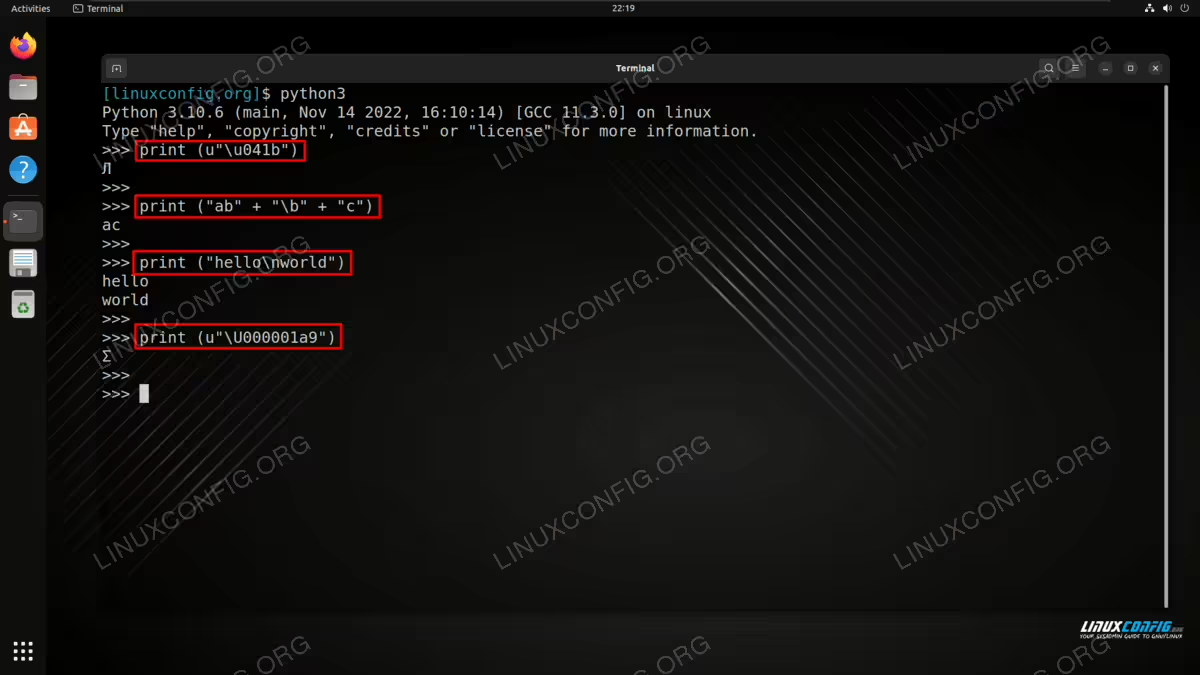
To run a quick example to see how Python escape characters work, open Python and execute some
print commands such as:
$ python3

>>> print (u"\u041b")
Л
Check out the list below for a list of some of the most common escape characters that you can use in Python. Note that this is not an exhaustive list.
| Escape Sequence | Description | Example | Output |
|---|---|---|---|
| \\ | Prints Backslash | print (“\\”) | \ |
| \’ | Prints a single quote | print (“\'”) | ‘ |
| \” | Prints a double quote character | print (“\””) | “ |
| \a | ASCII bell makes ringing the bell alert sounds ( eg. xterm ) | print (“\a”) | No output, just sound |
| \b | ASCII backspace ( BS ) removes previous character | print (“ab” + “\b” + “c”) | ac |
| \f | ASCII formfeed ( FF ) | print (“hello\fworld”) | hello world |
| \n | ASCII linefeed ( LF ) | print (“hello\nworld”) | hello world |
| \N{name} | Prints a character from the Unicode database | print (u”\N{DAGGER}”) | † |
| \r | ASCII carriage return (CR). Moves all characters after ( CR ) the the beginning of the line while overriding same number of characters moved. | print (“123456\rXX_XX”) | XX_XX6 |
| \t | ASCII horizontal tab (TAB). Prints TAB | print (“\t* hello”) | * hello |
| \v | ASCII vertical tab (VT) | print (“hello\vworld”) | hello world |
| \uxxxx | Prints 16-bit hex value Unicode character | print (u”\u041b”) | Л |
| \Uxxxxxxxx | Prints 32-bit hex value Unicode character | print (u”\U000001a9″) | Ʃ |
| \ooo | Prints character based on its octal value | print (“\043”) | # |
| \xhh | Prints character based on its hex value | print (“\x23”) | # |
Closing Thoughts
In this tutorial, we saw how to use escape characters in the Python programming language on a Linux system. We also learned about some of the most common escape characters that can be used and applied in our code. Consulting our list will help you to produce the output of some of the most common characters, while telling Python not to interpret the characters as part of the code, but print them as output instead.
