
Bash scripting is a powerful tool for automating repetitive tasks, making it a core skill for anyone working with Linux systems. Among the essential techniques is managing variables that increment automatically, especially in loops or iterative processes. In this tutorial, we’ll focus on how to increment variables in bash bash scripts, exploring different ways to handle counters, increments, and loops.
In this tutorial you will learn:
- Bash increment variable in loops
- How to increment and decrement variables in Bash
- Various ways to set up a loop with counters
- How to handle Bash variables in real-world scenarios

| Category | Requirements, Conventions or Software Version Used |
|---|---|
| System | Linux (any distribution supporting Bash) |
| Software | Bash Shell (version 4 or higher) |
| Other | Understanding of basic linux Command Line Knowledge |
| Conventions | # – requires given linux commands to be executed with root privileges either directly as a root user or by use of sudo command$ – requires given linux commands to be executed as a regular non-privileged user |
Working with Bash increment Variables
When automating tasks with Bash scripts, we often need to increment or decrement counters. These counters help track iterations in loops or control the progress of a task. Let’s look at some examples to see how Bash can handle incrementing variables efficiently with a basic bash arithmetic operations.
- Setting Up a Basic Increment Variable: One of the simplest ways to set up a variable that increments by 1 in Bash is by using the
(( ))syntax.#!/bin/bash counter=1 ((counter++)) echo "Counter is now $counter"This code snippet initializes
counterwith a value of 1, then increments it by one. The((counter++))syntax works similarly to other programming languages where++increments the value by 1. - Using a Loop to Echo Numbers Up to a Variable: To print numbers from 1 up to a specified variable, we can use a
forloop combined with an incremented variable.#!/bin/bash max=10 for ((i=1; i<=max; i++)) do echo "Number: $i" doneThis example sets a maximum value with
maxand uses a loop to print each number from 1 to the value ofmax. The loop incrementsiautomatically with each iteration. - Creating a Counter in Bash: Often, you need a counter that starts at a specific value and increments under certain conditions.
#!/bin/bash
counter=0
while [ $counter -lt 5 ]
do
  echo "Counter is $counter"
  ((counter++))
done
In this code, we use a
whileloop that incrementscounteras long as it’s less than 5. Each iteration incrementscounterby 1 until the condition is no longer met. - Incrementing a Variable by a Custom Value: In some cases, you might want to increment a bash variable by more than 1.
#!/bin/bash
counter=0
increment=2
for ((i=0; i<10; i+=increment))
do
  echo "Value of i: $i"
done
This example uses a custom increment value. Instead of incrementing by 1,
iincreases by 2 in each loop iteration. This is especially useful in cases where you need a counter with a specific step value.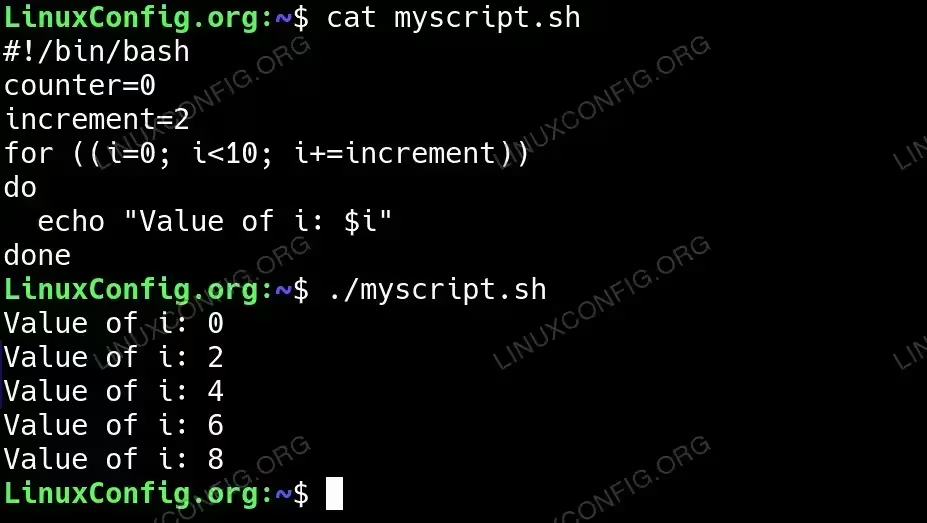
Incrementing a Variable by a Custom Value in Bash script - Decrementing a Variable in Bash: Sometimes, you need to decrement a variable instead of incrementing it.
#!/bin/bash
counter=10
while [ $counter -gt 0 ]
do
  echo "Counter is $counter"
  ((counter--))
done
This example initializes
counterto 10 and decrements it until it reaches 0. Each iteration reducescounterby 1, demonstrating how to use--for decrementing.
Conclusion
Bash offers straightforward methods for handling increment and decrement operations, making it a versatile tool for automation. Whether you’re working with loops or simple counters, understanding how to increment and manage variables effectively can help streamline your scripts. Practice with these examples, and you’ll soon be managing Bash variables with ease!
