
In Linux, modifying files from the command line is a common task. Whether you need to prepend configuration parameters, add headers to text files, or make bulk edits, knowing how to insert a line at the beginning of a file can be very useful. This article explores several methods to achieve this efficiently.
In this tutorial you will learn:
- How to use the
sedcommand to insert a line at the beginning of a file - How to use the
edcommand for file editing - How to use shell scripting to prepend a line to a file
- How to utilize the
awkcommand for this purpose
| Category | Requirements, Conventions or Software Version Used |
|---|---|
| System | Linux-based system |
| Software | sed, ed, awk |
| Other | Bash shell |
| Conventions | # – requires given linux commands to be executed with root privileges either directly as a root user or by use of sudo command$ – requires given linux commands to be executed as a regular non-privileged user |
Methods to Insert a Line at the Beginning of a File
Modifying the start of a file requires different strategies compared to editing other parts. The following methods describe how to insert a line at the beginning using various tools available in Linux.
- Using the
sedCommand: Thesed(stream editor) command is a powerful utility for parsing and transforming text.sed -i '1i This is the new first line' file.txt
The
-ioption edits the file in place. The1icommand tellssedto insert the text at line 1. ReplaceThis is the new first linewith the text you want to insert, andfilenamewith the name of your file.
Using the sed Command to insert first line - Using the
edCommand: Theedcommand is a line-oriented text editor. It’s useful for making scripted edits.ed -s file.txt << EOF 0a This is the new first line . w q EOF
Here,
0ainserts the text at the beginning. Thewcommand writes the changes to the file, andqquits the editor. ReplaceThis is the new first linewith your desired text.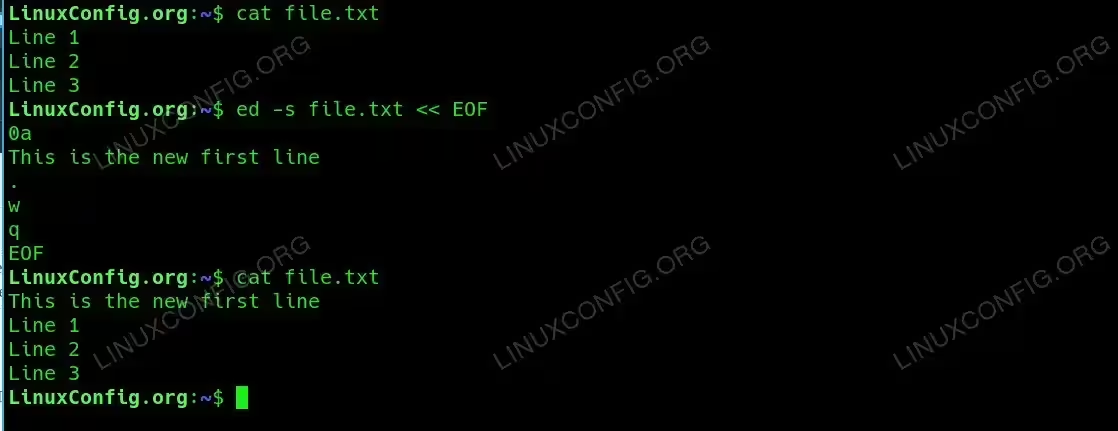
Using the ed Command to insert first line - Using Shell Scripting: A simple shell script can be used to prepend a line to a file.
{ echo 'This is the new first line'; cat file.txt; } > temp && mv temp file.txtThis command uses a subshell to echo the new line and concatenate the original file content. The result is redirected to a temporary file, which then replaces the original file.
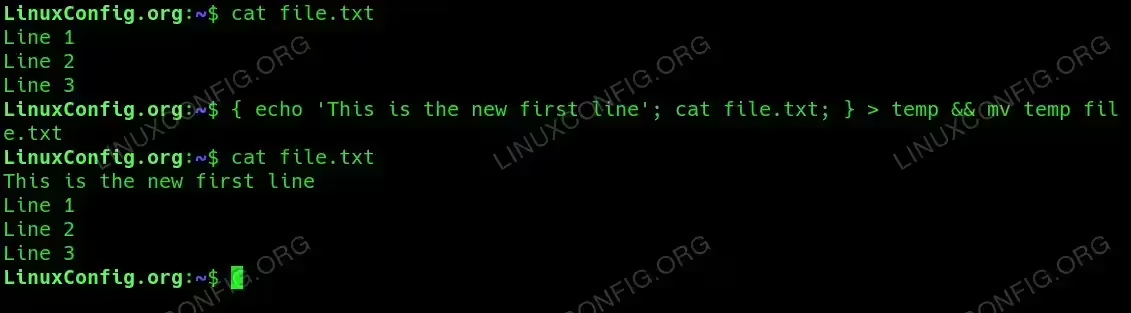
Using Shell Scripting to insert first line into text file - Using the
awkCommand: Theawkcommand is a versatile text processing tool.awk 'BEGIN { print "This is the new first line" } { print }' file.txt > temp && mv temp file.txtThe
BEGINblock executes before processing the file, thus printing the new line first. The rest of the file is printed as usual. The output is then saved to a temporary file and moved back to the original file.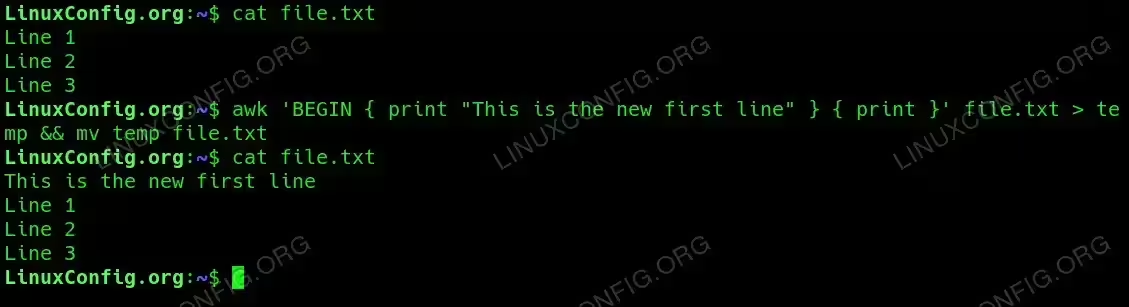
Using the awk Command to insert first line into a file
Conclusion
Inserting a line at the beginning of a file in Linux can be accomplished using various tools, each suitable for different scenarios. Whether you prefer sed, ed, shell scripting, or awk, mastering these techniques enhances your ability to manipulate text files efficiently on a Linux system.