
When working with MySQL, it can be very difficult to visualize an entire database of information, especially if there are relational databases that all work in tandem to present data. Fortunately for us, there are numerous GUI for MySQL applications that can be downloaded and installed on a Linux system that make the process of managing databases much easier. Many users prefer interacting with MySQL through a GUI rather than a command line, where it is difficult to visualize multiple columns of data and understanding how they correspond to each other.
In this tutorial, we will go over a few different GUI for MySQL applications that can be installed in Linux. This will serve as an introduction to some of the most popular MySQL managing apps available, and give you enough information to determine which one you might want to try for your own needs.
In this tutorial you will learn:
- List of top GUI applications for managing MySQL on Linux
| Category | Requirements, Conventions or Software Version Used |
|---|---|
| System | Any Linux distro |
| Software | MySQL Workbench, phpMyAdmin, adminer, HeidiSQL, Navicat for MySQL, SQLyog |
| Other | Privileged access to your Linux system as root or via the sudo command. |
| Conventions | # – requires given linux commands to be executed with root privileges either directly as a root user or by use of sudo command$ – requires given linux commands to be executed as a regular non-privileged user |
MySQL Workbench – Official GUI for MySQL
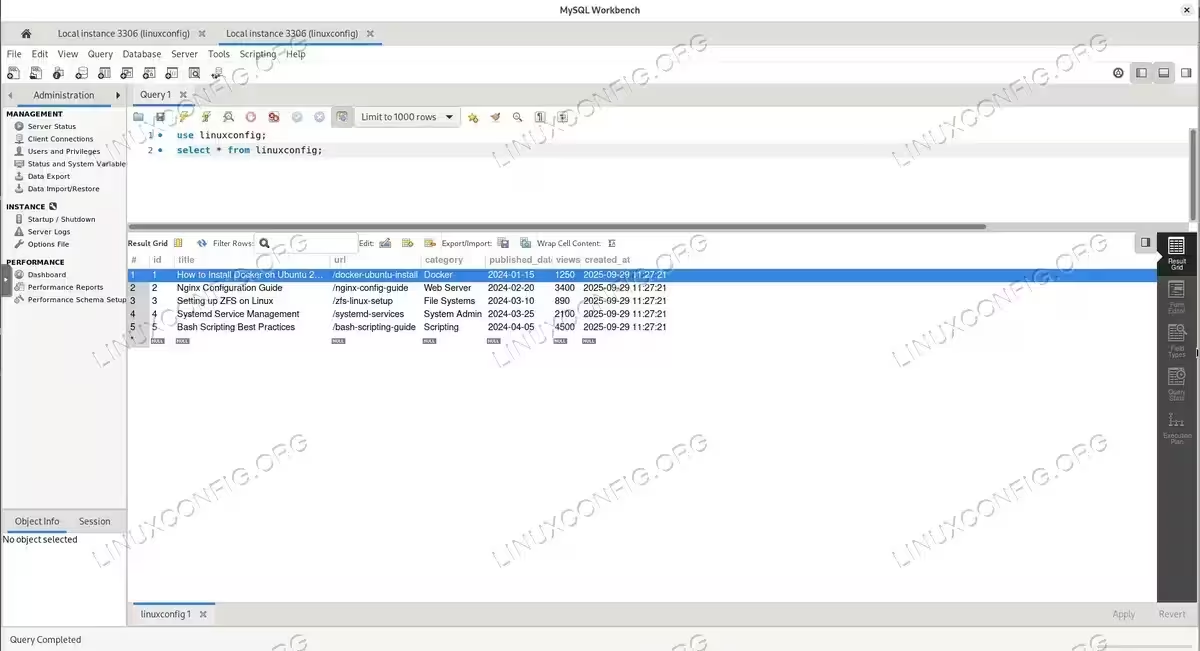
MySQL Workbench is one of the best graphical applications that lets us manage data and perform administrative tasks on MySQL databases. As the official GUI for MySQL developed by Oracle, it is an all in one solution with features to design, model, and administer all of your MySQL databases. It can design schema, migrate databases, manage user accounts, monitor performance, create relationship models, and much more. All of this is done from an easy to use and intuitive interface, which makes MySQL Workbench one of our top picks for database management software. You can download it from the official MySQL website.
phpMyAdmin – Web-based MySQL GUI
phpMyAdmin is another very popular and common tool used to manage databases. Unlike some other tools, phpMyAdmin is entirely web based, and usually may be installed on the same server as the MySQL database itself. This GUI for MySQL provides a user friendly interface that allows you to easily complete tasks like database creation, management, modification, create users, etc. It is also a breeze to import or export data from phpMyAdmin, and manage permissions, run SQL queries, and more. Learn more at the official phpMyAdmin website.
Adminer – Lightweight MySQL GUI
Adminer is a lightweight tool that can be used to manage MySQL databases as well as other types like PostgreSQL, Oracle databases, SQLite, among others. Even with its tiny size, this GUI for MySQL packs as many advanced features as the previous mentions, and makes common tasks very easy, such as database creation, management, deletion, and viewing tables, rows, users, etc. Queries and simple management tasks are made easy with Adminer. Check out the official Adminer website for downloads and documentation.
HeidiSQL
HeidiSQL is another free and open source MySQL client that comes with a lot features like queries, database design, database management, importing and exporting data, and managing users and permissions. It also includes some more advanced features such as the ability to debug databases and SQL queries, and exporting data into multiple formats. Visit the official HeidiSQL website to download this powerful tool.
Navicat for MySQL – Professional GUI Tool
Navicat is a great multi purpose and all in one solution MySQL management tool. Of course it has all of the expected features to complete common tasks like SQL queries, database management and design, data modeling and synchronization, etc. But this powerful GUI for MySQL also has some advanced features like backup and restore of databases, and integration with cloud database services. Navicat can definitely tick all of the boxes for the vast majority of database administrators. Learn more and download from the official Navicat website.
SQLyog
SQLyog is another beefy MySQL management tool with convenient features like query building, database backup, database restore, and management of user accounts and permissions. It also has the ability to build and compare database schema, and tunnel data through SSH or HTTP. Both developers and system administrators can get a lot of use out of SQLyog, as it supports a variety of languages and common functions that close the gap between MySQL development and administation. You can find more information at the official SQLyog website.
DBeaver – Universal Database GUI for MySQL
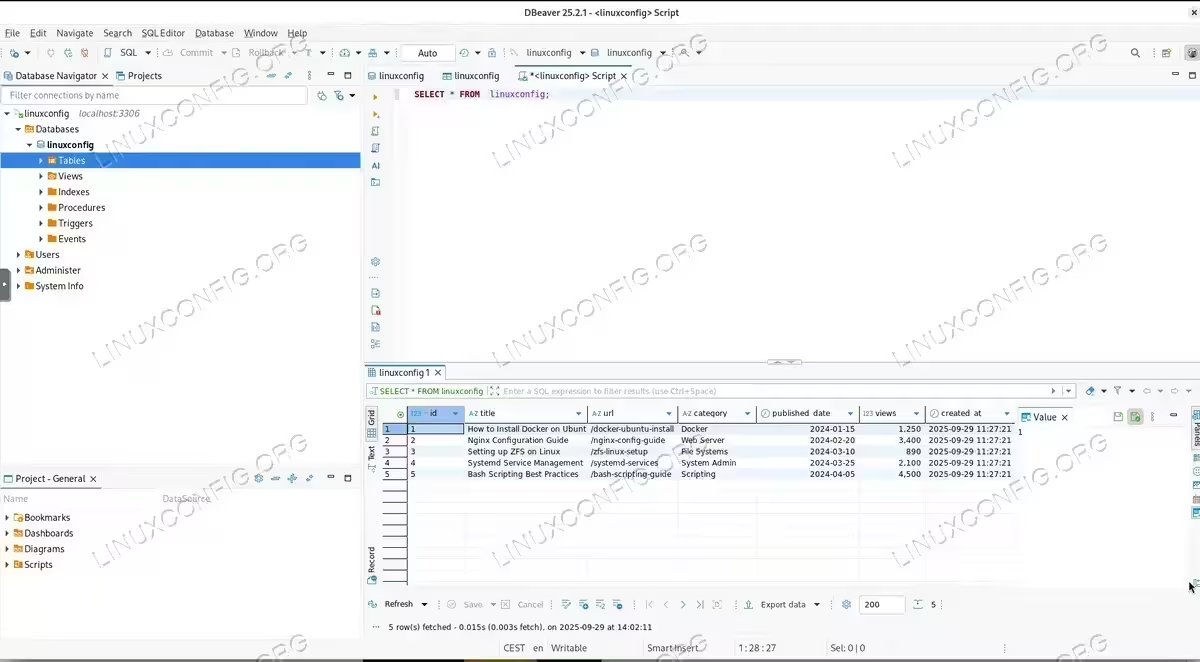
DBeaver Community Edition has become one of the most popular open-source GUI for MySQL and other databases. Licensed under Apache 2.0, it provides completely free access to professional-grade features including support for over 100 database types. For MySQL specifically, it supports all versions from 4.x through 8+, including specialized variants like NDB Cluster and TiDB. DBeaver excels with advanced security options, SSH tunnels, SSL connections, and extensive customization through plugins. Linux users benefit from multiple installation methods including DEB, RPM, Snap, and AppImage formats. Download it from the official DBeaver website.
Beekeeper Studio – Modern MySQL GUI
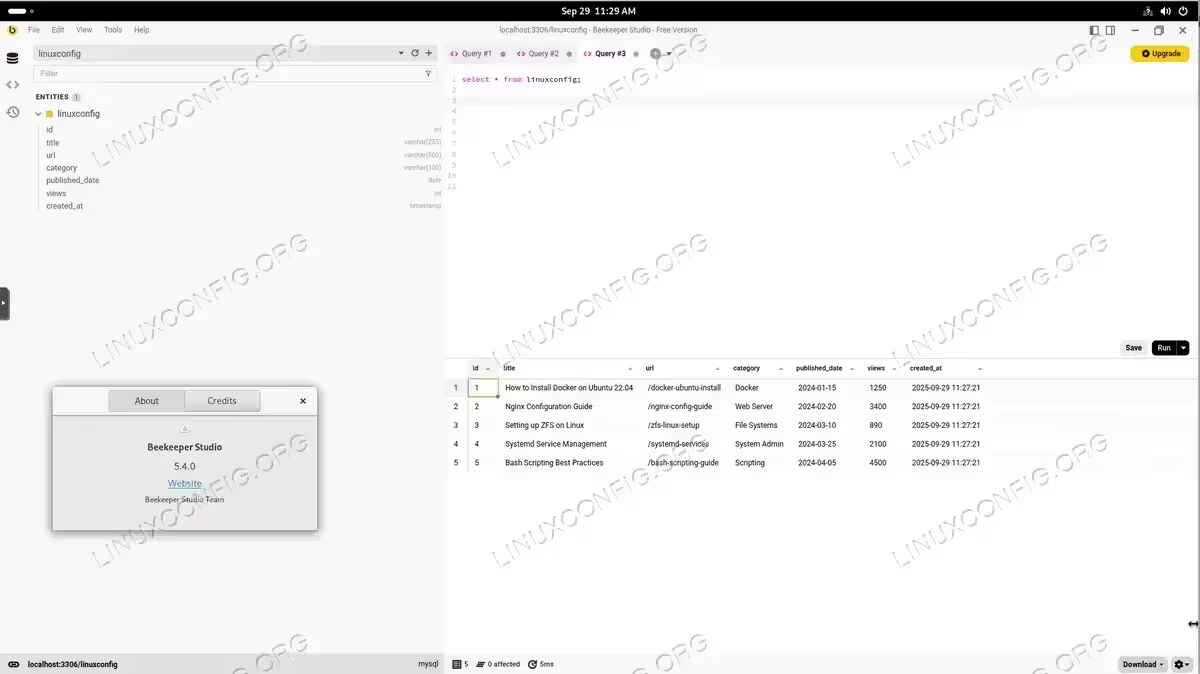
Beekeeper Studio has emerged as a leading modern GUI for MySQL focused on user experience and simplicity. The GPLv3-licensed community edition provides full functionality without limitations. It features an intuitive interface with spreadsheet-style data editing, visual schema editing without SQL, and clickable foreign key navigation. What sets Beekeeper apart is its AI integration with ChatGPT and Claude for intelligent SQL generation. The tool offers consistent cross-platform experience with Linux installation available through DEB packages, AppImage, Snap, Flatpak, and even Raspberry Pi support. Get it from Beekeeper Studio’s website.
DbGate – Lightweight Open Source GUI
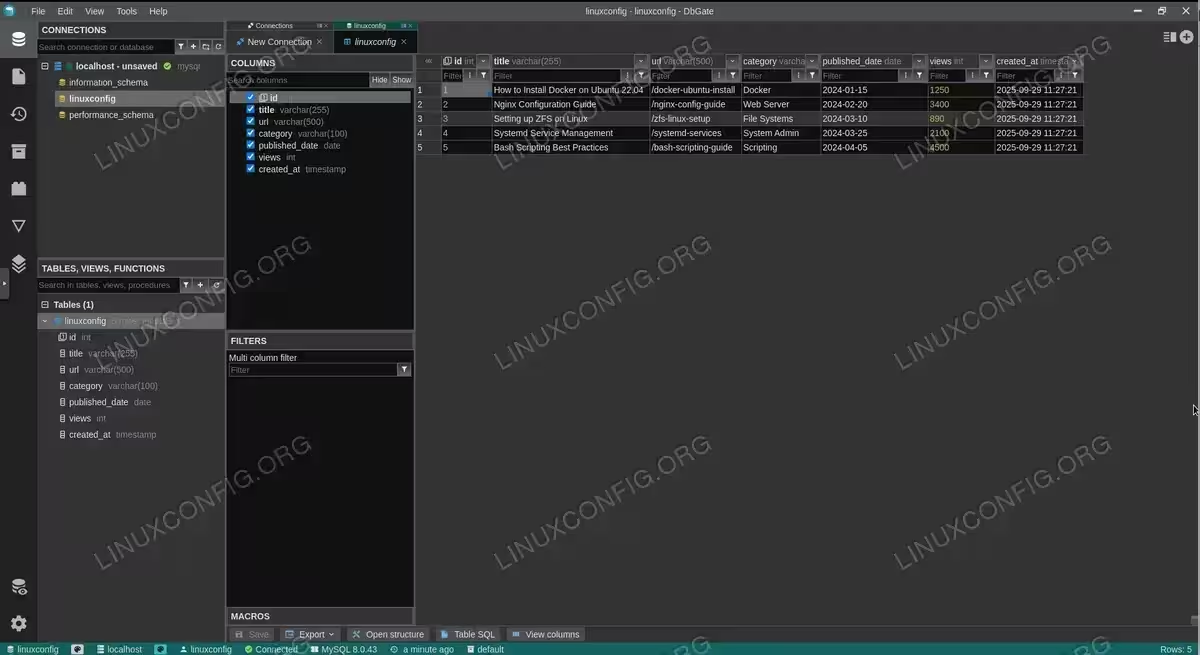
DbGate is a free and open source (GPL-3.0 licensed) GUI for MySQL that balances simplicity with powerful features. It runs as a desktop application, web browser interface, or Docker container, providing excellent deployment flexibility. Key features include AI-powered database chat, visual query designers, ER diagrams, and innovative query perspectives for complex relational data visualization. The web version eliminates client installation requirements while maintaining full functionality. Check it out at DbGate’s official site.
CloudBeaver – Web-Based MySQL GUI
CloudBeaver Community Edition transforms database management into a web-first experience. Built on the same foundation as DBeaver but reimagined for browser-based deployment, this Apache 2.0 licensed GUI for MySQL provides enterprise-grade capabilities without client software installation. It supports multi-user environments with access control, making it ideal for team collaboration. The modern TypeScript/React frontend delivers semantic SQL autocompletion, data editing with script preview, and interactive ER diagrams. Learn more at the CloudBeaver website.
Conclusion
When it comes to MySQL management on Linux, users have a lot of different choices for GUI for MySQL applications that can do the job. From traditional tools like MySQL Workbench and phpMyAdmin to modern alternatives like DBeaver and Beekeeper Studio, these applications can make working with MySQL drastically easier than interacting with the command line. Modern open-source options now offer AI integration, web-based deployment, and improved user interfaces while maintaining the free and open-source philosophy. All the apps here provide slightly different interfaces and sets of features, so it is recommended you try a few of them to see which one will fit your needs the best.
