
In this guide we explain how to backup your Samsung Galaxy S5 smart phone using your Linux system with a command line developer tool adb.
The first step in order to backup your S5 is to enable Developer options. This button is by default hidden and if visible you should be able to locate it under System tab without S5’s settings:
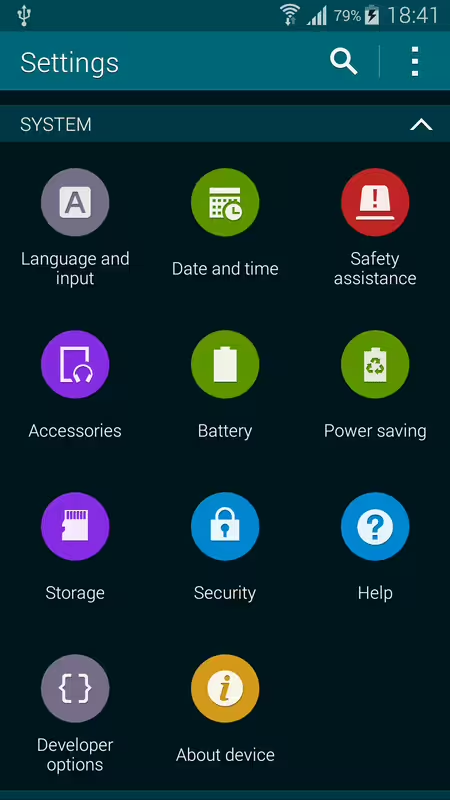
If you cannot locate Developer options button on your S5 phone then navigate toSettings->System->About device. Locate the Build number box and tab on it 7 times. The message saying that Developer options are now enabled will pop up. Next, navigate to Settings->System->Developer options and and tick USB debugging - Debug mode when USB is connected.
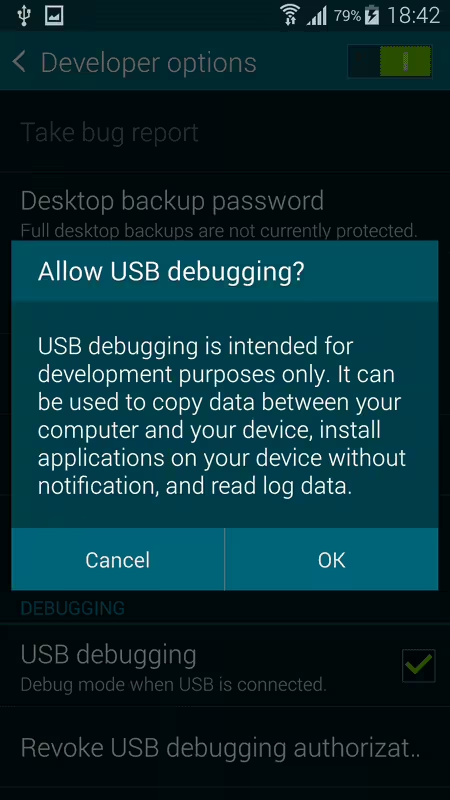
Next, start a terminal session on you Linux system and install adb tool. As a root user enter:
UBUNTU:
# apt-get install android-tools-adb
FEDORA:
# yum install android-tools
As a next step connect your S5 phone to your Linux system box using USB cable. Click OK to the message Allow USB debugging.
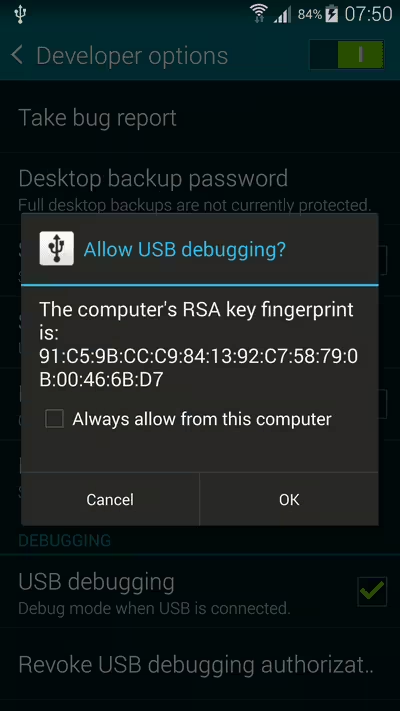
Go back to your Linux terminal and check whether your S5 phone is connected. You should see output similar to the one below:
$ adb devices
List of devices attached
707897da	device
At this stage we are ready to initiate backup of our Samsung Galaxy S5 phone using the below command:
$ adb backup samsung-galaxy-s5.adb -apk -all
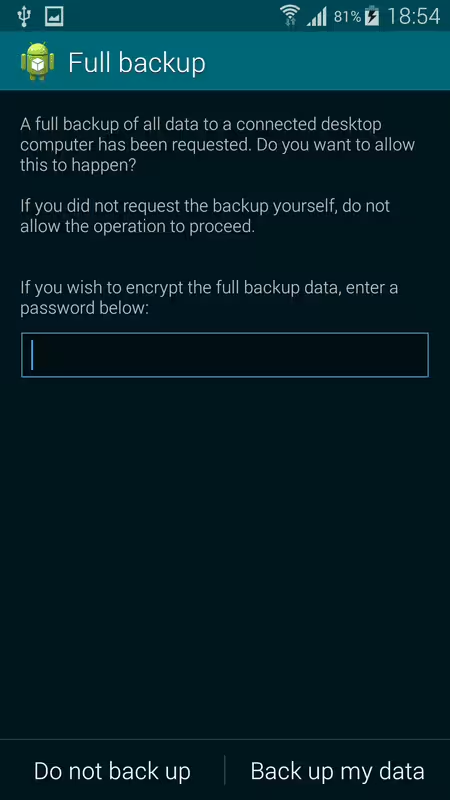
Now unlock your device and confirm the backup operation.
Lastly, confirm the full backup on your Samsung Galaxy S5 phone. The above command will create a backup file called samsung-galaxy-s5.adb.
.
