
At any given moment your Linux system is running multiple processes simultaneously. Therefore, it is an important skill to know how to manage processes and how to terminate them if the need arises. The process can be terminated with various commands such as kill, killall, and pkill.
The Linux command line offers a few different ways for us to kill processes. Having multiple tools for the job, as is common on Linux, is convenient but creates some confusion as they all have a little functional overlap. In this tutorial, we will explain how to terminate multiple processes with a single command. This saves time instead of having to terminate each process individually, and can help you to quickly rein in your processes if many of the same kind are spawned.
In this tutorial you will learn:
- How to use
killto kill multiple processes - How to use
pkillto kill multiple processes - How to use
killallto kill multiple processes pkillandkillallcommand examples

| Category | Requirements, Conventions or Software Version Used |
|---|---|
| System | Any Linux distro |
| Software | kill, pkill, killall |
| Other | Privileged access to your Linux system as root or via the sudo command. |
| Conventions |
# – requires given linux commands to be executed with root privileges either directly as a root user or by use of sudo command$ – requires given linux commands to be executed as a regular non-privileged user |
How to kill multiple processes in Linux
Linux gives us three tools to kill processes on Linux, the
kill, killall, and pkill commands. Any of them are perfectly capable of terminating processes, but some offer conveniences that make them advantageous over the others in certain situations.
Kill multiple processes with kill command
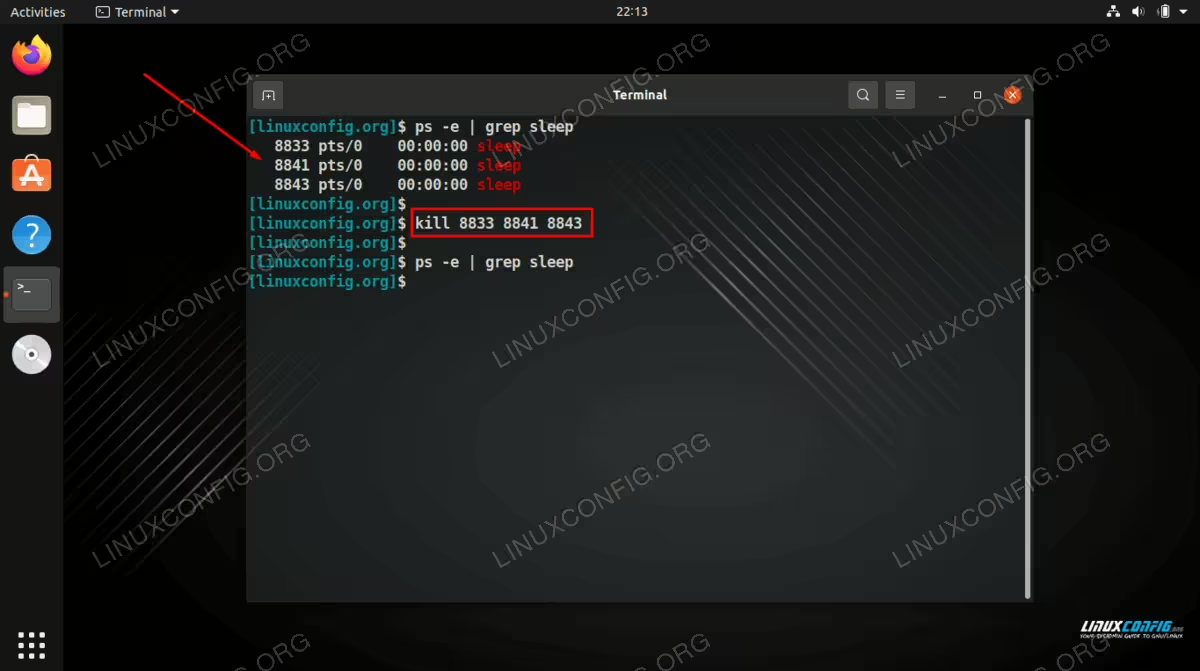
The kill command is normally what Linux users will use in order to forcibly terminate a running process.
- The normal syntax for the
killcommand is to specify the process ID that you want to terminate. In this case, we will terminate process1234.$ kill 1234
- In order to kill multiple processes at once, we just specify all of the relevant process IDs in our
killcommand.$ kill 1234 2345
- The
killcommand will send aTERMsignal to the processes by default. This can be changed by using a command flag. For example, the-9flag will send aKILLsignal instead.$ kill -9 1234 2345
Kill multiple processes with killall command
The
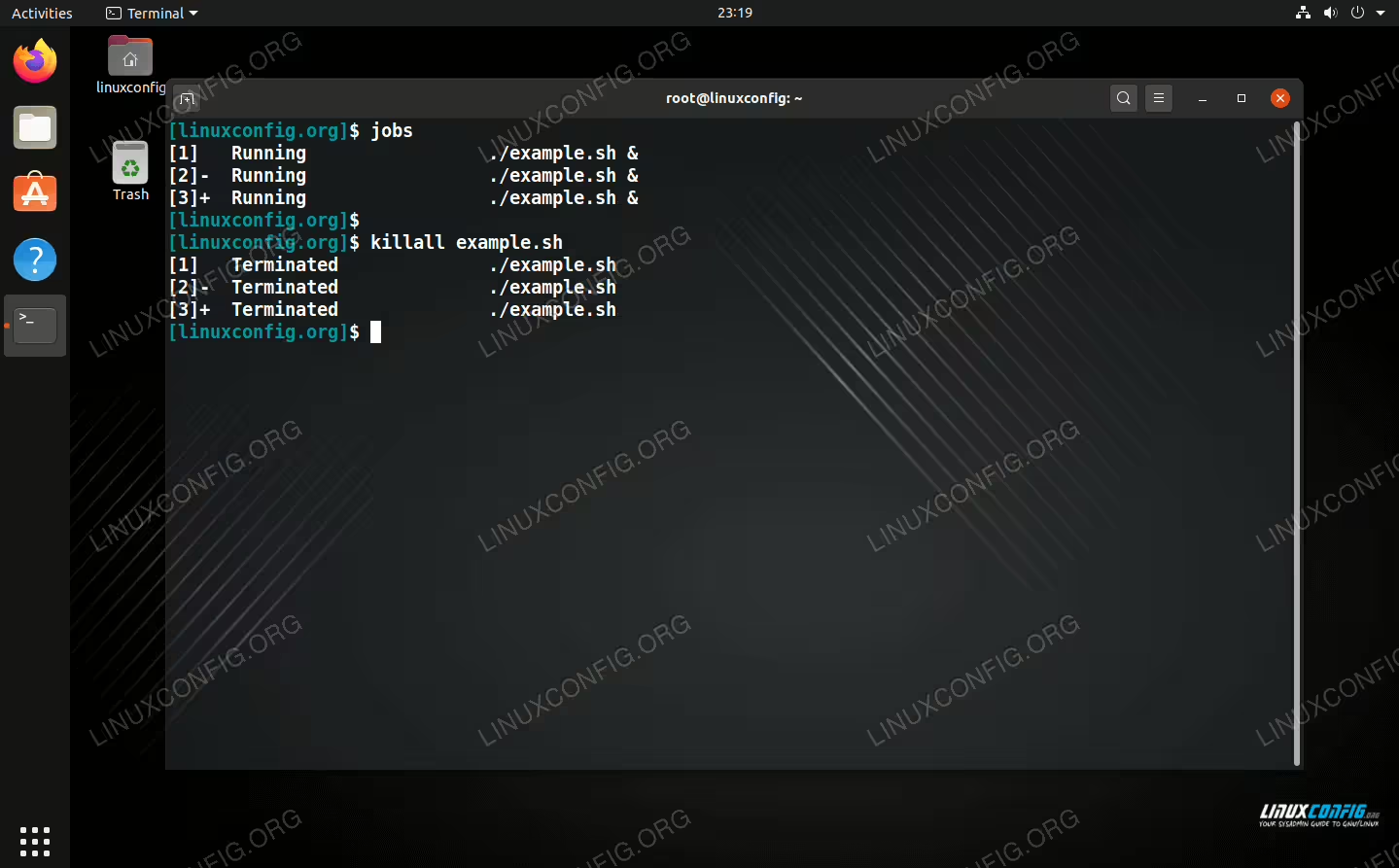
killall command kills a process by name. See our full tutorial on how to use the killall command.
- For example, if you have a SSH daemon (which runs under the process name of
sshd) on your system and need to end it, the following command would be used.$ sudo killall sshd
If you have multiple processes under the same name, all of those processes will be terminated, hence the all in “killall.” Note that you need to match the name exactly.
- Like
kill, you can send other signals to the processes rather than the defaultTERM. Again, the-9option will send aKILLsignal.$ sudo killall -9 sshd
Kill multiple processes with pkill command
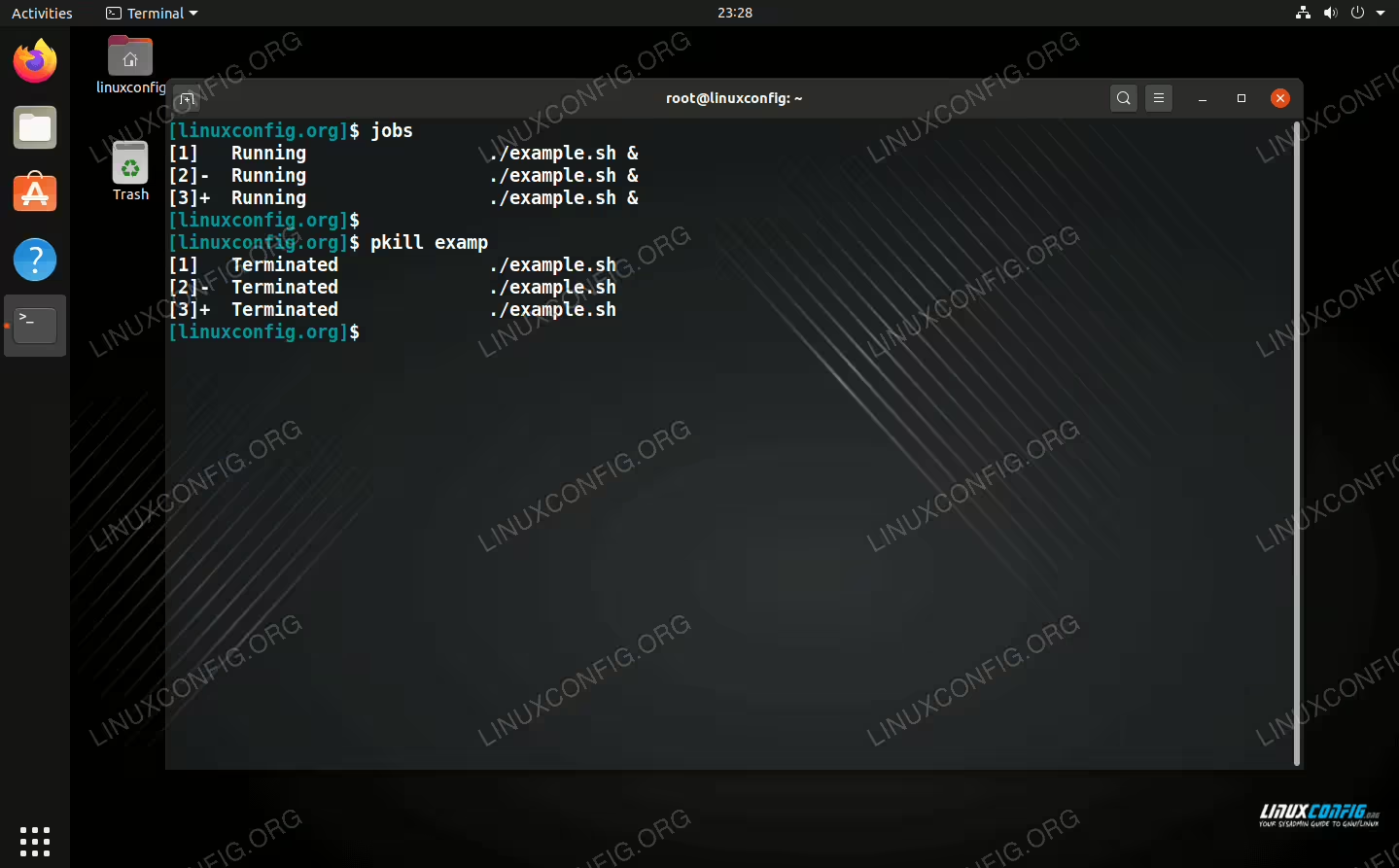
The other command we can use to kill multiple processes at once is pkill. This works similarly to killall but differs by not requiring us to specify the exact name of a process.
- If you have a process named
example.shrunning, supplying only a partial match to the name in yourpkillcommand will terminate the process (and all other matching processes).$ pkill examp
- Like the other commands,
pkillcan send multiple types of signals. Again, the-9option will send aKILLsignal.$ pkill -9 example.sh
Closing Thoughts
In this tutorial, you saw how to kill multiple processes at once on a Linux system. This can be accomplished with the kill, killall, and pkill Linux commands.
Each of these commands come with their own extensive list of options, many of which overlap with each other or are based off the kill command. Still, all of the kill commands have their own niches that they fill and it’s helpful to have all three in your Linux admin tool belt. Check out the man pages if you want to get a feel for their more advanced usage.
$ man killall
$ man pkill
$ man kill
