
A paramount aspect of Linux administration is system security. Once we have a certain number of software packages, settings, and user accounts on our system, the task of securing every facet of the system can quickly become overwhelming. This is why it is important to employ a script such as Lynis, which will check tons of different areas of the system for security flaws or potential attack surfaces that malicious programs or users may be able to take advantage of.
In this tutorial, we will go over how to automate security audits using Lynis on a Linux system. Rather than trying to stay up to date on every known exploit and manually checking the system for potential security holes, Lynis will check your system against a list of documented vulnerabilities and security recommendations.
In this tutorial you will learn:
- How to download the latest version of Lynis
- How to perform Lynis security audit with normal user and root permissions
- How to automate Lynis security audits with cron and cron-safe command options
| Category | Requirements, Conventions or Software Version Used |
|---|---|
| System | Any Linux system |
| Software | Git, Lynis |
| Other | Privileged access to your Linux system as root or via the sudo command. |
| Conventions |
# – requires given linux commands to be executed with root privileges either directly as a root user or by use of sudo command$ – requires given linux commands to be executed as a regular non-privileged user |
How to Install and Run Lynis
We will get started by downloading Lynis and then executing the program to perform a security audit and get recommendations on measures to take for further hardening the system. Lynis is essentially a beefed up Bash script, so running the utility is as simple as executing a shell script.
- In your command line terminal, run the following
gitcommand to clone the official Lynis GitHub repo:$ git clone https://github.com/CISOfy/lynis
NOTE
There are numerous ways you can install Lynis on Linux, including via official software repository using the system package manager. However, the Lynis project receives frequent updates, so in order to always make sure that your Lynis version is detecting the most recently uncovered exploits and attack vectors, it is recommended to clone the latest content from GitHub. - Once the files are done downloading, change directory and execute the script:
$ cd lynis && ./lynis audit system
- If Lynis finds any pressing security flaws, they will be considered “warnings” and are displayed before the suggestions.
  -[ Lynis 3.1.2 Results ]-

  Great, no warnings
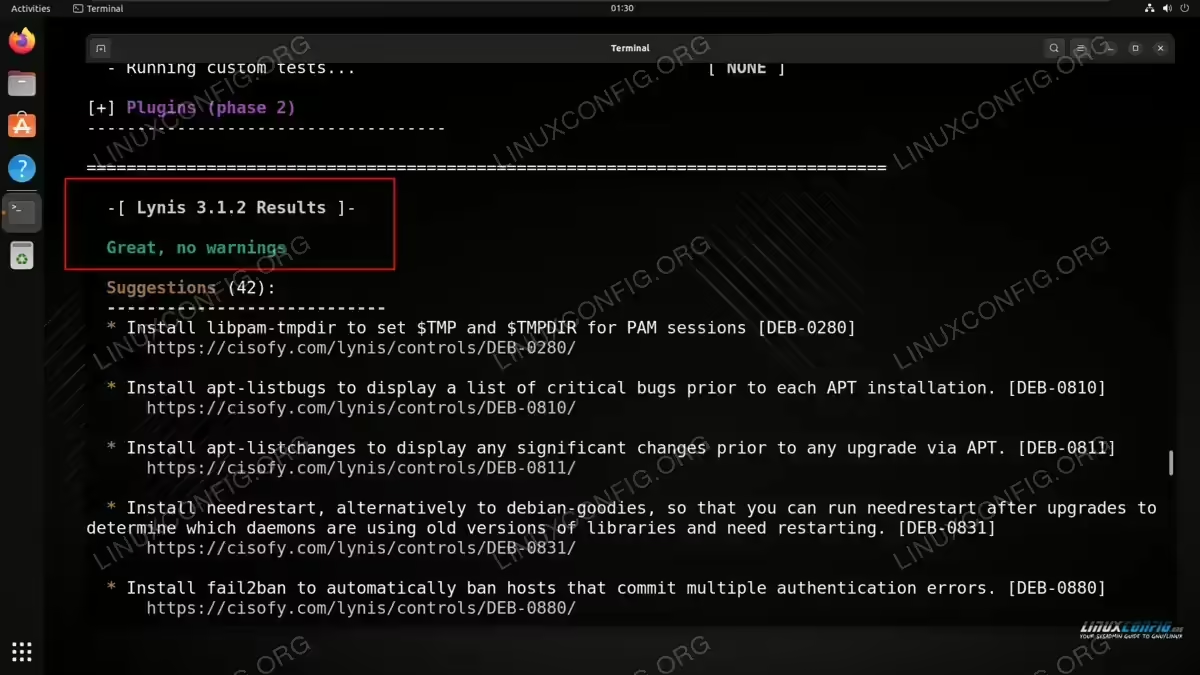
We received no urgent warnings from the Lynis security audit Hopefully, you get the output shown above. If not, consider remedying the causes of the warnings as soon as possible.
- After the scan is complete, the output in your terminal will also contain a list of recommendations for hardening the system. Most explanations are also accompanied by a link, which you can open for futher details on what the recommendation entails.
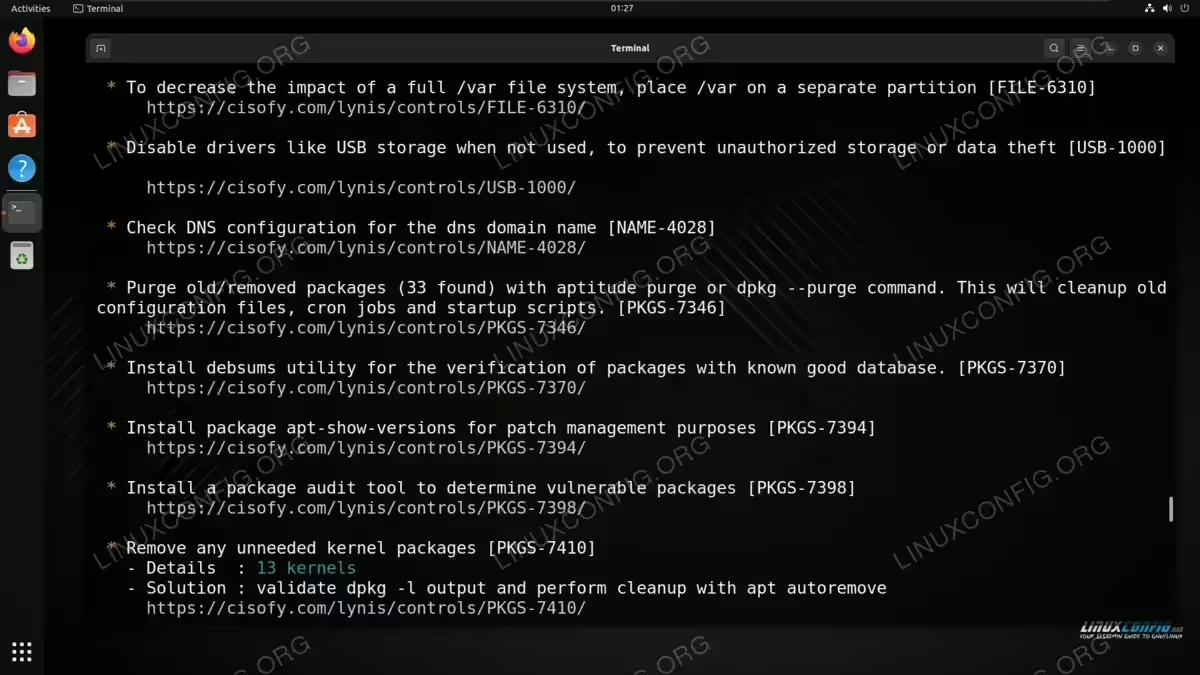
Lynis security audit output These are all shown under the “suggestions” section, which comes after the warnings. It is also a good idea to continue scrolling further up on the Lynis output and see what types of security checks were performed along with the results of each check, which might clue you into other ways to improve the security of your system.
- To make the security audit more thorough, you can execute the Lynis script with root permissions. Before doing so, the developers recommend changing ownership of the script files to the
rootuser, which will prevent warnings from popping up.$ sudo chown -R 0:0 lynis
This command is executed on the
lynisdirectory which was created during thegit clonecommand in above steps. - Now let’s try running the Lynis security audit with root permissions, which will allow the script to perform additional security checks that are not possible with normal user account permissions:
$ cd lynis && sudo ./lynis audit system
Check the ensuing output to see if there are any new warnings or suggestions not present from the previous Lynis security audit. The screenshot below shows that we received an iptables command warning from Lynis, which it could not check before, since the iptables command is only available to the root user.
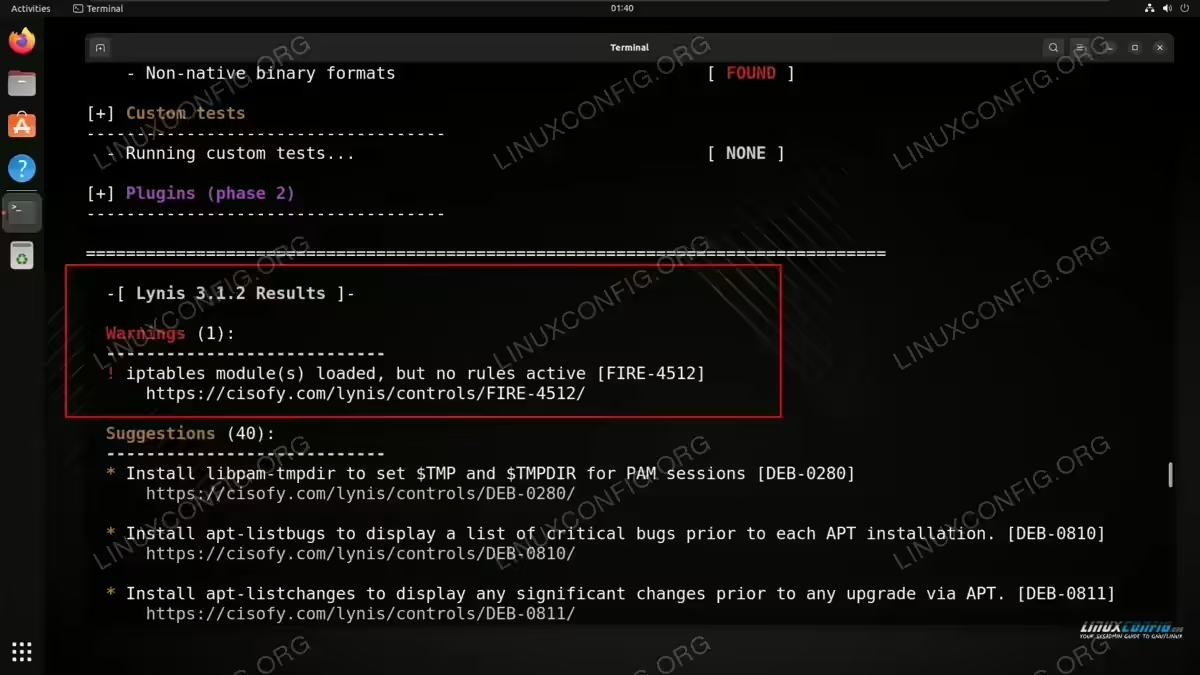
Receiving a security warning from Lynis
Automating Lynis
Lynis offers a commercial version called Lynis Enterprise that provides not only the tools to audit the system, but the tools necessary to implement the security recommendations and harden it. Lynis Enterprise also includes the ability to automate security audits. However, if you do not want to pay for the commercial software, we can use Linux tools to automate our Lynis security audits.
There are two useful options that Lynis provides for those that want to regularly run security audits and only receive warnings. These two options are --cronjob and --quiet:
$ sudo ./lynis audit system --cronjob --quiet
The --cronjob option will perform a test that is more cron-friendly, by disabling colors, line breaks, and other aesthetics that may interfere with the execution with cron. In addition, the --quiet option will not display any output on the screen.
Let’s set this up in cron. We will run Lynis as the root user, so we need to make sure that we are editing the root user’s crontab and not that of a regular user:
$ sudo crontab -e
Then, configure Lynis to run on a schedule. In this example, we will configure cron to run Lynis every day at midnight. The results will be saved into the /root/lynis-audit.log file. Of course, be sure to configure this for your needs:
0 0 * * * /root/lynis/lynis audit system --cronjob --quiet > /root/lynis-audit.log
Closing Thoughts
In this tutorial, we saw how to automate security audits with Lynis on a Linux system. We started off by downloading the latest version of Lynis, then performing security audits with normal and root permissions, while paying attention to the resulting warnings and suggestions issued by Lynis. Afterwards, we learned how to automate the security audits using cron along with the necessary command options in Lynis.
