
Kali Linux is a specialized Linux distribution designed for penetration testing, ethical hacking, and security auditing. Based on Debian, Kali compiles over 600 security tools into a single operating system, making it the go-to choice for security professionals worldwide. For other popular Linux distributions, visit our Linux download page.
- How to download Kali Linux for different platforms
- Which Kali Linux image type is right for your needs
- How to get Kali Linux for virtual machines
- How to download Kali Linux for ARM devices
- How to run Kali Linux in the cloud or containers
- What is Kali Purple and when to use it
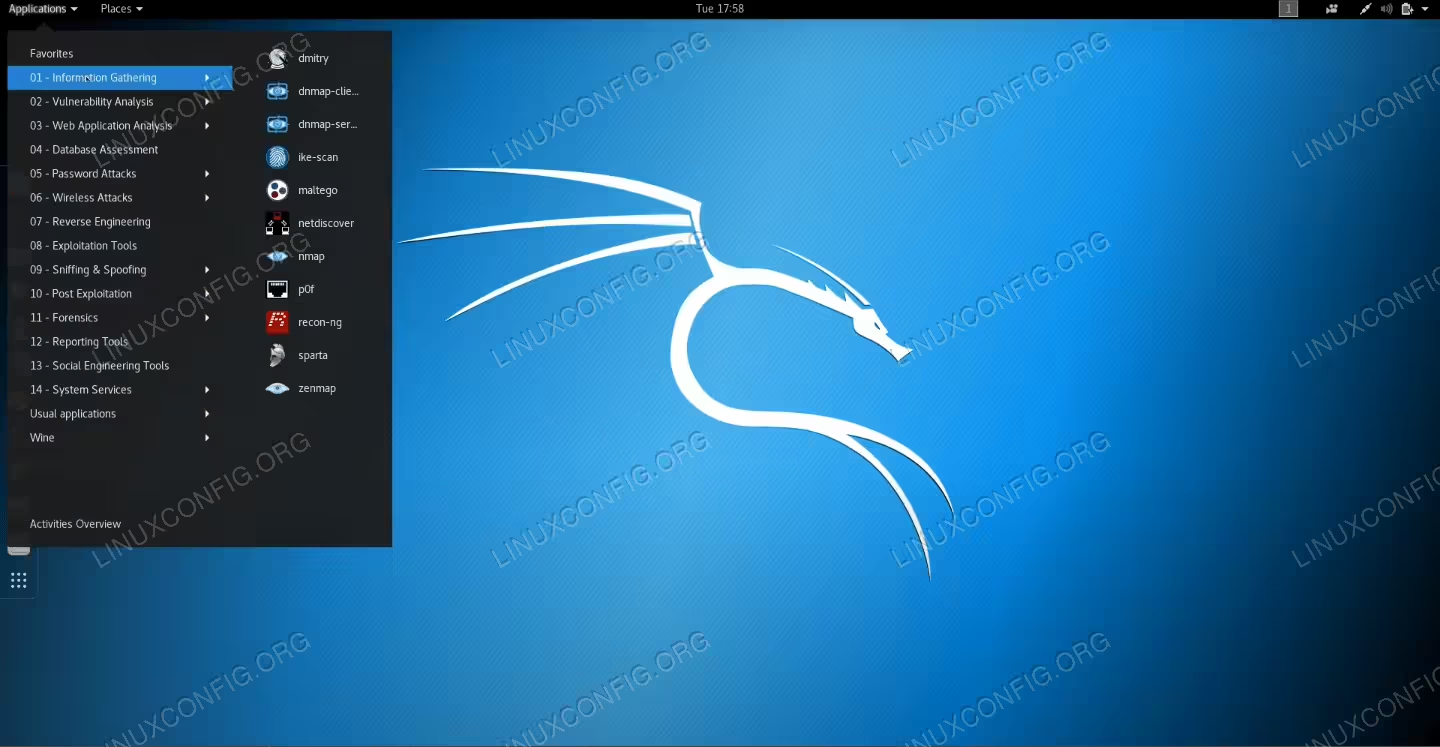
| Category | Requirements, Conventions or Software Version Used |
|---|---|
| System | x86_64 (AMD64), ARM64, or ARM devices |
| Software | Kali Linux 2025.3 (current release) |
| Other | Minimum 2GB RAM (4GB+ recommended), 20GB disk space |
| Conventions | # – requires given linux commands to be executed with root privileges either directly as a root user or by use of sudo command$ – requires given linux commands to be executed as a regular non-privileged user |
| Platform | Best For |
|---|---|
| Installer Images | Full installation on dedicated hardware |
| Virtual Machines | Running Kali alongside your main OS |
| WSL | Windows users wanting Kali tools |
| Live Boot | Portable Kali on USB without installation |
Kali Linux is completely free and uses a rolling release model, meaning you only need to download once and then keep your system updated with sudo apt update && sudo apt full-upgrade. The current release is Kali Linux 2025.3, featuring the Xfce desktop environment by default with GNOME and KDE alternatives available.
VERIFY YOUR DOWNLOAD
Always verify your Kali Linux download to ensure it hasn’t been tampered with. Check the SHA256 checksum against the official values on the Kali documentation page.
Installer Images
Installer images provide a complete offline installation with full hardware access, making them ideal for dedicated penetration testing machines. These images offer the best performance with direct access to Wi-Fi adapters and GPUs.
| Image Type | Architecture | Description | Download |
|---|---|---|---|
| Installer | x86_64 | Complete offline installation | Download | Torrent |
| Installer | ARM64 | For Apple Silicon and ARM64 systems | Download | Torrent |
| NetInstaller | x86_64 | Minimal image, downloads packages during install | Download | Torrent |
| Everything | x86_64 | All packages included for air-gapped networks | Torrent Only |
Virtual Machines
Pre-built virtual machine images allow you to run Kali Linux without altering your host operating system. These images support snapshots and provide an isolated environment for security testing. Default credentials are kali/kali.
| Platform | Format | Download |
|---|---|---|
| VMware | .7z | Download | Torrent |
| VirtualBox | .7z | Download | Torrent |
| Hyper-V | .7z | Download | Torrent |
| QEMU | .7z | Download | Torrent |
| Vagrant | .box | HashiCorp Cloud |
ARM Images
Kali Linux ARM images support single-board computers (SBCs) and ARM-based laptops. These are ideal for portable penetration testing devices and leave-behind scenarios. Default credentials are kali/kali.
| Device | Architecture | Download |
|---|---|---|
| Raspberry Pi 3, 4, 400, 5, 500 | ARM64 | Download | Torrent |
| Raspberry Pi 2, 3, 4, 400 | ARMhf (32-bit) | Download | Torrent |
| Raspberry Pi Zero 2 W | ARMhf | Download | Torrent |
| Pinebook Pro | ARM64 | Download | Torrent |
For additional ARM devices including Gateworks Newport and USB Armory, visit the official ARM download page.
Mobile (NetHunter)
Kali NetHunter transforms Android devices into mobile penetration testing platforms. It provides wireless injection capabilities, HID keyboard attacks, and access to the full Kali toolset from your pocket.
| Image Type | Architecture | Download |
|---|---|---|
| Generic (Full) | ARM64 | Download | Torrent |
| Generic (Minimal) | ARM64 | Download | Torrent |
| Generic (Full) | ARMhf | Download | Torrent |
Device-specific images for OnePlus, Google Pixel, Samsung, Xiaomi, and other supported devices are available on the official NetHunter download page.
Cloud
Kali Linux cloud images enable rapid deployment on major cloud providers, perfect for short-term engagements or when you need powerful remote infrastructure.
| Provider | Availability | Link |
|---|---|---|
| Amazon AWS | Marketplace | AWS Marketplace |
| Microsoft Azure | Marketplace | Azure Marketplace |
| Linode | Marketplace | Linode Marketplace |
| Digital Ocean | Documentation | Setup Guide |
| Generic Cloud (x64) | Direct Download | Download |
Containers
Kali Linux containers provide quick access to the Kali toolset without the overhead of a full virtual machine. Containers are limited to userland actions and don’t have direct hardware access.
| Platform | Command/Link |
|---|---|
| Docker | docker pull kalilinux/kali-rolling or Docker Hub |
| LXC/LXD | Linux Containers |
Live Boot
Live boot images run Kali Linux directly from USB or DVD without installation, leaving the host system unaltered. This is ideal for portable penetration testing with full hardware access.
| Image Type | Architecture | Download |
|---|---|---|
| Live | x86_64 | Download | Torrent |
| Live | ARM64 | Download | Torrent |
| Live Everything | x86_64 | Torrent Only |
WSL (Windows Subsystem for Linux)
Windows users can run Kali Linux directly through WSL without additional virtualization software. This provides access to the Kali toolset integrated with your Windows environment.
| Source | Link |
|---|---|
| Microsoft Store | Install from Microsoft Store |
After installation, launch Kali from the Start menu and complete the initial setup. For GUI access, install Win-KeX with sudo apt install kali-win-kex.
Kali Purple
Kali Purple extends the traditional red team focus to include blue team (defensive) security tools. It’s designed for enterprise-grade security operations, making defensive security accessible to everyone.
| Image Type | Architecture | Download |
|---|---|---|
| Kali Purple Installer | x86_64 | Download | Torrent |
Closing Thoughts
Kali Linux provides multiple deployment options to fit any penetration testing scenario. Whether you need a dedicated bare-metal installation, a portable USB solution, cloud-based infrastructure, or integration with Windows through WSL, there’s a Kali image for your needs. Remember that Kali is purpose-built for security testing and should be used responsibly and ethically in authorized environments only.
Frequently Asked Questions
- Which Kali Linux image should I download? For most users, the pre-built virtual machine images (VMware or VirtualBox) are the easiest starting point. If you want to install Kali on dedicated hardware, use the Installer image. For portable use without installation, choose the Live Boot image. Windows users who just need access to Kali tools should consider the WSL option from the Microsoft Store.
- Is Kali Linux free to download and use? Yes, Kali Linux is completely free and open source. All images, tools, and updates are provided at no cost. The project is maintained by OffSec (formerly Offensive Security) and supported by a global community of security professionals.
- What are the default credentials for Kali Linux? Pre-built images (virtual machines, ARM, NetHunter) use the default username
kaliand passwordkali. You should change these credentials immediately after first login using thepasswdcommand. - Does Kali Linux still support 32-bit systems? No, as of Kali Linux 2024.4, support for 32-bit (i386) installer images and kernels has been discontinued. However, 32-bit packages remain available in the repositories for compatibility with older tools. Users with 32-bit hardware should use an older release or consider alternative lightweight distributions.
- How do I update Kali Linux after installation? Kali Linux uses a rolling release model, so you only need to run
sudo apt update && sudo apt full-upgradeto get the latest packages and security tools. There’s no need to download new ISO images for updates.