
Cloud gaming is transforming the way we think about video games, offering flexibility and convenience by streaming games directly to our devices. NVIDIA’s GeForce NOW is one of the leading platforms in this space, and as of January 2026, NVIDIA has released an official native GeForce NOW Linux application. This brings full feature parity with Windows and macOS clients, including support for up to 5K resolution at 120 FPS, ray tracing, and DLSS technologies.
- How to install the official GeForce NOW client on Ubuntu and Debian
- Two installation methods: GUI installer and Flatpak CLI
- How to configure GeForce NOW and link your game libraries
- Troubleshooting common issues with the Linux client
Software Requirements
| Category | Requirements, Conventions or Software Version Used |
|---|---|
| System | Ubuntu 24.04 or higher, Debian 12 or higher |
| Software | Flatpak, GeForce NOW native client |
| Other | Stable internet connection (15+ Mbps recommended), GeForce NOW account (free tier available) |
| Conventions | # – requires given linux commands to be executed with root privileges either directly as a root user or by use of sudo command$ – requires given linux commands to be executed as a regular non-privileged user |
.bin installer or Flatpak.
| Step | Command/Action |
|---|---|
| 1. Download installer | Get GeForceNOWSetup.bin from nvidia.com |
| 2. Make executable | chmod +x GeForceNOWSetup.bin |
| 3. Run installer | ./GeForceNOWSetup.bin |
| 4. Launch app | Open “NVIDIA GeForce NOW” from applications menu |
Prerequisites
Before installing GeForce NOW, ensure your system has Flatpak support installed. The GeForce NOW installer will attempt to configure Flatpak automatically, but having it pre-installed ensures a smoother experience.
- Install Flatpak: On Ubuntu and Debian-based systems, install Flatpak with the following command:
$ sudo apt install flatpak
This package manager is required because the official GeForce NOW Linux client is distributed as a Flatpak application.
NOTE
NVIDIA officially supports Ubuntu 24.04 LTS and later. However, since GeForce NOW is distributed as a Flatpak, it should work on other distributions including Debian 12+, Fedora, and Arch Linux.
Install GeForce NOW on Linux
NVIDIA provides two methods to install GeForce NOW on Linux: a GUI-based .bin installer and manual Flatpak commands. Choose the method that suits your preference.
Method 1: Using the .bin Installer (Recommended)
This is the simplest method and handles all configuration automatically.
- Download the installer: Visit the official NVIDIA GeForce NOW download page and scroll to the Linux section. Click “Download” to get the
GeForceNOWSetup.binfile (approximately 12.6 MB). - Make the installer executable: Open a terminal, navigate to your Downloads folder, and make the file executable:
$ cd ~/Downloads
$ chmod +x GeForceNOWSetup.bin
Alternatively, right-click the file in your file manager, select Properties, and enable “Allow executing file as program”.
- Run the installer: Execute the installer from the terminal:
$ ./GeForceNOWSetup.bin
The installer will automatically set up the Flatpak repository and install the GeForce NOW application. This process takes only a few seconds.
Method 2: Using Flatpak Commands
If you prefer command-line installation or the .bin installer doesn’t work, use these Flatpak commands directly:
- Add the GeForce NOW repository: NVIDIA hosts the application in their own Flatpak repository (not Flathub):
$ flatpak remote-add --if-not-exists GeForceNOW https://international.download.nvidia.com/GFNLinux/flatpak/geforcenow.flatpakrepo
- Install GeForce NOW: Install the application from the NVIDIA repository:
$ flatpak install GeForceNOW com.nvidia.geforcenow
Confirm the installation when prompted. The download is approximately 100 MB.
Launch and Configure GeForce NOW
Once installed, GeForce NOW appears in your applications menu as “NVIDIA GeForce NOW”. You can also launch it from the terminal:
$ flatpak run com.nvidia.geforcenow
- Agree to Terms and Conditions: Upon first launch, you’ll be prompted to accept NVIDIA’s terms and conditions. Read through these carefully before proceeding.
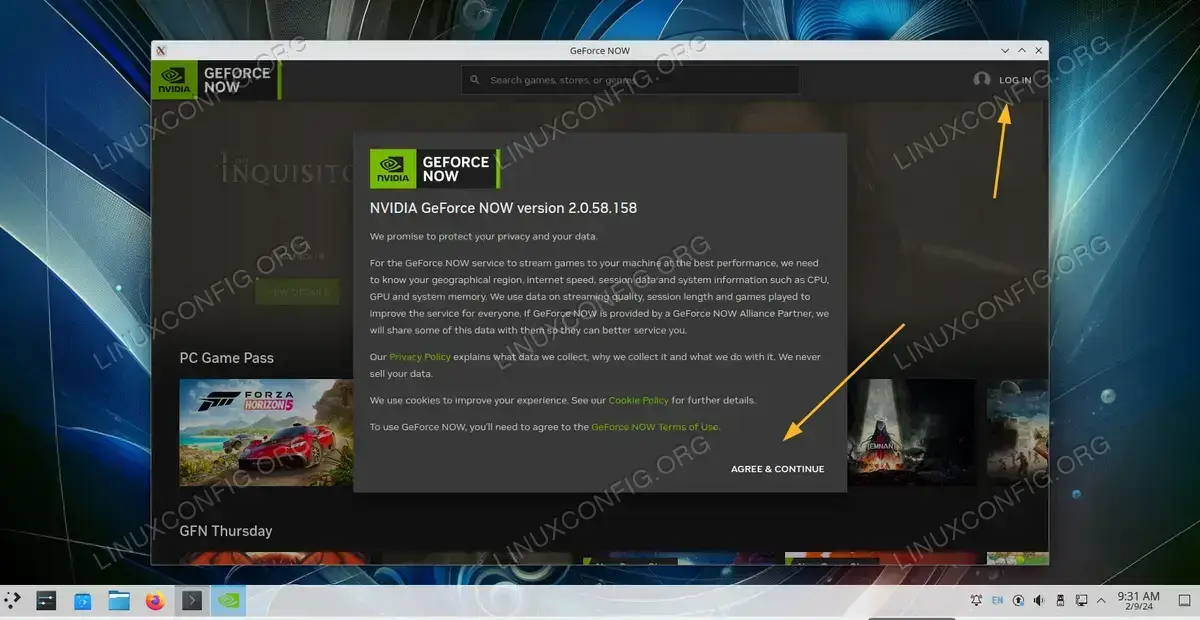
Agree to GeForce NOW Terms and Conditions - Login or Create Account: If you’re new to GeForce NOW, create a free account. The free tier provides access to the full game library with limited session lengths. You can upgrade to Performance or Ultimate tiers later for enhanced features including longer sessions, higher resolutions, and RTX 5080 cloud servers.
- Link Your Game Libraries: Navigate to Settings and connect your game accounts from platforms like Steam, Epic Games, Ubisoft Connect, EA, GOG, or Xbox. This allows GeForce NOW to access your existing game libraries.
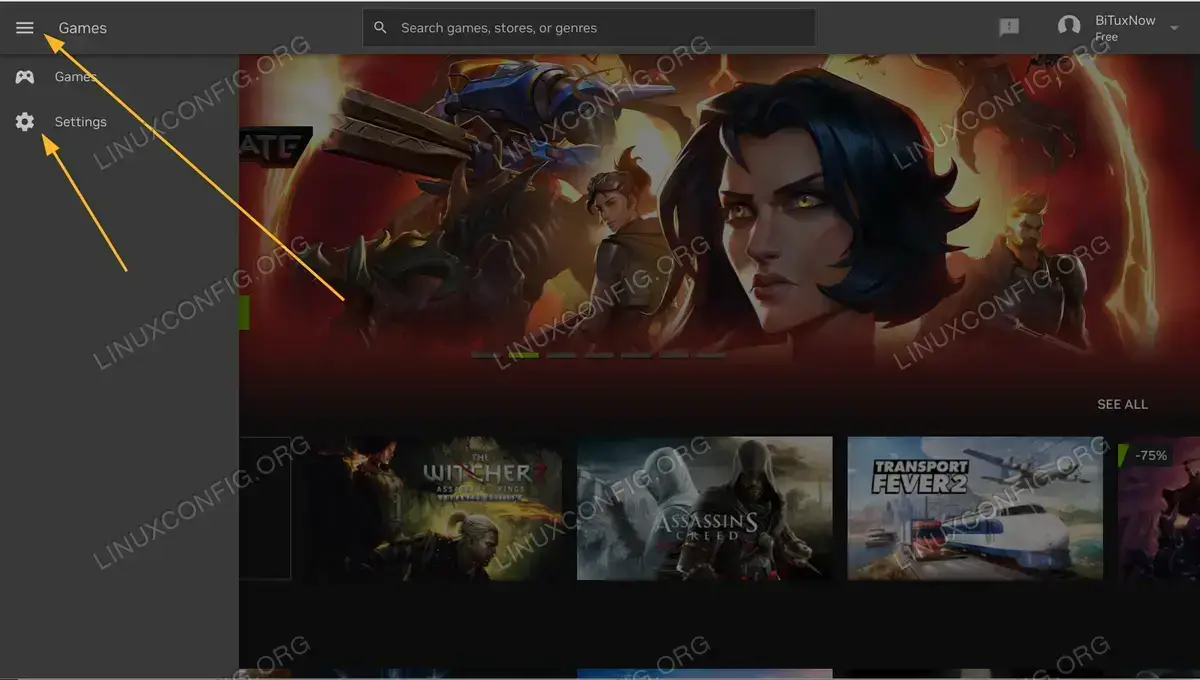
Go to GeForce NOW settings 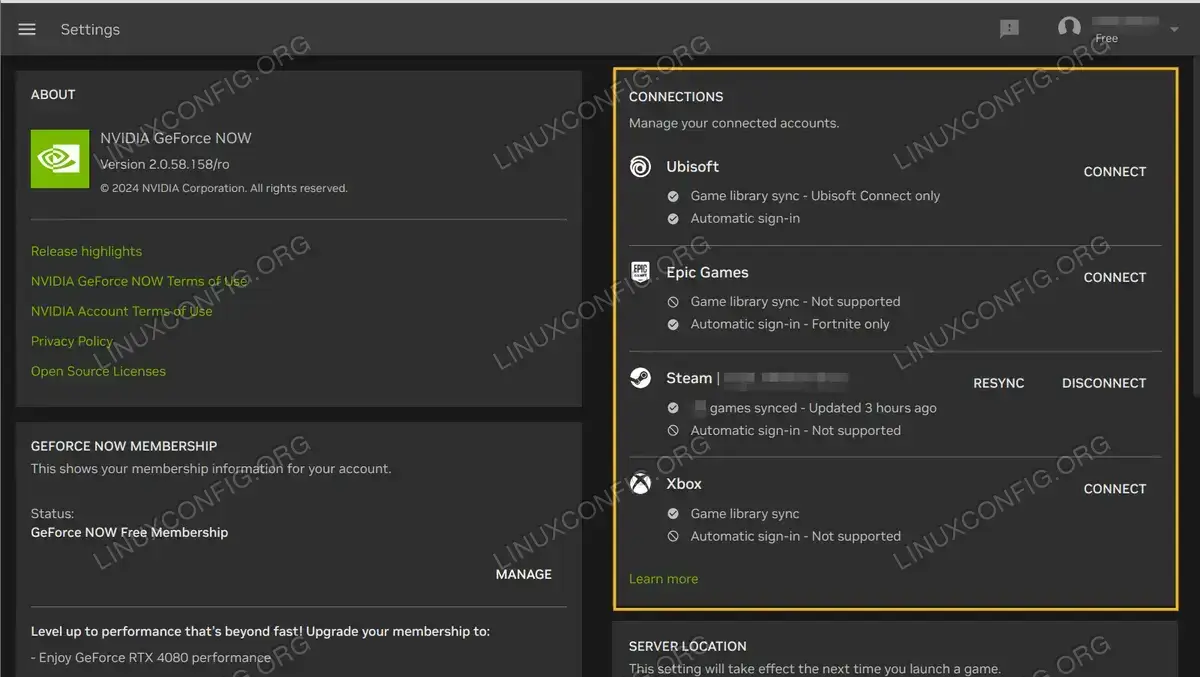
Connect your games provider - Start Playing: Browse your library, select a game, and click Play. GeForce NOW will connect you to a cloud gaming server and stream the game to your device.
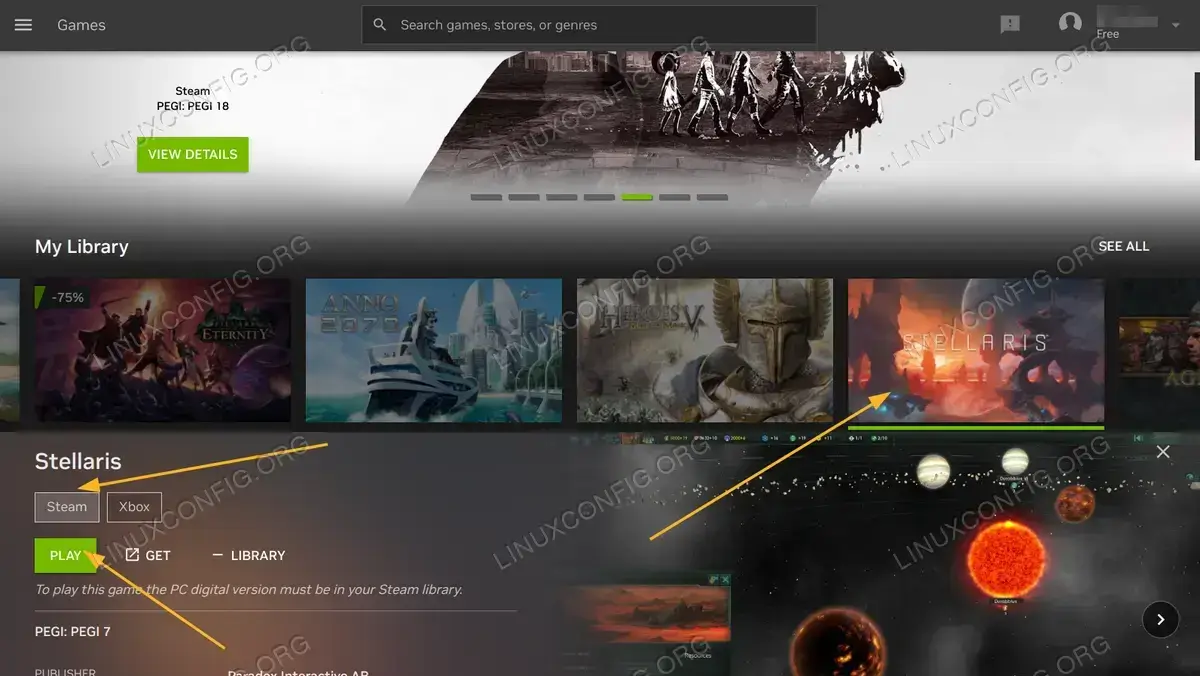
Select game, your provider and hit the Play button 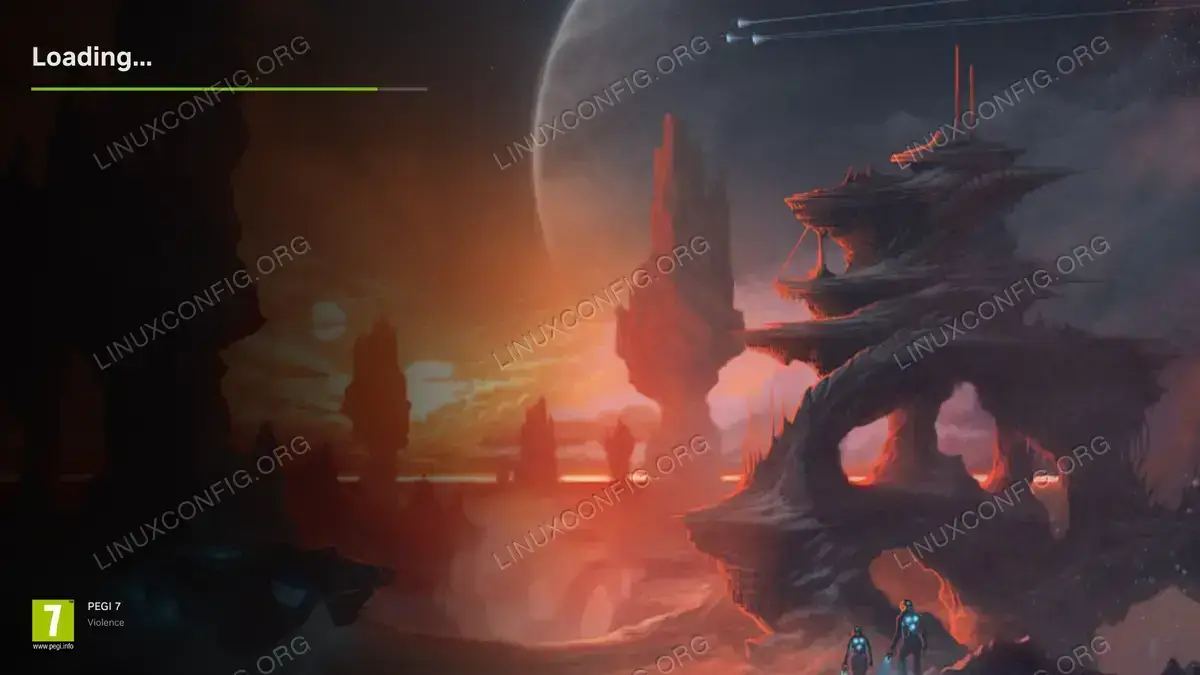
GeForce NOW connects to a cloud server and loads your game 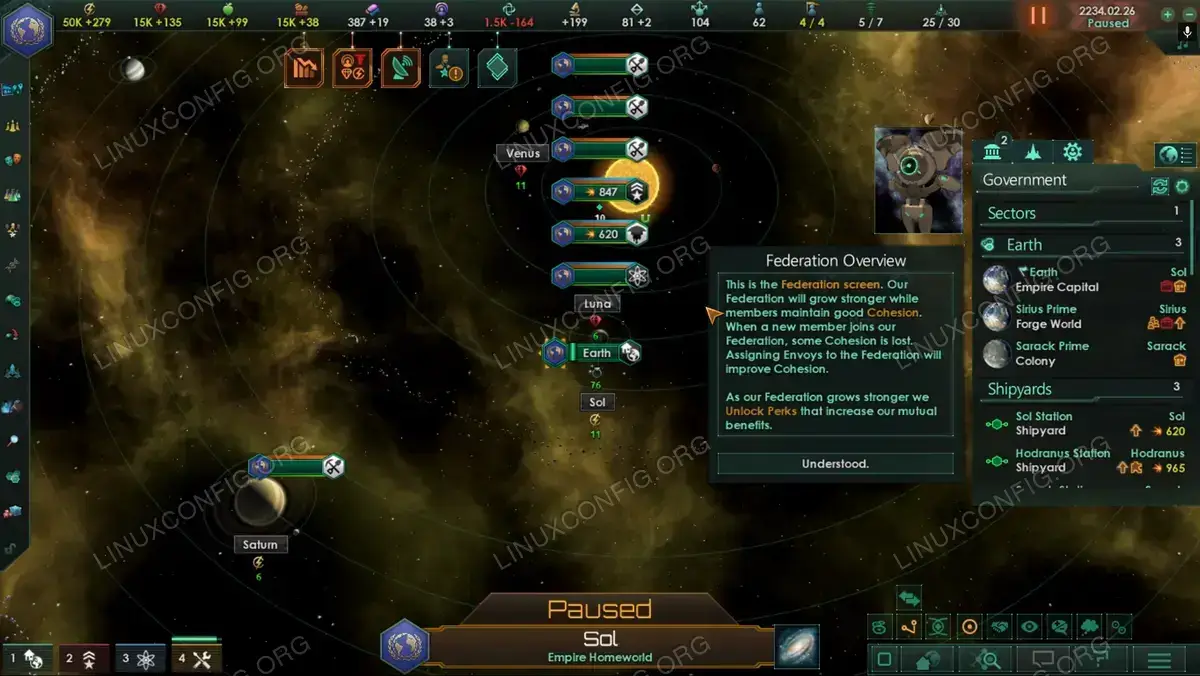
Enjoy gaming on GeForce NOW cloud gaming platform
TIP
If you have an Xbox Game Pass subscription, you can link it to your GeForce NOW account and play supported Xbox PC titles directly through cloud streaming.
Troubleshooting
Application Window Doesn’t Open on Wayland
Some users experience issues launching GeForce NOW on Wayland sessions. To fix this, disable Wayland socket access for the application:
$ flatpak override --user --nosocket=wayland com.nvidia.geforcenow
Then launch the application again. This forces the app to use XWayland instead.
Game Fails to Launch via Steam
If a Steam game doesn’t start properly through GeForce NOW, navigate to your Steam library within the GeForce NOW session and manually launch the game from there. This is a known quirk with certain titles.
Uninstalling GeForce NOW
To remove GeForce NOW from your system:
$ flatpak uninstall com.nvidia.geforcenow
To also remove the NVIDIA repository:
$ flatpak remote-delete GeForceNOW
Conclusion
With the official GeForce NOW Linux client, NVIDIA has brought full-featured cloud gaming to Ubuntu and Debian users. The native application offers significant advantages over browser-based streaming, including higher resolution support up to 5K, frame rates up to 360 FPS on supported displays, and reduced input latency through NVIDIA Reflex integration. Whether you’re gaming on modest hardware or simply want access to your game library without local installations, GeForce NOW transforms virtually any Linux system into a capable gaming machine. For more Linux gaming options, check out our guide on installing Steam on Ubuntu.
Frequently Asked Questions
- Is the GeForce NOW Linux client officially supported by NVIDIA? Yes, NVIDIA officially released the native GeForce NOW client for Linux in January 2026. It is distributed as a Flatpak application with official support for Ubuntu 24.04 LTS and later. While other distributions may work due to Flatpak’s cross-distribution compatibility, NVIDIA only guarantees support on Ubuntu and SteamOS.
- Do I need a powerful GPU to use GeForce NOW on Linux? No, GeForce NOW streams games from NVIDIA’s cloud servers, so your local hardware only needs to decode video. Most modern systems with basic video decoding capabilities (H.264/H.265) will work. This makes GeForce NOW ideal for low-powered devices, laptops, or systems without dedicated gaming GPUs.
- What’s the difference between the free and paid GeForce NOW tiers? The free tier provides access to the full game library but limits session length to one hour, places you in a queue, and caps resolution at 1080p/60fps. The Performance tier offers 1440p at 60 FPS with six-hour sessions. The Ultimate tier provides access to RTX 5080 cloud servers with support for up to 5K resolution at 120 FPS and eight-hour sessions.
- Can I play any game from my Steam library on GeForce NOW? Not all games are available on GeForce NOW. Game publishers must opt-in to allow their titles on the platform. You can check the GeForce NOW game catalog to see which of your games are supported. Currently, over 4,500 titles are available.
- Why isn’t GeForce NOW available on Flathub? NVIDIA chose to distribute the application through their own Flatpak repository rather than Flathub. This gives them more control over updates and distribution. You must add the NVIDIA repository manually as shown in the installation instructions above.