


Cypress has dominated the end-to-end testing landscape for JavaScript developers since its introduction, offering an intuitive interface and powerful time-travel debugging capabilities.
However, 2026 presents a diverse testing ecosystem catering to different needs, team sizes, and tech stacks. This guide explores Cypress alternatives and their advanced testing features, while highlighting Cypress’s own limitations.
Whether you need mobile-first automation, enterprise-scale cross-browser support, or AI-powered codeless testing, several Cypress alternatives deserve your attention.
Top 12 Cypress Alternatives in 2026
1. Panto AI: Vibe Debugging for Mobile Apps

Panto AI redefines mobile app testing through its Vibe Debugging Platform, combining dynamic code reviews, security scanning, and AI-powered QA automation.
Unlike traditional testing tools that require extensive scripting expertise, Panto AI lowers the barrier to entry dramatically by allowing teams to describe what they want to test in plain English — and letting the platform handle the rest.
Panto AI excels at natural language test case generation. Teams describe use cases in plain English, and the platform automatically navigates apps, executing tests step-by-step. Its self-healing automation detects UI changes, adapts test flows, and notifies teams automatically without manual updates.
A standout feature of Panto AI is its ability to generate reusable Appium/Maestro code that executes seamlessly across multiple devices. Teams write once and execute everywhere, reducing test creation time and maintenance overhead significantly.
Panto’s Key capabilities:
- Automated test case creation from natural language requirements
- Multi-device execution on real devices and emulators
- Slack and CI/CD pipeline integration
- Instant debug reports with videos, logs, and screenshots
- Visual recognition and contextual understanding
- Self-healing automation that adapts to UI changes
- Support for iOS, Android, and iPad applications
Limitations:
- Primarily focused on mobile — not a replacement for web-centric testing tools
- AI-generated tests may require human review for highly complex edge cases
- Newer platform with a smaller community compared to Selenium or Playwright
Best for:
Mobile-first teams and organizations that want to achieve rapid test coverage without deep scripting expertise. Particularly strong for iOS and Android QA automation at scale.
Pricing:
Panto AI offers custom pricing based on team size and usage. Contact the team via getpanto.ai for a demo and tailored quote. Teams achieve 100% test coverage in two weeks, with test maintenance dropping 60-80% compared to traditional debugging frameworks.
2. Playwright: The Enterprise Choice

Playwright has emerged as Cypress’s primary competitor for enterprise testing. Built by Microsoft with a modern architecture, it offers true multi-browser support across Chromium, Firefox, and WebKit with a unified API.
Playwright’s design philosophy prioritizes reliability and speed — tests run in isolated browser contexts, making parallel execution practical rather than aspirational.
Playwright’s support for multi-page and multi-domain automation, combined with network interception at the protocol level, makes it possible to test sophisticated authentication flows, third-party integrations, and dynamic SPAs with far less flakiness than older frameworks.
The built-in trace viewer is a standout tool for debugging failures — it captures DOM snapshots, screenshots, and network logs in a single timeline, dramatically reducing the time to identify root causes after a test failure.
Playwright’s advanced capabilities:
- Multi-page and multi-domain automation
- True parallel execution across browser contexts
- Network interception and response mocking at protocol level
- Screenshots, videos, and detailed trace recordings
- Desktop app testing through experimental features
- Advanced debugging with DOM snapshots
- Support for TypeScript, JavaScript, Python, Java, and .NET
Limitations:
- Steeper learning curve than Cypress, especially for teams new to async/await patterns
- Requires additional third-party tools for comprehensive reporting
- No built-in real-device mobile testing — browser only
Best for:
Enterprise teams needing robust cross-browser E2E testing with high reliability and strong CI/CD integration. Ideal for polyglot engineering organizations given its multi-language SDK support.
Pricing:
Playwright is completely free and open source under the Apache 2.0 license. Enterprise adoption reached 34% among Fortune 500 companies in 2026, making it one of the fastest-growing testing frameworks in the industry.
3. Selenium WebDriver: The Industry Standard

Selenium WebDriver remains the most mature and widely-adopted framework in the industry, supporting virtually every programming language and browser combination. Its W3C WebDriver protocol compliance ensures longevity and standardization across vendors.
For organizations with established Java, Python, or C# test suites, Selenium offers an unmatched ecosystem of community knowledge, integrations, and tooling built up over nearly two decades.
Selenium Grid enables distributed parallel testing across machines and cloud providers, making it a natural fit for large organizations running thousands of tests across diverse environments.
Selenium’s flexibility remains unmatched — it can automate virtually any browser action, integrate with any CI server, and slot into virtually any testing architecture. Its maturity is also its safety net: whatever problem you encounter, someone in the community has almost certainly solved it before.
Selenium strengths:
- Selenium Grid enables distributed parallel testing across machines
- Legacy system support with massive community resources
- Deep ecosystem integration and established patterns
- Multi-language support: Java, Python, Ruby, C#, JavaScript
- Browser compatibility across all major and niche browsers
- W3C WebDriver protocol compliance for long-term stability
Limitations:
- Verbose setup — driver management, browser binaries, and configuration add overhead
- Synchronization issues cause flaky tests without careful use of explicit waits
- No built-in test runner, reporting, or assertions — requires pairing with other frameworks
Best for:
Large enterprises with existing Selenium investments, teams requiring maximum language flexibility, and organizations running tests against legacy or niche browsers. Also ideal for those integrating with established coding and QA workflows.
Pricing:
Selenium is free and open source. However, infrastructure costs for Selenium Grid, cloud browser providers (e.g., BrowserStack, Sauce Labs), and the engineering time required for setup and maintenance can add up significantly for large teams.
4. Puppeteer: Lightweight Chrome Automation

Puppeteer provides high-performance QA automation exclusively for Chrome and Chromium. Developed by Google’s Chrome team, it offers direct access to the browser’s DevTools Protocol, enabling capabilities that go far beyond what WebDriver-based tools can achieve.
From capturing detailed performance timelines to programmatically generating pixel-perfect PDFs, Puppeteer is the go-to tool when you need low-level control over a Chromium-based browser.
Its lightweight nature and tight Node.js integration make Puppeteer an excellent choice for projects that already live in a JavaScript ecosystem and don’t require cross-browser testing.
Web scraping, automated screenshot generation for visual regression, and headless automation for CI pipelines are areas where Puppeteer consistently outperforms heavier alternatives.
Puppeteer excels at:
- DevTools capabilities — capturing timeline traces and page performance metrics
- Generating pixel-perfect PDFs programmatically
- Jest integration for seamless JavaScript project testing
- Recording capabilities accelerating script generation by 30%
- Performance profiling and network throttling
- Screenshot and PDF generation for reports
- Headless mode for fast CI pipeline execution
Limitations:
- Chrome and Chromium only — no Firefox or Safari/WebKit support
- API is less intuitive than Cypress for simulating complex user interactions
- No built-in test runner or assertions — must be paired with Jest or Mocha
Best for:
JavaScript and Node.js teams focused on Chrome-only automation, web scraping, PDF generation, visual snapshots, and performance profiling. Also strong for teams evaluating alternatives that don’t need cross-browser coverage.
Pricing:
Puppeteer is free and open source under the Apache 2.0 license. It ships bundled with a compatible version of Chromium, so there are no licensing costs involved for most use cases.
5. WebdriverIO: Next-Generation Automation

WebdriverIO targets Node.js developers seeking modern architecture with maximum flexibility. Built on the WebDriver and WebDriver BiDi protocols, it supports multiple testing frameworks — Mocha, Jasmine, and Cucumber — alongside both browser and mobile automation from a single configuration.
The framework’s plugin ecosystem is one of its strongest assets. Whether you need visual regression, accessibility scanning, or deeper coding tool integrations, the community has built and maintained plugins that bolt on seamlessly.
WebdriverIO’s CLI-based project scaffolding also lowers the initial setup burden considerably — a new project can be fully configured in minutes, which is a stark contrast to the multi-hour Selenium setup it often replaces.
WebdriverIO strengths:
- Fluent and chainable command APIs for readability
- Appium plugin support for mobile testing
- Visual regression testing capabilities
- Configuration CLI streamlines new project setup
- Rich plugin ecosystem extends functionality
- Support for multiple testing frameworks (Mocha, Jasmine, Cucumber)
- Desktop and web testing across platforms
Limitations:
- JavaScript/TypeScript-centric — other language support is limited by comparison
- Steeper learning curve for developers unfamiliar with the Node.js ecosystem
- Documentation quality varies across the plugin ecosystem, leading to inconsistent developer experiences
Best for:
Node.js and TypeScript teams that want a single, flexible framework covering web, mobile, and desktop. Particularly well-suited for BDD-focused teams using Cucumber or teams that want to consolidate their toolchain.
Pricing:
WebdriverIO is free and open source under the MIT license. Cloud execution costs depend on your chosen provider (e.g., BrowserStack, Sauce Labs, or self-hosted Selenium Grid).
6. Testsigma: AI-Powered Codeless Automation

Testsigma eliminates coding through agentic AI capabilities, accepting plain English descriptions and auto-generating tests across web, mobile, API, and enterprise applications like Salesforce and SAP.
What separates Testsigma from simpler record-and-playback tools is its intelligent test maintenance layer. When your application changes — new UI elements, restructured flows, redesigned pages — Testsigma’s AI doesn’t just break and wait for a human fix.
It automatically detects the change, remaps affected elements, and updates tests without manual intervention. Combined with real-time analytics and CI/CD integrations, this makes it possible for teams to ship faster with higher confidence in their regression coverage.
Testsigma’s features:
- AI-powered test case generation and maintenance
- Auto-detection and remapping of UI elements
- Support for web, mobile, API, Salesforce, and SAP testing
- Real-time analytics and test health monitoring
- Native Slack and CI/CD integrations
- Create test cases 5-10x faster than traditional approaches
- Smart maintenance replacing manual script updates
Limitations:
- Less flexible than code-based frameworks for highly custom test logic
- Pricing scales up quickly for large teams with extensive test suites
- AI-generated tests occasionally require manual validation for nuanced user journeys
Best for:
Teams without deep coding expertise, QA-led organizations, and enterprises requiring broad platform coverage — including Salesforce and SAP — from a single debugging and testing platform.
Pricing:
Testsigma offers a free plan for small teams, with paid plans starting at approximately $149/month. Enterprise plans with advanced AI features, dedicated support, and on-premise deployment options are available via custom quote. Teams report a 50%+ reduction in automation effort and significant improvements in regression execution speed.
7. Detox: React Native Excellence

Detox specializes in end-to-end testing for React Native applications, using gray-box testing methodology to achieve a level of synchronization that black-box tools simply cannot match.
By running inside the same process as the app, Detox knows exactly when animations have completed, network calls have resolved, and the app is ready for the next interaction. This fundamentally eliminates an entire class of timing-based test failures that plague other mobile testing tools.
For React Native teams, Detox is often the most natural choice — tests are written in JavaScript, mirroring the language of the app itself, and can run identically on both iOS and Android without platform-specific branching.
Its integration with BrowserStack for real device testing extends coverage beyond simulators, providing confidence that tests reflect genuine user experiences. The elimination of flaky tests alone is often enough justification for React Native teams to adopt Detox despite its configuration complexity.
Detox capabilities:
- Synchronous testing ensures steps complete before proceeding
- Automatic synchronization for animations and network requests
- Cross-platform JavaScript tests run identically on iOS and Android
- Visual regression testing through screenshot comparison
- Real device testing integration with BrowserStack
- Support for real devices, simulators, and emulators
- Native JavaScript support for React Native developers
Limitations:
- Complex iOS setup with Xcode dependencies can be a significant initial time investment
- Limited WebView support makes hybrid app testing difficult
- JavaScript-only — not viable for teams using native iOS or Android codebases
Best for:
React Native teams seeking reliable, flake-free end-to-end testing on iOS and Android. Detox is the industry standard choice for this use case and is maintained by Wix Engineering.
Pricing:
Detox is free and open source under the MIT license. Infrastructure costs for real device testing depend on your chosen cloud provider.
8. Appium: Cross-Platform Mobile Automation

Appium dominates mobile automation through open-source flexibility and programming language variety. Supporting Java, Python, Ruby, and JavaScript, it enables organizations to leverage existing expertise and reuse automation knowledge from their web testing stacks.
Crucially, Appium tests native, hybrid, and mobile web apps without requiring any modification to the app binary, meaning your production build is what gets tested.
AI enhancements in 2026 have significantly boosted Appium’s capabilities, with intelligent element identification and dynamic test prioritization now available through community plugins. Combined with its massive plugin ecosystem and strong CI/CD pipeline support, Appium remains a cornerstone of enterprise mobile testing strategies worldwide.
Appium advantages:
- Write-once, run-everywhere for iOS and Android
- No app modification or instrumentation required
- Massive community and extensive plugin ecosystem
- CI/CD pipeline integration for reliability
- Element-level intelligence understanding user action intent
- Dynamic test prioritization analyzing code commits
- Support for native, hybrid, and web applications
Limitations:
- Steep learning curve — initial setup and configuration can exceed 30+ minutes for newcomers
- Tests can be slower to execute than gray-box alternatives like Detox
- Requires more maintenance as app UIs evolve compared to AI-native platforms
Best for:
Teams with polyglot codebases that need cross-platform mobile testing without vendor lock-in. Particularly well-suited for organizations already running Selenium-based web tests that want a consistent automation philosophy across web and mobile.
Pricing:
Appium is free and open source under the Apache 2.0 license. Cloud device farm costs — from providers like BrowserStack, Sauce Labs, or AWS Device Farm — are the primary expense for most teams.
9. Robot Framework: Keyword-Driven Simplicity

Robot Framework empowers teams through keyword-driven, plain-language test syntax. Non-technical stakeholders can read and understand tests intuitively without any coding knowledge, making it an exceptional tool for organizations practicing BDD or acceptance test-driven development (ATDD).
Robot Framework’s modular library architecture is what gives it remarkable versatility. The SeleniumLibrary, AppiumLibrary, RequestsLibrary, and dozens of others can be mixed and matched to cover web, mobile QA, APIs, databases, and desktop applications within a unified test codebase.
The automatically generated HTML reports are another highlight — rich, navigable, and shareable with stakeholders who don’t have a testing background, making it easy to communicate test health across the entire organization.
Robot Framework benefits:
- Keyword-driven, plain-language test syntax
- Excellent for acceptance testing and BDD workflows
- Rich built-in reporting generates HTML reports automatically
- Integration with Jenkins, GitLab CI, and Travis CI
- Versatility spanning web, mobile, API, desktop, and database testing
- Abstraction layers shielding tests from technical details
- Extensive library ecosystem for specialized domains
Limitations:
- Complex interactions often require multiple libraries, increasing configuration overhead
- Mobile testing requires Appium library integration, adding dependency management burden
- Keyword abstraction can make debugging deep failures harder to trace
Best for:
Organizations with mixed technical audiences where test readability by non-developers matters. Also ideal for acceptance testing, RPA (Robotic Process Automation), and teams building comprehensive keyword libraries for reuse across projects.
Pricing:
Robot Framework is free and open source under the Apache 2.0 license. Commercial support is available from several ecosystem vendors if needed for enterprise deployments.
10. TestCafe: Modern JavaScript Testing

TestCafe eliminates WebDriver dependencies entirely, interacting directly with the browser’s native APIs. No browser plugins, no driver binaries, no external server process — just a Node.js process and a browser.
This architectural simplicity dramatically reduces setup time and eliminates an entire class of driver-version compatibility issues that regularly frustrate Selenium users.
TestCafe’s automatic waiting mechanism is a particular standout: the framework intrinsically waits for page elements to become available and actions to complete before moving to the next step, without requiring any explicit wait statements in test code.
This alone eliminates a huge source of both test flakiness and maintenance overhead. Its record-and-playback functionality and support for popular frontend frameworks — React, Vue, and Angular — make debugging and test creation faster for frontend developers already familiar with those ecosystems.
TestCafe advantages:
- No browser plugins or external drivers required
- Automatic waiting eliminates manual timeout statements
- Concurrent test execution across multiple browsers
- Accelerates feedback loops by 50% vs. sequential testing
- JavaScript and TypeScript support
- Perfect for React, Vue, and Angular applications
- Record-and-playback functionality reduces test case generation time
- Native support for CSS selectors and custom locators
Limitations:
- Reporting capabilities are weaker than Playwright or Robot Framework out of the box
- Performance overhead can emerge during heavy concurrent browser execution
- Limited mobile testing support compared to Appium or Detox
Best for:
Frontend JavaScript and TypeScript teams — particularly those working in React, Vue, or Angular — that want low-friction browser testing without the overhead of WebDriver-based setups.
Pricing:
TestCafe’s open-source version is free under the MIT license. TestCafe Studio, the commercial IDE with enhanced record-and-playback and reporting features, is available via a paid subscription starting at around $699/year per user.
11. Nightwatch.js: Node.js Versatility

Nightwatch.js provides complete end-to-end testing on Node.js, supporting unit, component, E2E, API, visual testing, and accessibility from a single unified framework built on the W3C WebDriver API.
Nightwatch’s integrated approach reduces cognitive overhead and configuration complexity for Node.js-native development teams.
Nightwatch has invested heavily in its accessibility testing capabilities in recent versions, offering built-in historical accessibility scoring that makes it possible to track improvement or regression over time — a feature typically only found in dedicated accessibility tools.
Cloud testing support via BrowserStack and SauceLabs is seamlessly integrated, making it straightforward to scale from local development testing to broad cross-browser coverage in CI pipelines without significant rearchitecting.
Nightwatch features:
- In-built test runner with straightforward JavaScript syntax
- Cloud testing support (BrowserStack, SauceLabs)
- Integrated reporting and analytics
- Mobile testing across iOS and Android
- Component testing in isolation
- Built-in accessibility testing with historical scoring
- Real devices and cloud infrastructure support
- Parallel test execution capabilities
Limitations:
- Advanced features require deeper Node.js knowledge, raising the floor for new users
- Smaller community than Playwright or Selenium, meaning fewer ready-made solutions for edge cases
- Mobile testing support, while present, is less mature than dedicated mobile tools like Appium
Best for:
Node.js teams that want a single framework covering all test types — unit, component, E2E, API, and accessibility — without managing multiple tool configurations. Setup proves remarkably straightforward (5-10 minutes) for a tool of this breadth.
Pricing:
Nightwatch.js is free and open source under the MIT license. Cloud execution costs depend on your chosen provider (BrowserStack, Sauce Labs, etc.).
12. mabl: Intelligent Low-Code Test Automation
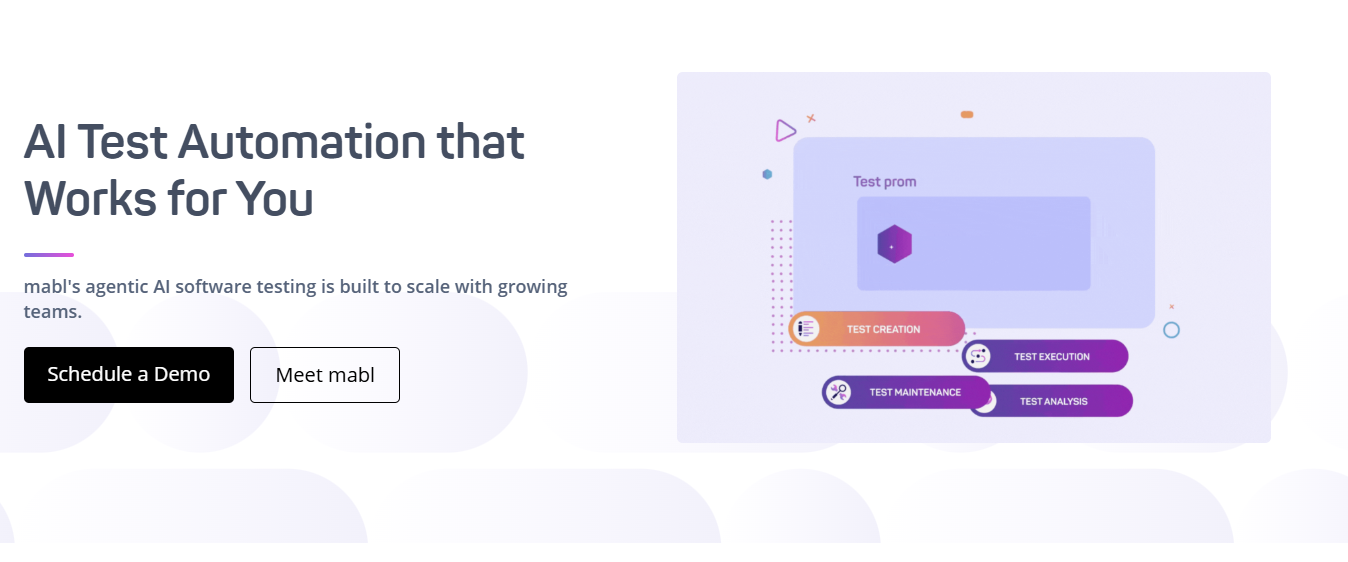
mabl is an AI-native test automation platform built from the ground up to serve Agile and DevOps teams that need reliable end-to-end coverage without the maintenance burden of code-heavy frameworks.
Its approach treats quality as a continuous, automated process — not a pre-release sprint — and is specifically designed to keep pace with the velocity that modern AI-assisted development demands.
mabl’s core differentiator is its auto-healing capability, which uses AI to detect when UI elements have changed between test runs and automatically adapts test flows without human intervention.
Paired with its integrated coverage across web, mobile, API, accessibility, and performance testing on a single platform, mabl gives teams a genuinely unified view of application quality without juggling multiple disconnected tools.
mabl’s key features:
- Low-code test creation using a Chrome-based trainer extension — no scripting required
- AI-powered auto-healing automatically adapts tests when UI elements change
- Unified platform covering browser, mobile, API, accessibility, and performance testing
- Unlimited local and CI test runs at no extra credit cost
- Generative AI for intelligent assertions and test generation
- Seamless integrations with Jira, Slack, Jenkins, Bamboo, and major CI/CD pipelines
- Real-time analytics, anomaly detection, and network performance monitoring
Limitations:
- Less flexible than code-first tools like Playwright for highly custom test logic or complex data manipulation
- Auto-healing doesn’t always resolve tricky dynamic UI elements, occasionally requiring custom JavaScript steps and support intervention
Best for:
Particularly well-suited for agile QA teams teams experiencing rapid UI change cycles, those without dedicated automation engineers, and enterprises that need a single platform spanning multiple testing disciplines.
Pricing:
mabl does not offer a free plan, but provides a 14-day free trial with full access to all features. Paid plans start at approximately $499/month for teams.
Feature Comparison Table of Cypress Alternatives
| Tool | Best For | Primary Browsers | Learning Curve | Setup Time | Price | Language Support | Parallel Testing |
|---|---|---|---|---|---|---|---|
| Panto AI | Mobile app testing with self-healing | iOS & Android | Very Low (AI-powered) | < 5 mins | Freemium | Natural Language | Yes (Multi-device) |
| Playwright | Enterprise cross-browser testing | Chrome, Firefox, Safari, Edge | Medium | 5-10 mins | Open Source | JavaScript, Python, C#, Java | Yes (Built-in) |
| Selenium WebDriver | Legacy systems & multi-language support | All major browsers | High | 15-30 mins | Open Source | Java, Python, C#, Ruby, JS | Yes (Selenium Grid) |
| Puppeteer | Chrome/Chromium automation | Chrome, Chromium, Edge | Low | 5 mins | Open Source | JavaScript, TypeScript | Yes |
| WebdriverIO | JavaScript-based web testing | Chrome, Firefox, Safari, Edge | Medium | 10-15 mins | Open Source | JavaScript, TypeScript, Python, Java | Yes |
| Testsigma | AI-powered codeless automation | All browsers | Very Low (Codeless) | < 5 mins | Freemium | Plain English | Yes |
| Detox | React Native mobile testing | iOS & Android | Medium | 20 mins | Open Source | JavaScript | Yes |
| Appium | Cross-platform mobile apps | iOS & Android | High | 30 mins | Open Source | Java, Python, JavaScript, Ruby | Yes |
| Robot Framework | Keyword-driven acceptance testing | All browsers (via Selenium) | Low | 10 mins | Open Source | Robot Script (keyword-driven) | Yes |
| TestCafe | Modern web apps (React, Vue) | Chrome, Firefox, Safari, Edge | Low | 5 mins | Open Source | JavaScript, TypeScript | Yes |
| Nightwatch.js | Node.js end-to-end testing | Chrome, Firefox, Safari, Edge | Low | 5-10 mins | Open Source/Paid | JavaScript, TypeScript | Yes |
| mabl | Intelligent Low-Code Test Automation | Chrome, Chromium | Low | 5 mins | Paid Trial | Plain English | Yes |
The table provides detailed analysis across setup time, language support, learning curves, and core capabilities. Each tool addresses specific organizational needs uniquely:
- Fastest execution: Playwright and Puppeteer
- Best test creation velocity: Testsigma and Panto AI
- Cost: Free (Selenium, Robot Framework) to premium (enterprise plans)
- Mobile specialization: Panto AI, Detox, Appium
- Enterprise scale: Playwright, Selenium WebDriver
Panto AI stands out for mobile-first teams prioritizing self-healing automation. Playwright dominates enterprise cross-browser scenarios. Testsigma excels for non-technical teams seeking codeless automation. Selenium WebDriver remains essential for legacy systems.
Making Your Selection Decision
Choose Panto AI if mobile app testing is your primary focus and you want to leverage AI-powered intelligence. Self-healing capabilities eliminate test maintenance burden effectively.
Choose Playwright when enterprise cross-browser support, multi-tab automation, or sophisticated network mocking becomes essential. Language flexibility supports diverse team compositions.
Choose Selenium WebDriver when legacy system support, diverse programming language requirements, or established automation frameworks justify the setup complexity.
Choose Testsigma when team members lack programming experience or test maintenance overhead threatens project velocity. AI-powered testing features accelerate test development dramatically.
Choose Detox exclusively for React Native applications where synchronization reliability and real-device testing matter most.
Choose your Cypress alternative based on specific constraints:
- Technology stack and existing infrastructure investments
- Team expertise and required skill levels
- Application platform (web vs. mobile vs. hybrid)
- Browser coverage requirements and scope
- Budget and licensing considerations
- Scaling requirements and growth plans
- CI/CD pipeline integration needs and complexity
Future-Ready Testing Strategy
The current testing ecosystem provides some quality Cypress alternatives, addressing diverse organizational needs comprehensively. Each one of the Cypress alternatives excels in different scenarios.
Future-proof your testing strategy by evaluating your specific needs:
- Assess team expertise levels and training requirements
- Evaluate application architecture and technology stack
- Calculate scaling requirements and growth trajectories
- Compare total pricing of ownership across options
- Plan integration with existing CI/CD pipelines
- Consider maintenance and community support longevity
The testing landscape continues evolving with AI-driven QA, self-healing capabilities, and cloud-native architectures becoming standard.
Organizations investing in modern testing platforms today position themselves competitively for years ahead. Looking at these Cypress alternatives, evaluate and select frameworks aligning with your organizational vision.


