Modern React has changed how we fetch and manage data, especially with the introduction of concurrent features like Suspense, the use() hook, and robust error handling via Error Boundaries. This guide walks you through these concepts and demonstrates how they work together in practice.
1. Introduction to Modern React Data Fetching
React’s traditional data-fetching patterns relied heavily on useEffect, manual loading states, and imperative logic. While effective, this approach often led to boilerplate-heavy and hard-to-maintain code, especially as applications grew in complexity.
Example: Data Fetching with useEffect
import React, { useEffect, useState } from "react";

export default function UserProfile() {
  const [user, setUser] = useState(null);
  const [loading, setLoading] = useState(true);
  const [error, setError] = useState(null);

  useEffect(() => {
    fetch("https://jsonplaceholder.typicode.com/users/1")
      .then(res => res.json())
      .then(data => {
        setUser(data);
        setLoading(false);
      })
      .catch(err => {
        setError(err);
        setLoading(false);
      });
  }, []);

  if (loading) return <p>Loading...</p>;
  if (error) return <p>Something went wrong</p>;

  return (
    <div>
      <h3>{user.name}</h3>
      <p>{user.email}</p>
    </div>
  );
}
This example demonstrates the classic pattern: you manually manage loading, error, and data state using useState, and trigger the fetch inside useEffect. While this works well, it introduces repetitive patterns across components and tightly couples data-fetching logic with UI rendering.
Modern React introduces a more declarative approach, allowing components to “wait” for data using Suspense. Instead of manually managing loading states, React coordinates rendering based on data readiness. This makes your UI cleaner, more predictable, and easier to scale, especially when combined with the use() hook and Error Boundaries.
2. What is React Suspense?
React Suspense allows components to “pause” rendering until some condition, such as data fetching or other asynchronous operations, is met. Instead of showing a partially rendered UI, Suspense displays a fallback element, like a spinner or loading message, while waiting for the data to become available, providing a smoother and more predictable user experience.
Example: Basic Suspense Usage
import React, { Suspense } from "react";

function App() {
  return (
    <Suspense fallback={<div>Loading dashboard...</div>}>
      <Dashboard />
    </Suspense>
  );
}
This code wraps the Dashboard component inside a Suspense boundary. While the data required by Dashboard is loading, the fallback UI (“Loading dashboard…”) is displayed instead of rendering incomplete content.
3. Understanding the use() Hook
The use() hook is a modern React feature (primarily used in Server Components and experimental setups) that allows us to consume promises directly. Instead of managing state and effects, we can simply “use” a promise, and React will suspend rendering until it resolves.
Example: Using use() for Data Fetching
import { use } from "react";

function fetchUser() {
  return fetch("https://jsonplaceholder.typicode.com/users/1")
    .then(res => res.json());
}

export default function UserProfile() {
  const user = use(fetchUser());

  return <h2>{user.name}</h2>;
}
Here, use(fetchUser()) suspends the component until the promise resolves. React handles the loading state automatically through Suspense, eliminating the need for useEffect or useState.
4. What are Error Boundaries?
Error Boundaries catch JavaScript errors in the component tree and display a fallback UI instead of crashing the entire app. They are essential when using Suspense because async operations can fail.
Example: Error Boundary
import React from "react";

class ErrorBoundary extends React.Component {
  constructor(props) {
    super(props);
    this.state = { hasError: false };
  }

  static getDerivedStateFromError(error) {
    return { hasError: true };
  }

  componentDidCatch(error, errorInfo) {
    console.error("Error:", error, errorInfo);
  }

  render() {
    if (this.state.hasError) {
      return <h2>Something went wrong.</h2>;
    }

    return this.props.children;
  }
}

export default ErrorBoundary;
This component catches runtime errors in its child components and renders a fallback UI instead of breaking the entire application.
5. Project Overview: Dashboard Application
We will build a simple dashboard that displays:
- User profile
- List of posts
- Activity stats
The application will demonstrate:
- Error Boundaries for resilience
- Suspense for loading states
use()for data fetching
Project Setup and Configuration
Initialize Project
npx create-react-app react-dashboard
cd react-dashboard
npm start
Project Structure
src
├── App.css
├── App.js
├── App.test.js
├── components
│   ├── Dashboard.jsx
│   ├── ErrorBoundary.jsx
│   ├── Posts.jsx
│   ├── Stats.jsx
│   └── UserProfile.jsx
├── index.css
├── index.js
├── logo.svg
├── reportWebVitals.js
├── services
│   └── api.js
└── setupTests.js
API Service Layer
src/services/api.js
let userPromise;
let postsPromise;
let statsPromise;

export function fetchUser() {
  if (!userPromise) {
    userPromise = new Promise((resolve, reject) => {
      setTimeout(() => {
        fetch("https://jsonplaceholder.typicode.com/users/1")
          .then(res => res.json())
          .then(resolve)
          .catch(reject);
      }, 1500); // simulate delay
    });
  }
  return userPromise;
}


export function fetchPosts() {
  if (!postsPromise) {
    postsPromise = new Promise((resolve, reject) => {
      setTimeout(() => {
        fetch("https://jsonplaceholder.typicode.com/posts?_limit=5")
          .then(res => res.json())
          .then(resolve)
          .catch(reject);
      }, 1500);
    });
  }
  return postsPromise;
}

export function fetchStats() {
  if (!statsPromise) {
    statsPromise = new Promise(resolve => {
      setTimeout(() => {
        resolve({
          visitors: 1200,
          sales: 300,
          revenue: "$5,000"
        });
      }, 1500);
    });
  }
  return statsPromise;
}
This file centralizes all API calls. Each function returns a promise, making it compatible with Suspense and the use() hook. The fetchStats function simulates delayed data to demonstrate loading behavior.
User Profile Component
src/components/UserProfile.jsx
import { use } from "react";
import { fetchUser } from "../services/api";

export default function UserProfile() {
    const user = use(fetchUser());

    return (
            <div>
                <h3>User Profile</h3>
                <p>Name: {user.name}</p>
                <p>Email: {user.email}</p>
            </div>
            );
}
This component uses the use() hook to fetch user data. React suspends rendering until the data is ready, removing the need for manual loading state management.
Posts Component
src/components/Posts.jsx
import { use } from "react";
import { fetchPosts } from "../services/api";

export default function Posts() {
  const posts = use(fetchPosts());

  return (
    <div>
      <h3>Recent Posts</h3>
      <ul>
        {posts.map(post => (
          <li key={post.id}>{post.title}</li>
        ))}
      </ul>
    </div>
  );
}
This component fetches and displays a list of posts. Using use() ensures the UI only renders once the posts are fully available, improving consistency.
Stats Component
src/components/Stats.jsx
import { use } from "react";
import { fetchStats } from "../services/api";

export default function Stats() {
  const stats = use(fetchStats());

  return (
    <div>
      <h3>Stats</h3>
      <p>Visitors: {stats.visitors}</p>
      <p>Sales: {stats.sales}</p>
      <p>Revenue: {stats.revenue}</p>
    </div>
  );
}
This component demonstrates handling slower data sources. Suspense ensures that the fallback UI is shown while waiting for simulated API data.
Dashboard Component
src/components/Dashboard.jsx
import React, { Suspense } from "react";
import UserProfile from "./UserProfile";
import Posts from "./Posts";
import Stats from "./Stats";

export default function Dashboard() {
  return (
    <div>
      <h1>Dashboard</h1>

      <Suspense fallback={<p>Loading user...</p>}>
        <UserProfile />
      </Suspense>

      <Suspense fallback={<p>Loading posts...</p>}>
        <Posts />
      </Suspense>

      <Suspense fallback={<p>Loading stats...</p>}>
        <Stats />
      </Suspense>
    </div>
  );
}
The Dashboard uses multiple Suspense boundaries to independently load different sections. This allows parts of the UI to render as soon as their data is ready, improving perceived performance.
Error Boundary
src/components/ErrorBoundary.jsx
import React from "react";

class ErrorBoundary extends React.Component {
  constructor(props) {
    super(props);
    this.state = { hasError: false };
  }

  static getDerivedStateFromError(error) {
    return { hasError: true };
  }

  componentDidCatch(error, errorInfo) {
    console.error("Error:", error, errorInfo);
  }

  render() {
    if (this.state.hasError) {
      return <h2>Something went wrong.</h2>;
    }

    return this.props.children;
  }
}

export default ErrorBoundary;
This Error Boundary component listens for errors in any of its child components. When an error occurs, it updates its internal state and renders a fallback message instead of breaking the entire UI. This pattern ensures that failures are isolated and handled gracefully.
Wrapping the Application with Suspense and Error Boundary
src/App.js
import React, { Suspense } from "react";
import Dashboard from "./components/Dashboard";
import ErrorBoundary from "./components/ErrorBoundary";

function App() {
  return (
    <ErrorBoundary>
      <Suspense fallback={<h2>Loading app...</h2>}>
        <Dashboard />
      </Suspense>
    </ErrorBoundary>
  );
}

export default App;
In this setup, the ErrorBoundary wraps the entire application, ensuring that any runtime errors from the Dashboard or its child components are caught and handled gracefully. Inside it, Suspense manages the loading state of asynchronous components. If any component is still waiting for data, the fallback UI (“Loading app…”) is displayed until the data is ready.
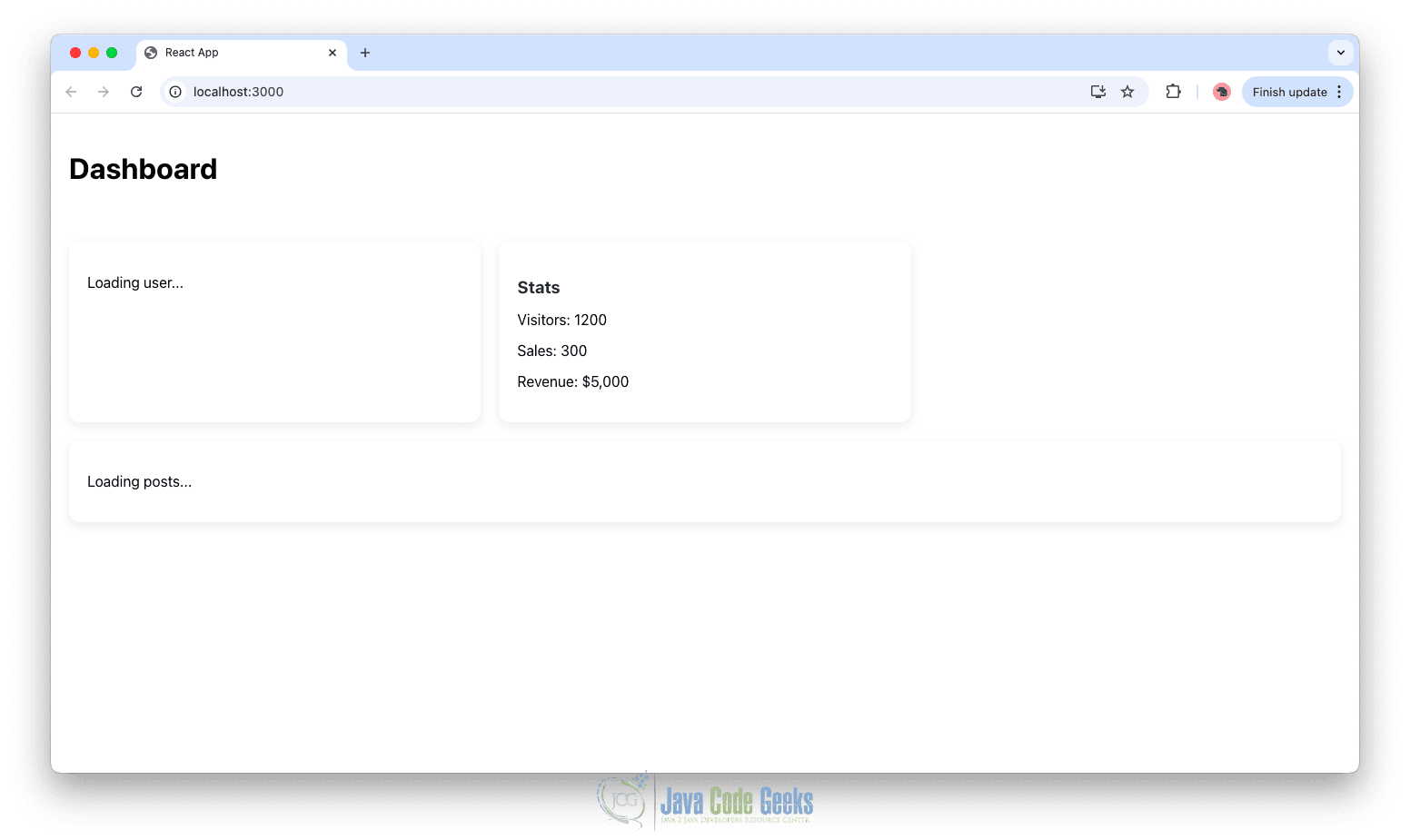
Initial Loading State
When the application starts:
- The Suspense fallback is triggered
- You see “Loading user…” or section-specific loaders
- Each component (User, Posts, Stats) loads independently
Dashboard Loaded
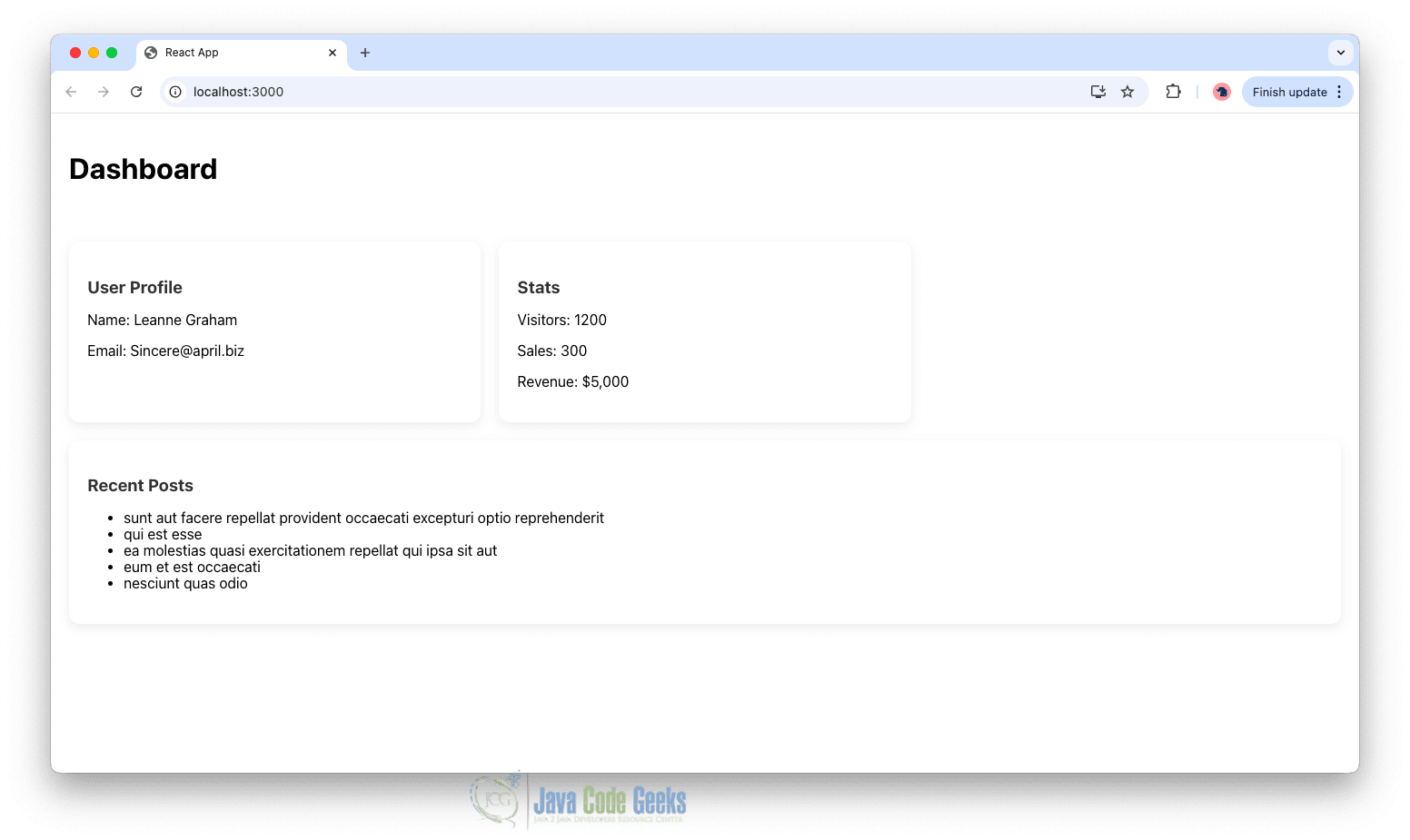
Once all promises resolve:
- The Dashboard renders fully
- User profile, stats, and posts appear
Error State
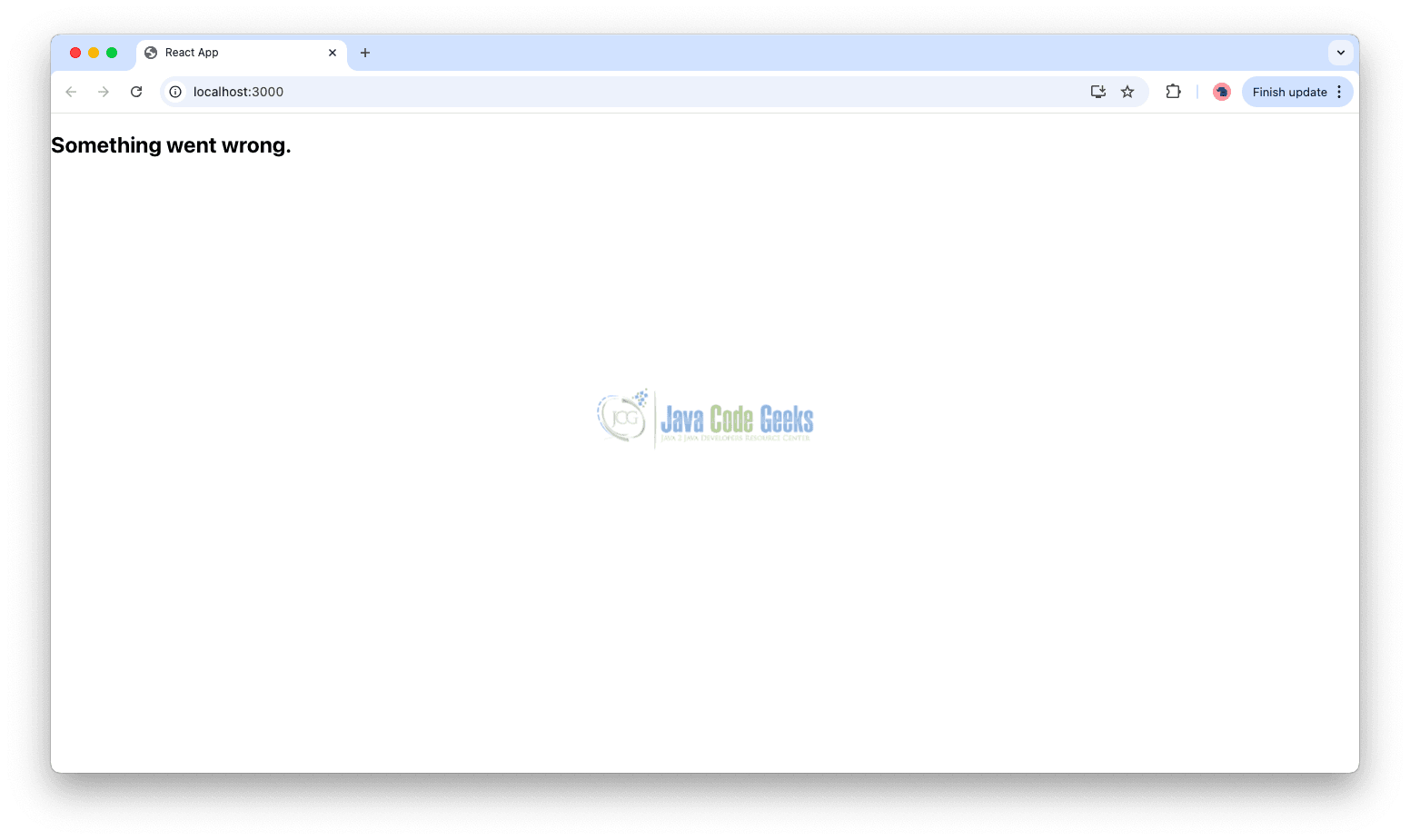
If an error occurs (e.g., failed fetch):
- Error Boundary catches it
- Instead of crashing, the UI shows: “Something went wrong.”
6. Benefits of This Approach
Modern React data fetching provides a more structured and declarative way to handle asynchronous operations, reducing the need for imperative state management and repetitive logic. With built-in loading coordination through Suspense, components can wait for data without manually tracking loading states, while the use() hook simplifies async logic by allowing direct consumption of promises.
In addition, Error Boundaries offer reliable error handling by preventing the entire application from crashing when something goes wrong. Overall, this approach reduces boilerplate, improves code readability, and makes applications easier to maintain as they grow in size and complexity.
7. Conclusion
In this article, we explored modern React data fetching patterns by examining how Suspense, the use() hook, and Error Boundaries work together to simplify asynchronous logic and improve application resilience. Through a dashboard example, we saw how these features reduce boilerplate, manage loading states more effectively, and handle errors gracefully. By adopting these modern patterns, we can build cleaner, more maintainable, and scalable React applications that are better suited for today’s data-driven user interfaces.
This article explored modern React data fetching using Suspense, the use hook, and ErrorBoundary concepts