
Converting Microsoft Word documents into HTML is a common requirement for web publishing, document storage, and content transformation systems. In Java, Apache POI provides APIs for reading Word documents and converting their contents to HTML. This article walks through some examples for converting .docx and .doc files into HTML programmatically.
1. Project Setup and Maven Configuration
First, we need to configure the project with the required dependencies. Apache POI supports modern and legacy Word formats separately, so both modules must be included.
    <dependencies>
        <!-- Apache POI for DOCX -->
        <dependency>
            <groupId>org.apache.poi</groupId>
            <artifactId>poi-ooxml</artifactId>
            <version>5.2.5</version>
        </dependency>

        <!-- Apache POI for DOC -->
        <dependency>
            <groupId>org.apache.poi</groupId>
            <artifactId>poi-scratchpad</artifactId>
            <version>5.2.5</version>
        </dependency>

        <!-- XHTML Converter dependency -->
        <dependency>
            <groupId>fr.opensagres.xdocreport</groupId>
            <artifactId>fr.opensagres.poi.xwpf.converter.xhtml</artifactId>
            <version>2.2.0</version>
            <scope>compile</scope>
        </dependency>
    </dependencies>
This configuration enables handling of both .docx and .doc formats. The poi-ooxml module supports modern Word files, while poi-scratchpad enables legacy .doc processing. The XHTML converter dependency simplifies HTML generation from .docx documents by reducing the need for manual parsing.
2. Converting DOCX to HTML Using XWPFDocument and XHTMLConverter
Working with .docx files is more efficient because they are XML-based. Using XWPFDocument together with XHTMLConverter allows us to convert documents into HTML with minimal custom logic.
public class DocxToHtmlConverter {

    public static void main(String[] args) throws Exception {

                try (InputStream fis = DocxToHtmlConverter.class.getClassLoader().getResourceAsStream("input.docx")) {
            XWPFDocument document = new XWPFDocument(fis);

            FileOutputStream out = new FileOutputStream("output.html");

            XHTMLOptions options = XHTMLOptions.create();
            XHTMLConverter.getInstance().convert(document, out, options);

            out.close();
            document.close();
        }
    }
}
This code loads the .docx file using XWPFDocument and converts it into HTML using XHTMLConverter. The converter processes paragraphs, formatting, tables, and images automatically, significantly reducing the need for manual parsing and HTML generation.
Sample Word Document (Before Conversion)
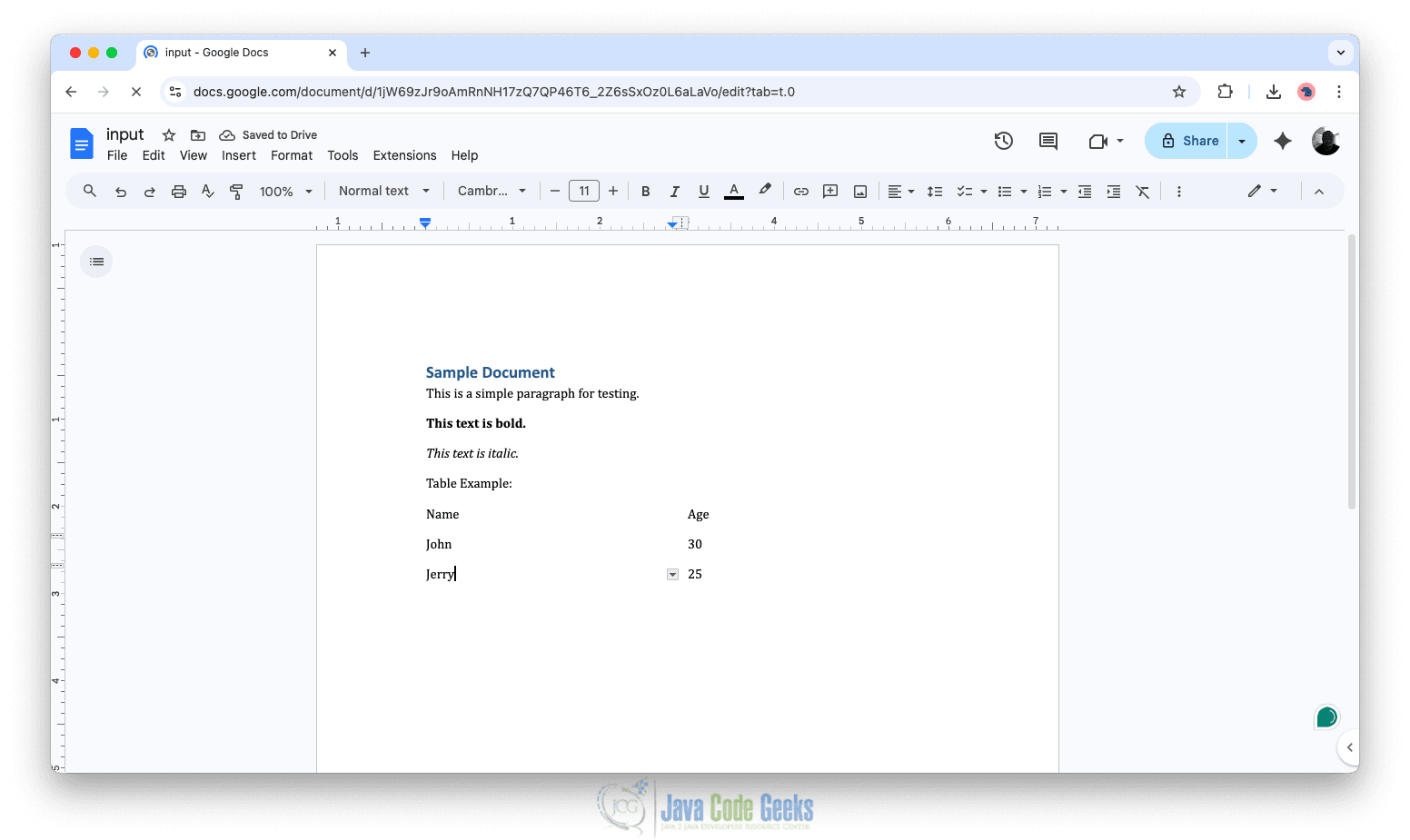
HTML Output After DOCX Conversion
After running the conversion, the generated HTML (output.html) will look similar to this:
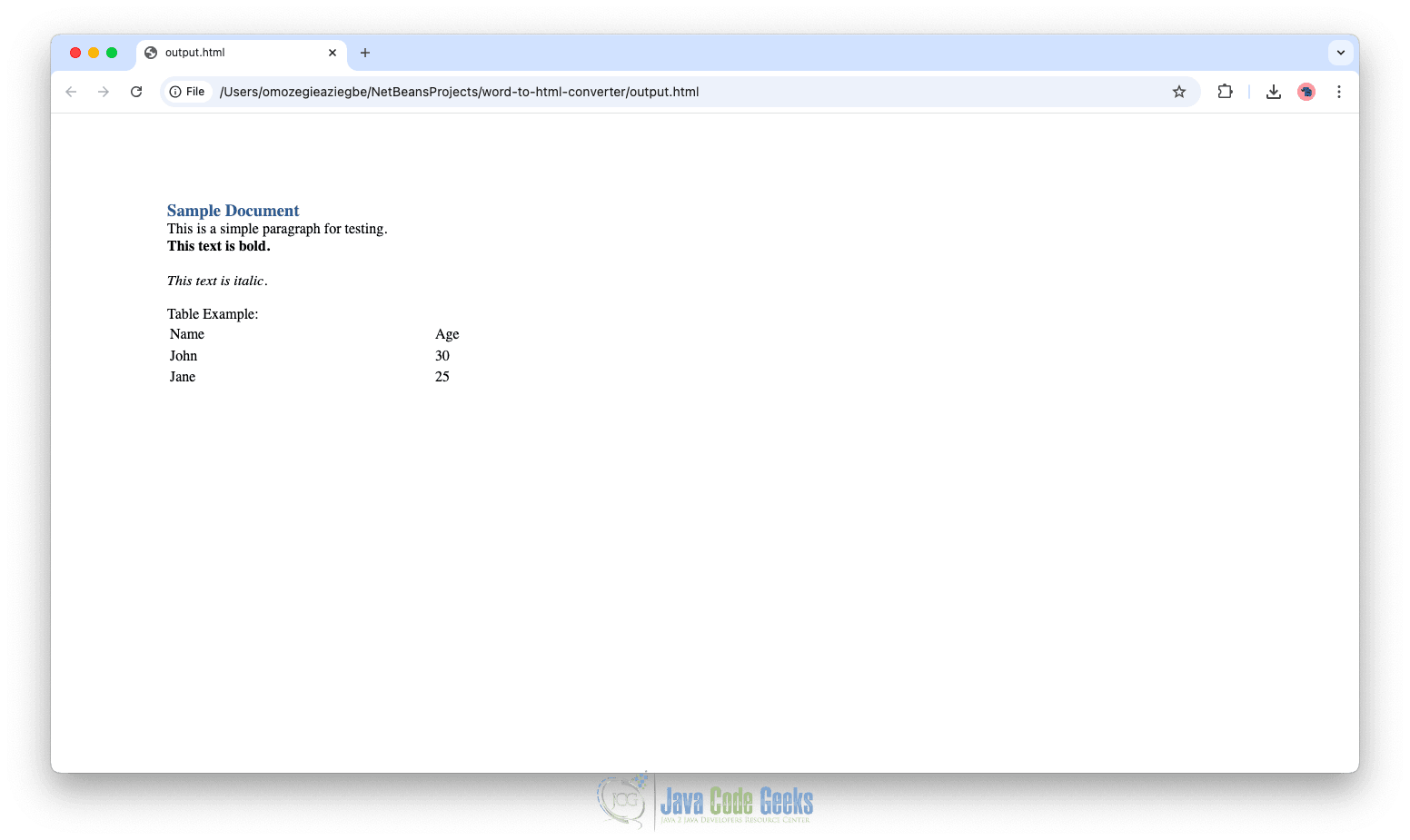
The output preserves the document structure by converting headings, paragraphs, text styles, and tables into their corresponding HTML elements. This demonstrates how the XHTML converter maintains a close representation of the original document.
Customizing DOCX HTML Output
While the default conversion works well, you may want to customize how images and styles are handled.
            XHTMLOptions options = XHTMLOptions.create();

            options.setExtractor(new FileImageExtractor(Paths.get("images").toFile()));
            options.URIResolver(new BasicURIResolver("images"));
This configuration extracts images from the document into a specified folder and ensures the generated HTML references them correctly. It improves portability and ensures images display properly when the HTML is viewed in a browser.
3. Converting DOC to HTML Using WordToHtmlConverter
For legacy .doc files, Apache POI provides WordToHtmlConverter, which converts documents into an HTML DOM structure.
public class DocToHtmlConverter {

    public static void main(String[] args) throws Exception {
        try (InputStream fis = DocxToHtmlConverter.class.getClassLoader().getResourceAsStream("input.docx")) {
            HWPFDocument document = new HWPFDocument(fis);

            WordToHtmlConverter converter = new WordToHtmlConverter(
                    DocumentBuilderFactory.newInstance().newDocumentBuilder().newDocument()
            );

            converter.processDocument(document);

            Document htmlDocument = converter.getDocument();

            Transformer transformer = TransformerFactory.newInstance().newTransformer();
            transformer.setOutputProperty(OutputKeys.METHOD, "html");

            FileOutputStream fos = new FileOutputStream("output.html");
            transformer.transform(new DOMSource(htmlDocument), new StreamResult(fos));

            fos.close();
            document.close();
        }
    }
}
This approach reads a .doc file, converts it into an HTML DOM using WordToHtmlConverter, and then writes the result to an HTML file.
Generated HTML may require additional styling to closely match the original document’s appearance. This can be improved by adding external CSS stylesheets, mapping Word styles to HTML classes, and refining layout consistency to achieve a more polished result.
Although Apache POI is powerful, it has limitations when converting Word documents to HTML. Complex layouts, advanced formatting, and embedded objects may not translate perfectly. It is best suited for structured documents, controlled formatting environments, and backend document processing pipelines
4. Conclusion
In this article, we explored how to convert Word documents into HTML programmatically in Java using Apache POI. We covered both .docx and .doc formats by using XWPFDocument with XHTMLConverter for modern documents and WordToHtmlConverter for legacy files.
5. Download the Source Code
This article explored how to convert Word (.doc, .docx) files into HTML using Java.
You can download the full source code of this example here: Java convert word doc docx html



