
Quarkus makes it easy to build ultra-fast native executables using GraalVM, but resource handling behaves differently compared to a traditional JVM application. When compiling to a native image, GraalVM performs aggressive static analysis and removes anything it does not explicitly detect as being used, including files on the classpath. This means that text files, JSON files, certificates, templates, and other assets must be deliberately packaged into the executable.
In this article, we explore several ways to make resources available to a Quarkus application compiled as a native image, including how to configure each approach and how to load those resources safely at runtime.
1. Project Setup
To follow along, you need GraalVM installed and configured as your default JDK, along with Maven and a recent version of Quarkus. We will build a small REST application that reads embedded files from the native executable and exposes them through HTTP endpoints so the behaviour can be verified easily.
A quick way to bootstrap a new Quarkus project is through code.quarkus.io, where you can begin by choosing the REST service extensions.
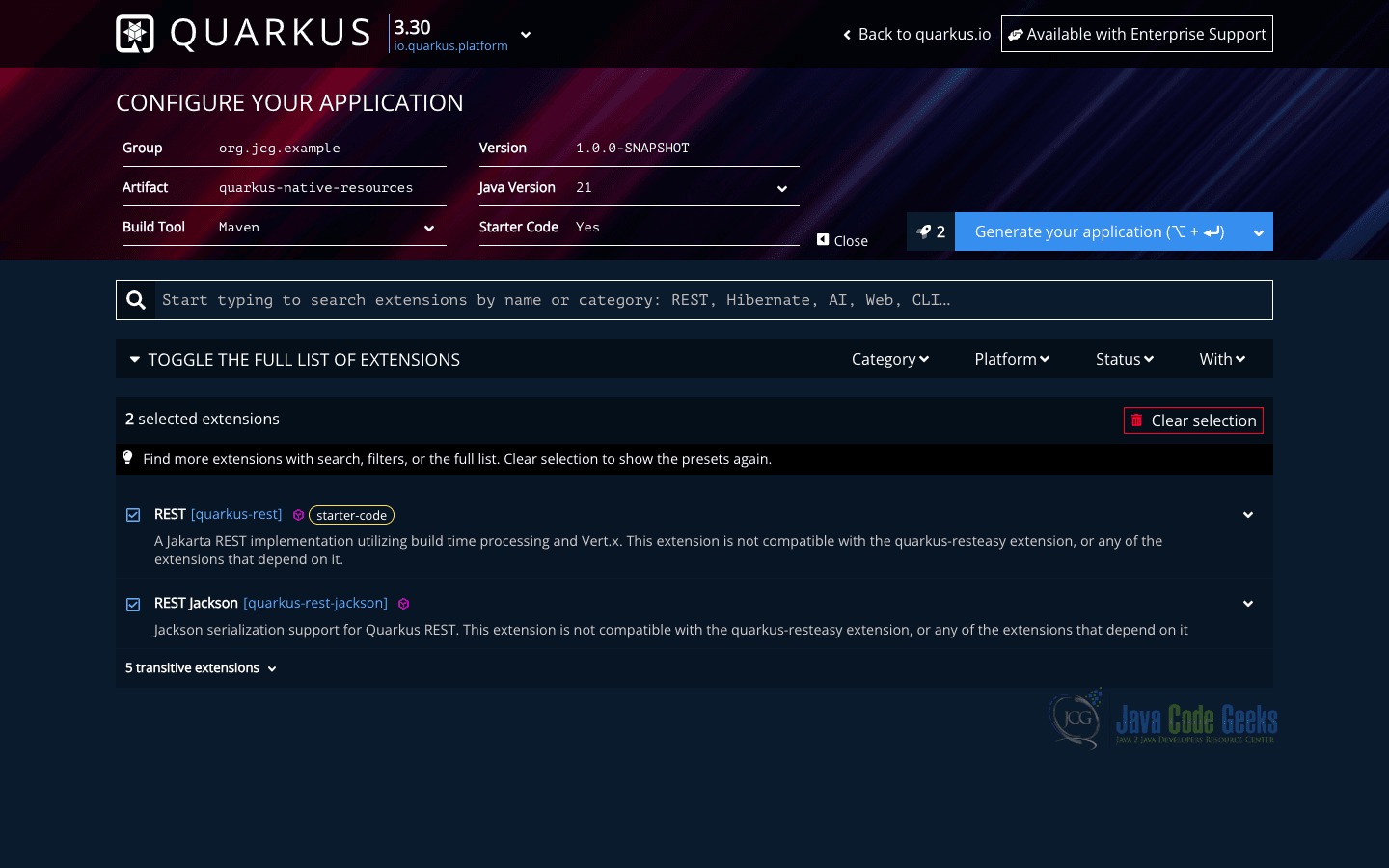
To enable native compilation, the pom.xml contains a Maven profile dedicated to building native executables, as shown below.
       <dependency>
            <groupId>io.quarkus</groupId>
            <artifactId>quarkus-rest</artifactId>
        </dependency>
        <dependency>
            <groupId>io.quarkus</groupId>
            <artifactId>quarkus-rest-jackson</artifactId>
        </dependency>
        <dependency>
            <groupId>io.quarkus</groupId>
            <artifactId>quarkus-arc</artifactId>
        </dependency>
        <dependency>
            <groupId>io.quarkus</groupId>
            <artifactId>quarkus-junit5</artifactId>
            <scope>test</scope>
        </dependency>
        <dependency>
            <groupId>io.rest-assured</groupId>
            <artifactId>rest-assured</artifactId>
            <scope>test</scope>
        </dependency>

    <profiles>
        <profile>
            <id>native</id>
            <activation>
                <property>
                    <name>native</name>
                </property>
            </activation>
            <properties>
                <quarkus.package.jar.enabled>false</quarkus.package.jar.enabled>
                <skipITs>false</skipITs>
                <quarkus.native.enabled>true</quarkus.native.enabled>
            </properties>
        </profile>
    </profiles>
Containerizing a Quarkus Native Application with Docker
In a standard Quarkus project, it is common to have several Dockerfiles located under the src/main/docker/ directory, each serving a specific role depending on how the application should be built, packaged, and executed. Some Dockerfiles target JVM mode, while others are optimized for native executables.
Example Dockerfile for a Native Executable
FROM registry.access.redhat.com/ubi9/ubi-minimal:9.7
WORKDIR /work/
RUN chown 1001 /work \
    && chmod "g+rwX" /work \
    && chown 1001:root /work
COPY --chown=1001:root --chmod=0755 target/*-runner /work/application

EXPOSE 8080
USER 1001

ENTRYPOINT ["./application", "-Dquarkus.http.host=0.0.0.0"]
This Dockerfile builds a lightweight container image using a minimal Red Hat UBI base image. It sets a working directory inside the container, adjusts ownership and permissions to run the application securely as a non-root user, and copies the native executable produced by the Quarkus build into the image.
Project Structure
src/main/resources
├── application.properties
├── config.json
└── message.txt
src/main/java
└── org
    └── jcg
        └── example
            └── GreetingResource.java
This layout follows the standard Maven structure used by Quarkus projects. Two sample resource files (message.txt and config.json) will be embedded into the native image and loaded at runtime.
2. Creating a REST Endpoint for Resource Access
To demonstrate resource loading, we expose REST endpoints that return the contents of embedded files. This allows us to verify behaviour both in JVM mode and after compiling to a native executable.
@Path("/resources")
public class ResourceEndpoint {

    @Inject
    ResourceService service;

    @GET
    @Path("/text")
    @Produces(MediaType.TEXT_PLAIN)
    public String loadText() {
        return service.read("message.txt");
    }

    @GET
    @Path("/json")
    @Produces(MediaType.APPLICATION_JSON)
    public String loadJson() {
        return service.read("config.json");
    }
}
This endpoint exposes two URLs that load different resource types. Each request sends the file reading work to a service class so the logic can be reused and easily tested.
ResourceService.java
@ApplicationScoped
public class ResourceService {

    public String read(String fileName) {
        try (InputStream is
                = Thread.currentThread()
                        .getContextClassLoader()
                        .getResourceAsStream(fileName)) {

                    if (is == null) {
                        return "Resource not found: " + fileName;
                    }

                    return new String(is.readAllBytes(), StandardCharsets.UTF_8);

                } catch (Exception e) {
                    return "Failed to load resource: " + e.getMessage();
                }
    }
}
The service uses the thread context class loader to resolve files from the classpath. This method works consistently across JVM and native environments as long as the resource has been explicitly packaged into the native image.
3. Including Resources Using application.properties
Because GraalVM removes unused assets during compilation, Quarkus needs to know exactly which resources should be embedded into the native binary. An easy approach is to declare resource patterns in application.properties.
quarkus.native.resources.includes=message.txt,config.json
This configuration instructs Quarkus to copy both files into the native image during the build process. File names, directory paths, and wildcard expressions are supported. Without this entry, the resources would be missing at runtime even though they exist in the project.
Once the resources are included, accessing them is no different from a regular JVM application. The class loader resolves the files directly from the native binary instead of the filesystem.
Using Wildcard Patterns for Resource Inclusion
Large projects often contain many assets spread across directories. Instead of listing every file manually, wildcard patterns can be used to simplify configuration.
quarkus.native.resources.includes=templates/**,static/**,*.json,*.txt
This configuration includes all files under the templates and static directories as well as any JSON file at the root of the resources directory. This approach improves maintainability as new files added to these folders are automatically bundled without additional configuration changes.
4. Using META-INF/resources for Automatic Inclusion
Instead of managing explicit resource lists or GraalVM metadata, you can rely on a convention that Quarkus recognizes automatically. Any files placed under META-INF/resources are treated as application assets and are bundled into the native executable without additional configuration.
This directory originates from the standard Java web resource layout and remains supported even when running without a servlet container. Using this approach allows Quarkus to handle resource registration transparently and eliminates the need for native-specific tuning.
Directory Structure
src/main/resources
├── META-INF
│   ├── config.json
│   └── message.txt
Placing files here guarantees they are included in both JVM and native builds. We do not need to modify application.properties or maintain GraalVM resource configuration files for these assets.
5. Including Resources Using META-INF/native-image Configuration
GraalVM supports explicit resource configuration files, which Quarkus automatically detects and merges into the native build.
resource-config.json (src/main/resources/META-INF/native-image/<group-id>/<artifact-id>/resource-config.json)
{
  "resources": {
    "includes": [
      { "pattern": "message.txt" },
      { "pattern": "config.json" }
    ]
  }
}
This configuration tells GraalVM which resource files should be included in the native executable. Each pattern entry defines a file or matching rule that gets bundled into the final binary so the application can access it at runtime.
6. Building a Native Image with GraalVM
After configuring the resources, we can build the native executable using the Quarkus Maven plugin.
./mvnw clean package -Pnative "-Dquarkus.native.container-build=true"
This command compiles the application, runs the GraalVM native image generator, and produces a platform-specific binary in the target directory. The resulting executable contains the application code, dependencies, and all configured resource files bundled into a single file.
Running and Verifying the Native Executable
After the native build completes, Quarkus generates a platform-specific executable in the target directory. The file ending with *-runner is the built native binary produced by Quarkus. This binary can run directly on the host machine without requiring a JVM.
java -jar target/quarkus-native-resources-1.0.0-SNAPSHOT-native-image-source-jar/quarkus-native-resources-1.0.0-SNAPSHOT-runner.jar
Running this command starts the application immediately using the native executable.
Testing with curl
curl http://localhost:8080/resources/text
If the response matches the file content, it confirms that the native binary is running correctly and that the embedded resources are being successfully loaded at runtime.
7. Conclusion
In this article, we explored how to access resources in a Quarkus native image and examined multiple techniques for making those resources available when building with GraalVM. We covered explicit resource inclusion using application configuration, wildcard patterns, and native image metadata, as well as a convention-based approach using the META-INF/resources directory to simplify resource packaging. With these strategies, resource handling becomes predictable and maintainable while preserving the performance benefits of Quarkus native applications.
8. Download the Source Code
This article explored how to access resources in a Quarkus native image.
You can download the full source code of this example here: quarkus native image access resources






