
In modern machine learning workflows, tracking experiments and managing model versions is essential to maintain reproducibility, collaboration, and deployment efficiency. Without proper versioning, models may get lost, overwritten, or deployed without sufficient validation. Enter MLflow, an open-source platform that simplifies tracking experiments, managing model versions, and deploying models with confidence.
In this guide, we’ll explore MLflow’s core capabilities with a focus on model versioning, experiment tracking, and using the MLflow UI—complete with screenshots and practical tips.
1. What is MLflow?
MLflow is an open-source platform for managing the complete machine learning lifecycle, including:
- MLflow Tracking – Log and query experiments: code, data, config, and results.
- MLflow Projects – Package code in a reproducible format.
- MLflow Models – Deployable model packaging.
- MLflow Registry – Central model store with versioning, stage transitions, and annotations.
Together, these tools help you move from experimentation to production systematically.
2. Tracking Experiments with MLflow
MLflow Tracking allows you to log key elements of an ML experiment:
- Parameters (e.g. learning rate, number of epochs)
- Metrics (e.g. accuracy, loss)
- Artifacts (e.g. plots, models)
- Source code and environment
Start tracking with a simple setup:
import mlflow
mlflow.start_run()
mlflow.log_param("lr", 0.001)
mlflow.log_metric("accuracy", 0.92)
mlflow.log_artifact("plot.png")
mlflow.end_run()
2.1 MLflow Tracking UI
Use the UI to browse experiments, inspect parameters and metrics, and drill into specific runs.
3. Visualizing Results and Metrics
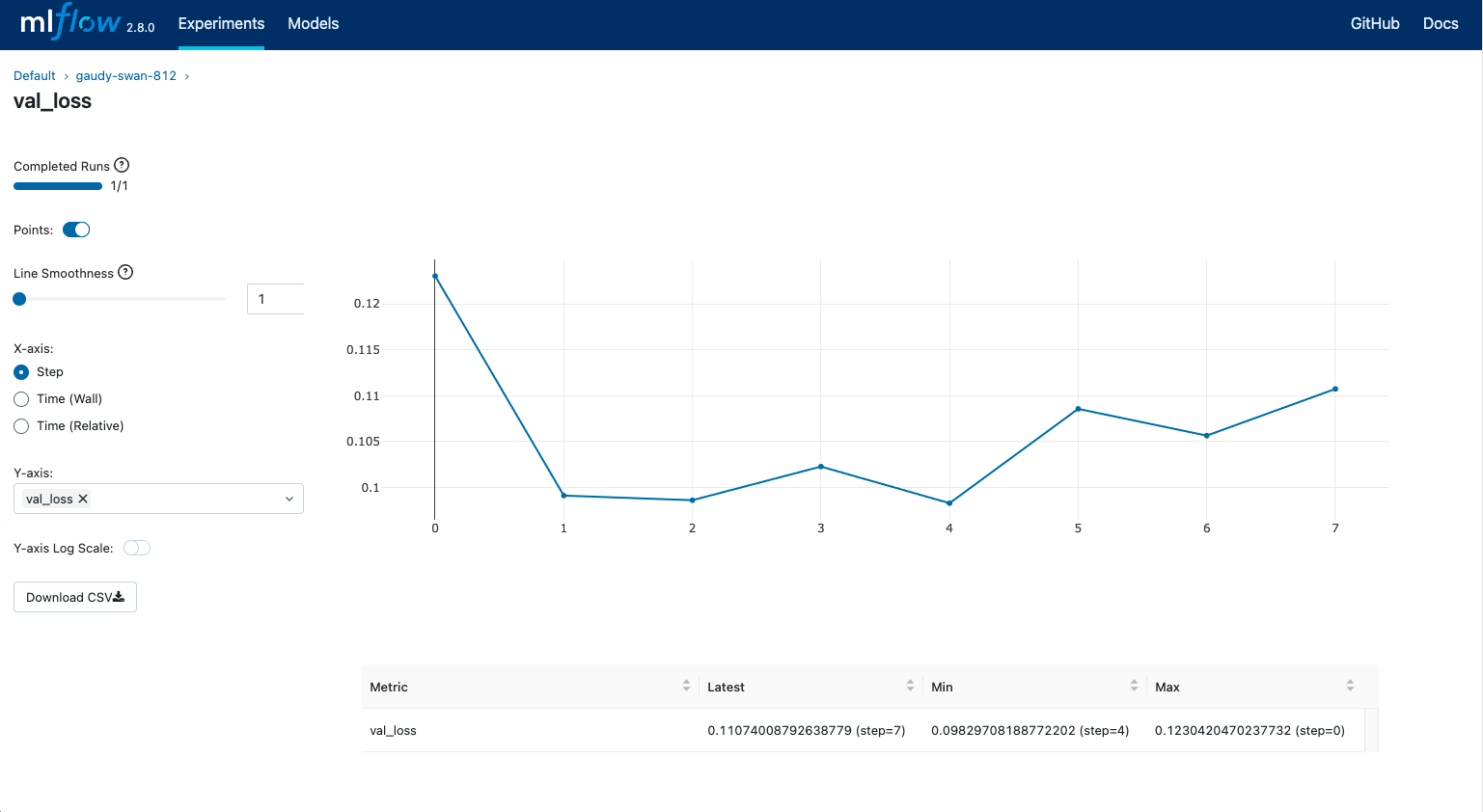
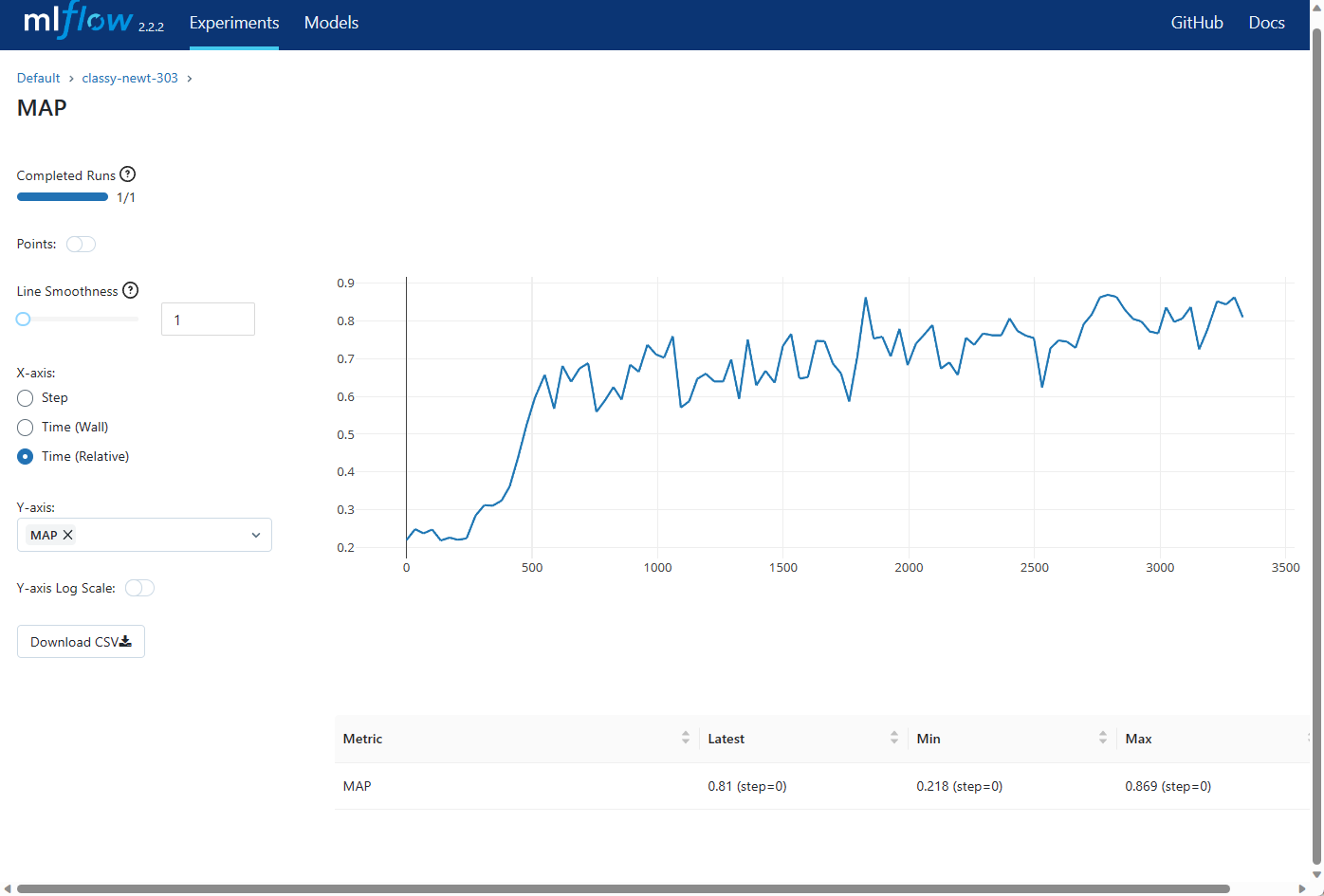
MLflow also supports visualization through a Chart View, letting you compare metrics like accuracy, loss, or AUC across runs.
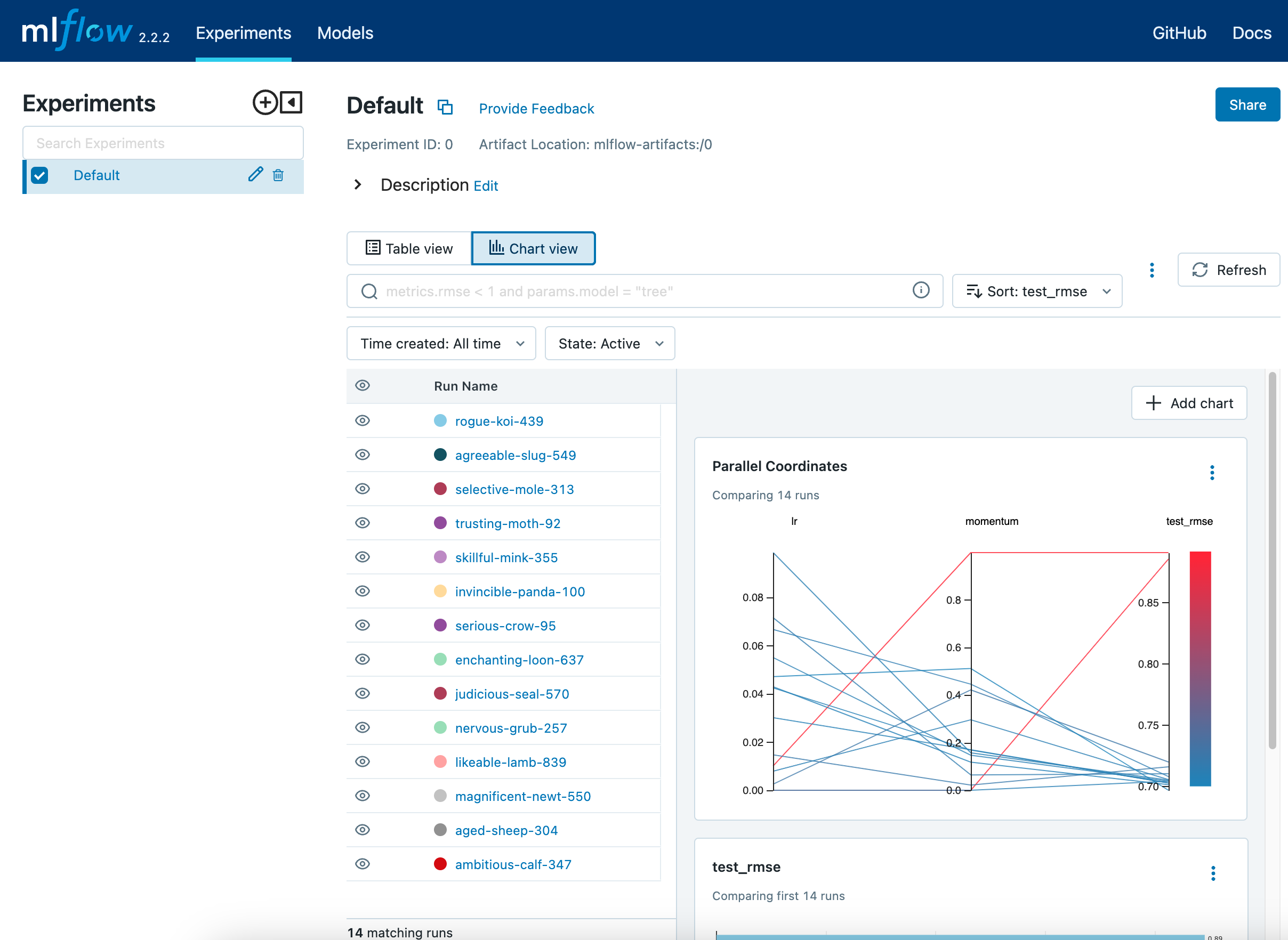
This helps in quickly spotting trends or anomalies during hyperparameter tuning.
4. Comparing Multiple Runs
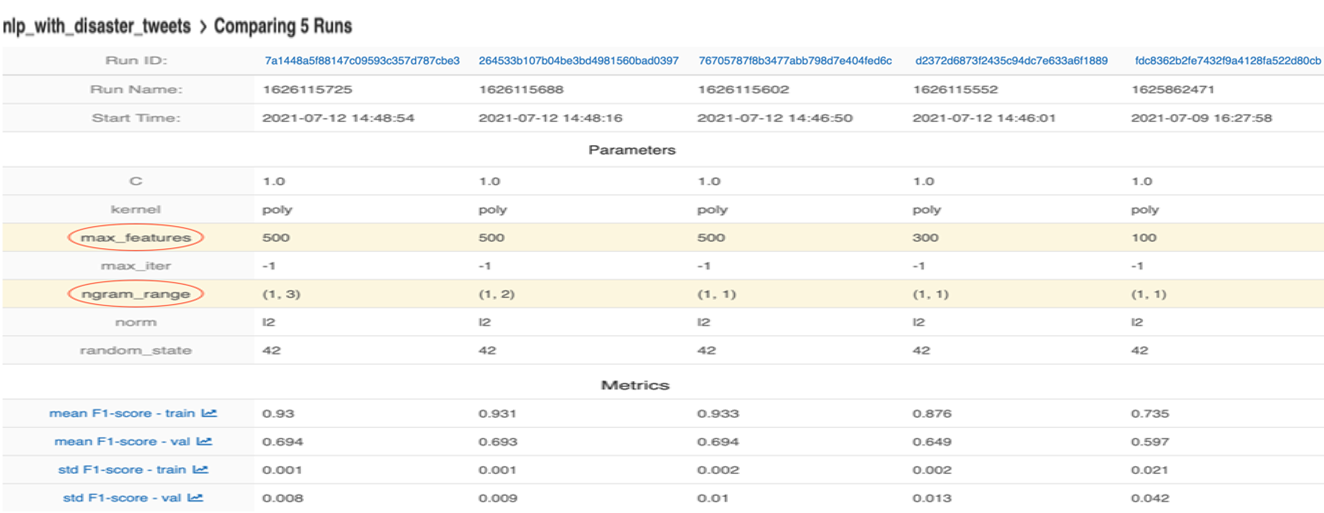
You can select multiple runs to compare them side-by-side. This view shows differences in parameters, metrics, and tags.
This is especially helpful when selecting the best-performing model out of a batch of experiments.
5. Registering and Managing Models
Once you have a top-performing model, you can register it using MLflow’s Model Registry. This gives you tools to:
- Assign version numbers
- Promote models through stages (e.g. “Staging”, “Production”)
- Add descriptions and metadata
Registering models is simple:
result = mlflow.register_model(
    "runs:/<run_id>/model", "MyModel")
This view lets teams collaborate on model lifecycle management with clear version control.
6. Real-World Use Cases
- MLOps Pipelines: Automate version promotion using CI/CD (e.g. GitHub Actions).
- Experiment Governance: Enable reproducibility and auditability for research models.
- Model Rollbacks: Easily revert to a previously validated model in production.
7. How to Launch the MLflow UI
To use the UI locally:
mlflow ui
Then visit http://localhost:5000 in your browser.
8. Conclusion
MLflow provides a robust, production-ready solution for managing the entire lifecycle of machine learning models. From experiment logging to versioned deployment, its intuitive UI and simple Python API make it a favorite among data scientists and MLOps teams alike.
With MLflow, you gain:
- Transparent experiment tracking
- Visual comparison tools
- Controlled model registry and versioning
This ultimately translates to more reliable, scalable, and collaborative ML development.
9. Further Reading & Resources
- Official MLflow Documentation
- MLflow GitHub Repo
- Databricks MLflow Guide
- YouTube: Introduction to MLflow
- Blog: Managing Models at Scale with MLflow





