
Caption line breaks are now possible. The new note editor has been updated again!

Following feedback from those of you registered for note Premium regarding the new note editor (posting feature) currently under development, we have continued to update features even after the interim report and the announcement of 8 new features.
Some of these updates are small things you might not notice unless they were pointed out. However, these are also features that reduce minor stresses during operation.
This time, we will introduce four updates that were added after the announcement.
What is the new note editor (beta version)?
The editor is the screen you see when you post/edit articles. As of 11/19, if you are registered for note Premium, you can use the beta version of the new editor, which includes new features. It will be available to all creators soon. Stay tuned! * November 25 update: All creators can now use the new editor! For details, please see the article below summarizing the beta version features.
https://note.com/info/n/nedf8b9646b68
1. Image descriptions (captions) can now have line breaks
When you write a description after uploading an image, you can now insert line breaks wherever you like, preventing unintended line breaks. For example, as shown below, depending on how you use line breaks, you can create a wide range of applications, such as vertical writing.

2. Display URLs embedded in text while editing
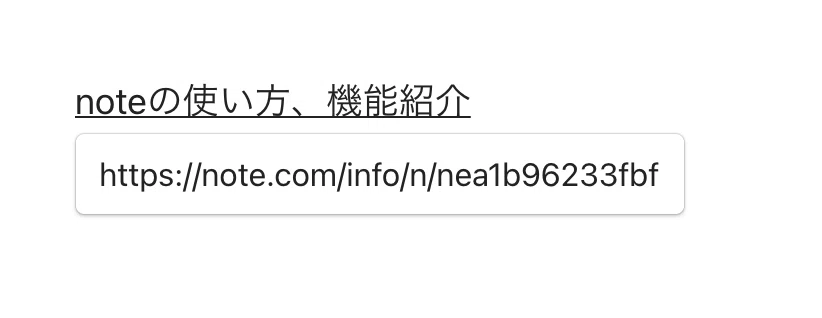
For example, when you want to embed an official note article into text like "How to use note, feature introduction." You can now display the embedded URL while editing in the new editor. (* It will not be displayed when readers view it.)
3. Share to LINE after publishing an article
We have added a LINE button to the pop-up that appears after publishing an article. You can now share it immediately with people you usually communicate with on LINE.

4. Images over 10MB can now be uploaded
Previously, if a file was 10MB or larger, an alert would appear and it could not be uploaded. In the new editor, images over 10MB will be automatically compressed, allowing them to be uploaded.
Support for GIF animations and external service embedding
Because the new editor was designed and developed from scratch, there were some features available in the current editor that were not yet supported. Those features that were not supported in the new editor are now available.
Support for uploading GIF animations
Ability to edit URLs embedded in text later
Support for embedding note articles and external services (list of supported services is here).
Feedback received from creators is also being addressed
We have also fixed the following feedback received from creators so that it works correctly.
When adding a caption to an image, pasting with a keyboard shortcut caused the text to be overwritten, so we have fixed it so that you can paste text into the caption area.
When pressing Enter twice in a paragraph to create a line break, we have adjusted it so that it does not leave a full paragraph of space.
When changing text content to Code, we have fixed it so that line breaks are properly maintained.
When pasting text written in Markdown notation, we have fixed it so that quotes are pasted correctly.
We have adjusted it so that the table of contents and the + button on the left do not overlap (PC).
New features are being added all the time! We also introduce the latest information on Twitter (@note_PR). Please follow us.
For improvements and requests regarding features, please use note feedback. For other inquiries, please use the
request submission form.
For a list of features in the new editor, please see the following article.