
[Explanation] Installing and trying out the "TensorRT" extension for Stable Diffusion WebUI.

◆What is TensorRT?
A software development kit for deep learning provided by NVIDIA
...that might not mean much to you!!!
It's basically something that handles inference efficiently.
It was released in late January (though it was a pain to install).
◆Benefits of using TensorRT
It becomes incredibly fast. This is huge.
Here is the official comparison.
It is 2.5 to 3 times faster than usual!
It's super fast. Like a jet!!
xformers can go ahead and cry
◆Are there any downsides?
Well, yes, of course.
-
Switching models takes time
This is because conversion is performed for each model.
-
Some extensions may stop working.
Please assume they generally won't work.
-
Using things like LoRA is complicated.
Same as with extensions.
I think it's best suited for when you want to specialize in just rolling the gacha for image generation.
◆Installation requirements
The requirements are also listed on the site mentioned earlier.
GPU: RTX series with at least 8GB of VRAM
RAM: 16GB
Driver version 537.58 or later
I think many of you who generate images regularly will already meet these.
◆ Before installation
Since I don't know what will happen in the future, I recommend
"starting fresh in a new environment"
. (Because doing this in your current environment might cause issues.)
This time, I will build the WebUI from scratch.
◆ Building the WebUI
I assume many people reading this article are thinking, "I can do that easily."
I'll write it down just in case anyway 🙏
python -m venv venv
venv\Scripts\activate.bat
First, the virtual environment
git clone https://github.com/AUTOMATIC1111/stable-diffusion-webui.gitClone the WebUI.
Once done, drop in your models, change the command line, and launch!!
That's it!
If you don't know how, it's all written in the book, so please check it out if you'd like (shameless plug).
◆ Installing the "TensorRT" extension
Launch the WebUI and open the Extensions tab.
Access the GitHub page mentioned above and copy-paste as shown in the image.


After installation, restart the WebUI.
If you don't, it won't be reflected, and it might even bug out. Probably.

After restarting, if this tab appears, the installation was successful.
If you haven't installed cuDNN, it will complain that "it doesn't exist."
Make sure to do that.
You might get an entry point error upon restarting, but it seems to be a bug.
It runs for now, so it should be... probably fine.
■ Installing cuDNN
Access the site above and register as a member.
After that, click "Download cuDNN Library" to download it.
Basically, the "for CUDA 11.x" version should be fine.
After that, copy and paste the contents into the "cudnn" folder located where CUDA is installed.
If it doesn't exist, please create it.
Then, set the environment variables and verify that the Path is configured.
◆ Model Conversion
From here on, we will convert the model.
It seems that depending on the generated image or the model, you have to convert the model (?).

Open the TensorRT tab and, for now, click "Export Engine" with the default settings.
It will take some time, but once it says "successful," the conversion is complete.
Press the 🔄 button below to apply it.
◆ Image Generation
Now for the generation.
Having said that, you just generate as usual.
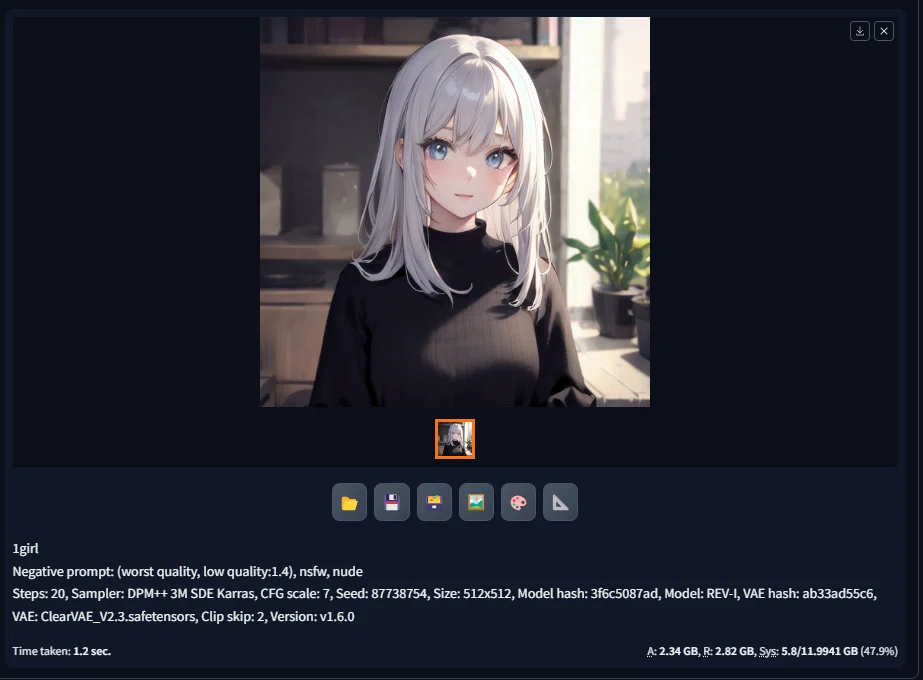
1.2 seconds. That's fast, isn't it?
For comparison, I'll try it with normal generation.

1.7 seconds. Honestly, one might say it's within the margin of error, but it's a beat faster.
There is a visible difference.
Next is 512x768.


Fast!! There is a difference of about 0.6 seconds.
It feels like the performance of the graphics card has gone up by one rank. (Subjective experience)
Depending on the conversion, you can also do 1024x1024, so it seems useful~
◆ Summary
Specialized for generation but blazing fast
Model conversion takes time, but usability remains the same.
It's visibly faster, so it's kind of nice!
But I don't use it that much
That is all!!!
The end.